

The following are the specific steps for purchasing a NAT Gateway.
Log in to the cloud console, select Cloud Services > VPC to enter the VPC console, and click NAT Gateway on the left.
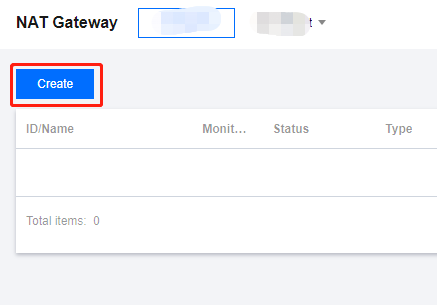
Click Create in the upper left corner.
In the pop-up, enter or confirm the following parameters in sequence:- Gateway name.
- Gateway type.
- AZ.
- Network: Select the VPC for the NAT Gateway service.
- Max. Bandwidth: Select according to your needs.
- EIP: Bind an EIP to the NAT Gateway. You can select an existing EIP or purchase and bind a new one.
- Carrier: Choose the carrier.
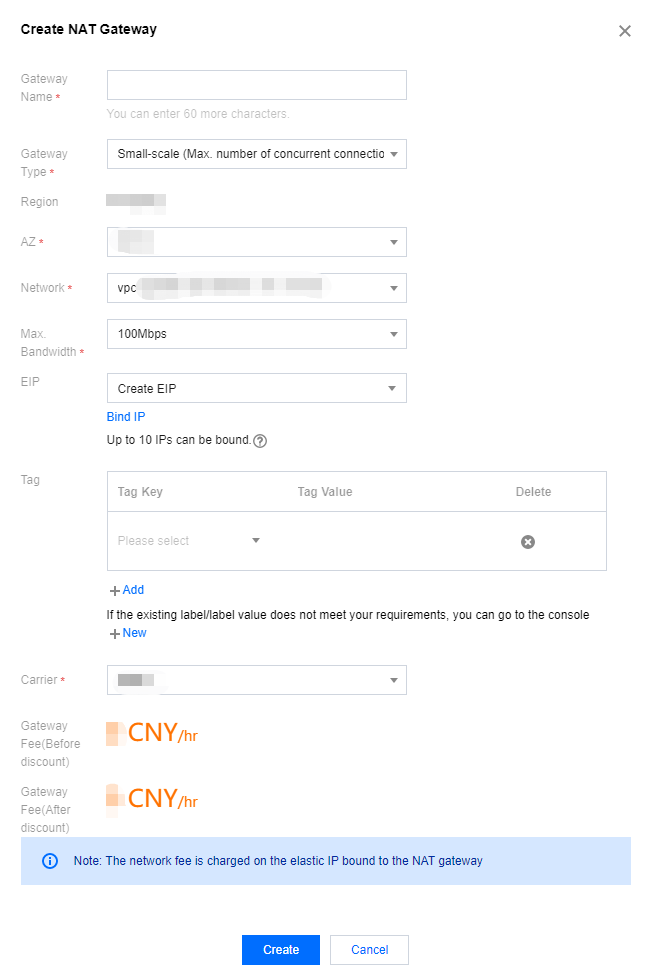
After selection, click Create to complete the purchase of the NAT Gateway.
