

Choose Common Tools > Simulation Test to configure and monitor network connectivity in real time. The simulation test tool detects access path anomalies promptly, helping improve Ops and network availability.
Entry to Simulation Test
Navigate to Common Tools > Simulation Test.
Creating a Simulation Test Task
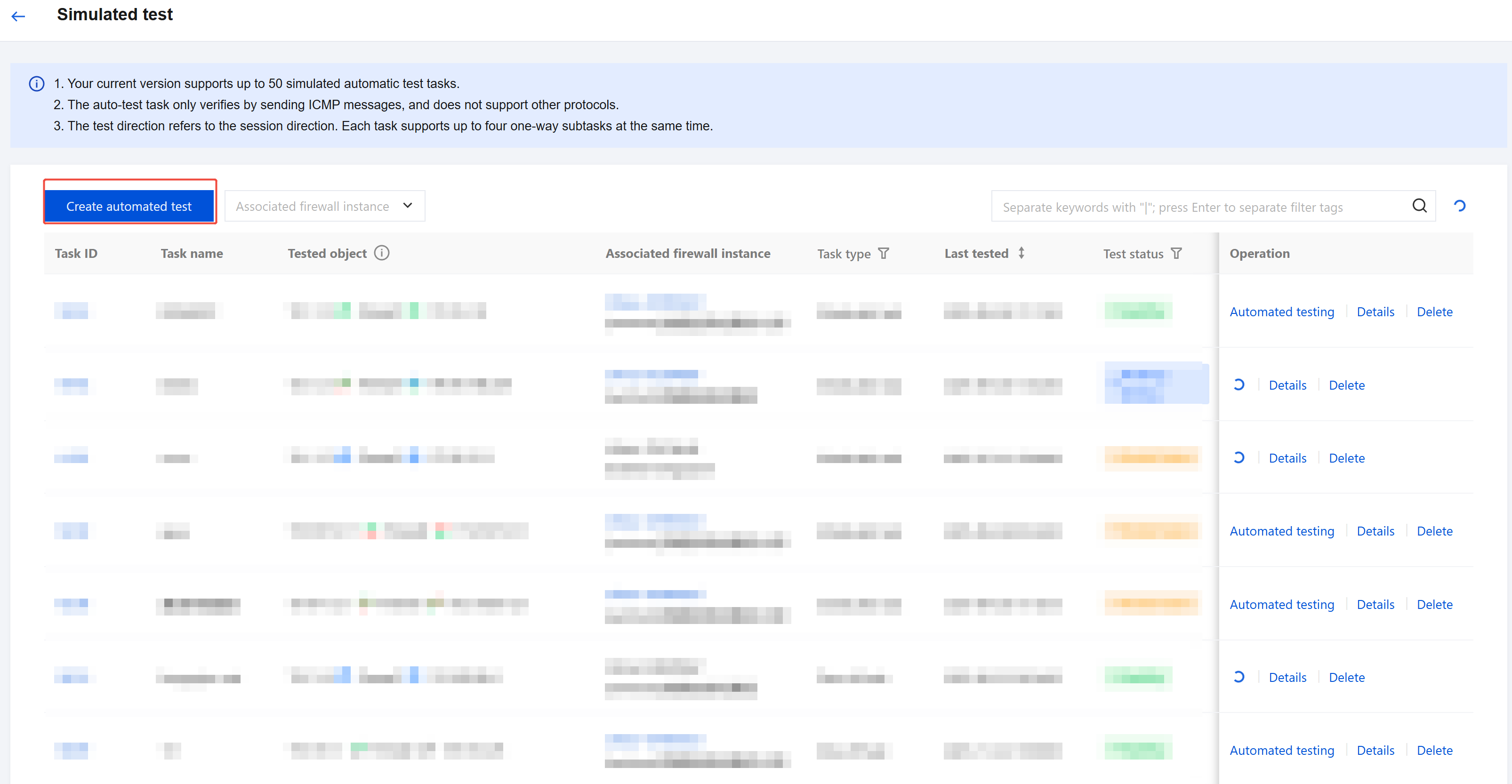
- Click Create Simulation Test Task.
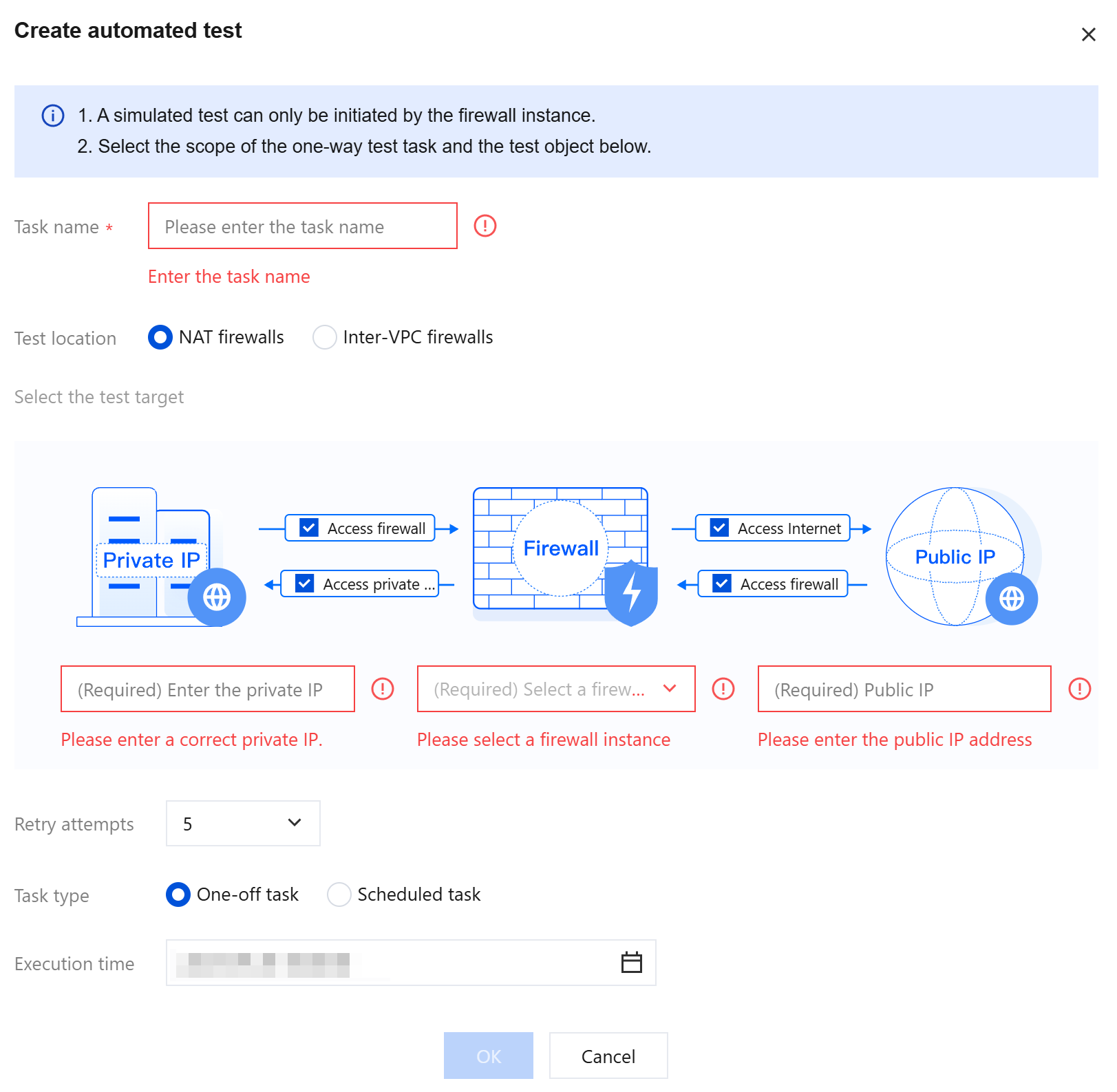
- Configure the following parameters:
- Location to be tested
- Access source and destination of the test request
- Traffic direction
- Firewall entry and exit points
- Task type: temporary or periodic
- Note: Simulation tests can only be initiated in one direction via a firewall instance. The firewall monitors the health of the engine access path by simulating packet sending and receiving, verifying whether traffic flows normally through the firewall engine.
Viewing Test Tasks
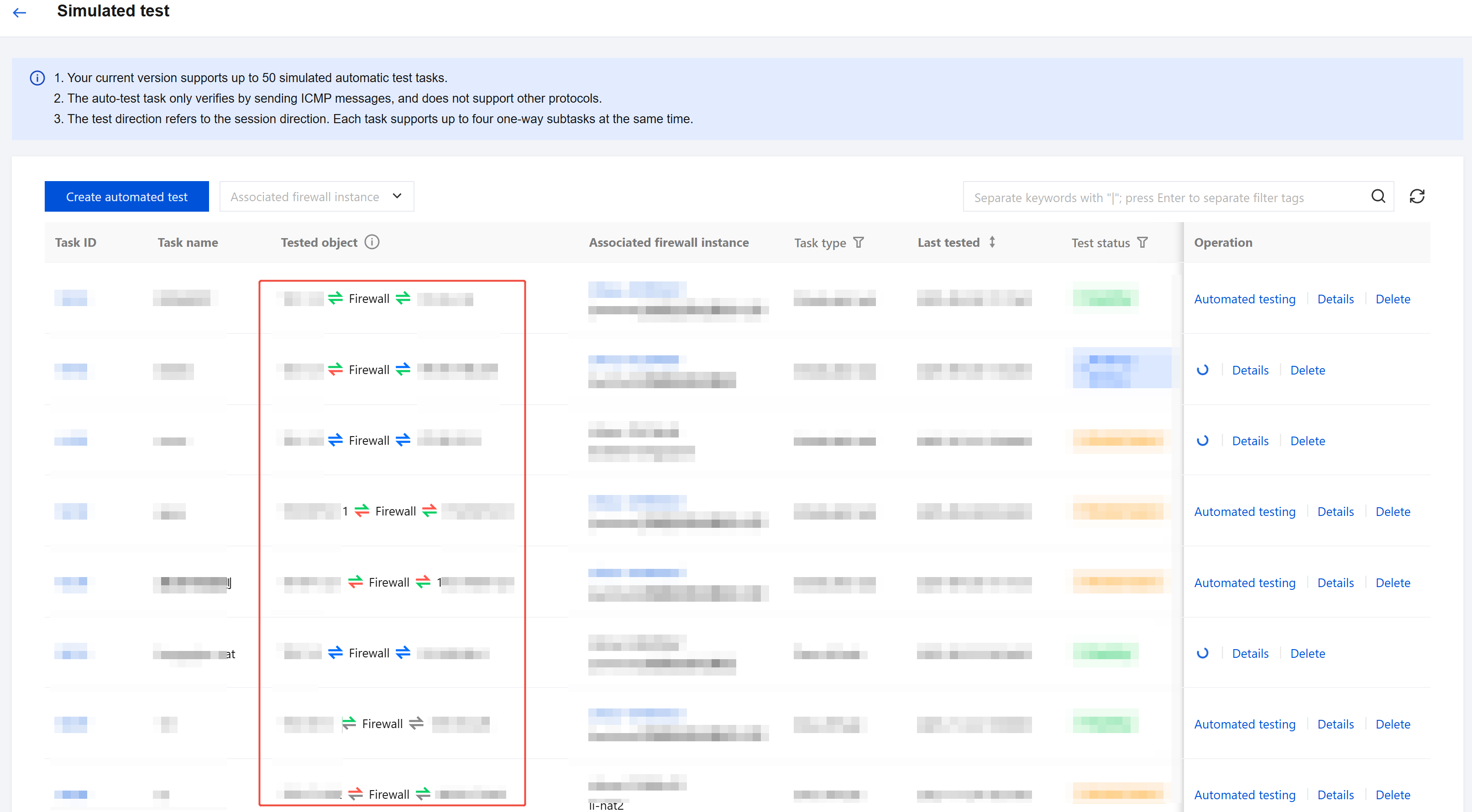
- Check the test status in the task list:
- Test Object: displays the status of each subtask in real time
- Test Status: displays the overall health status of the linkage
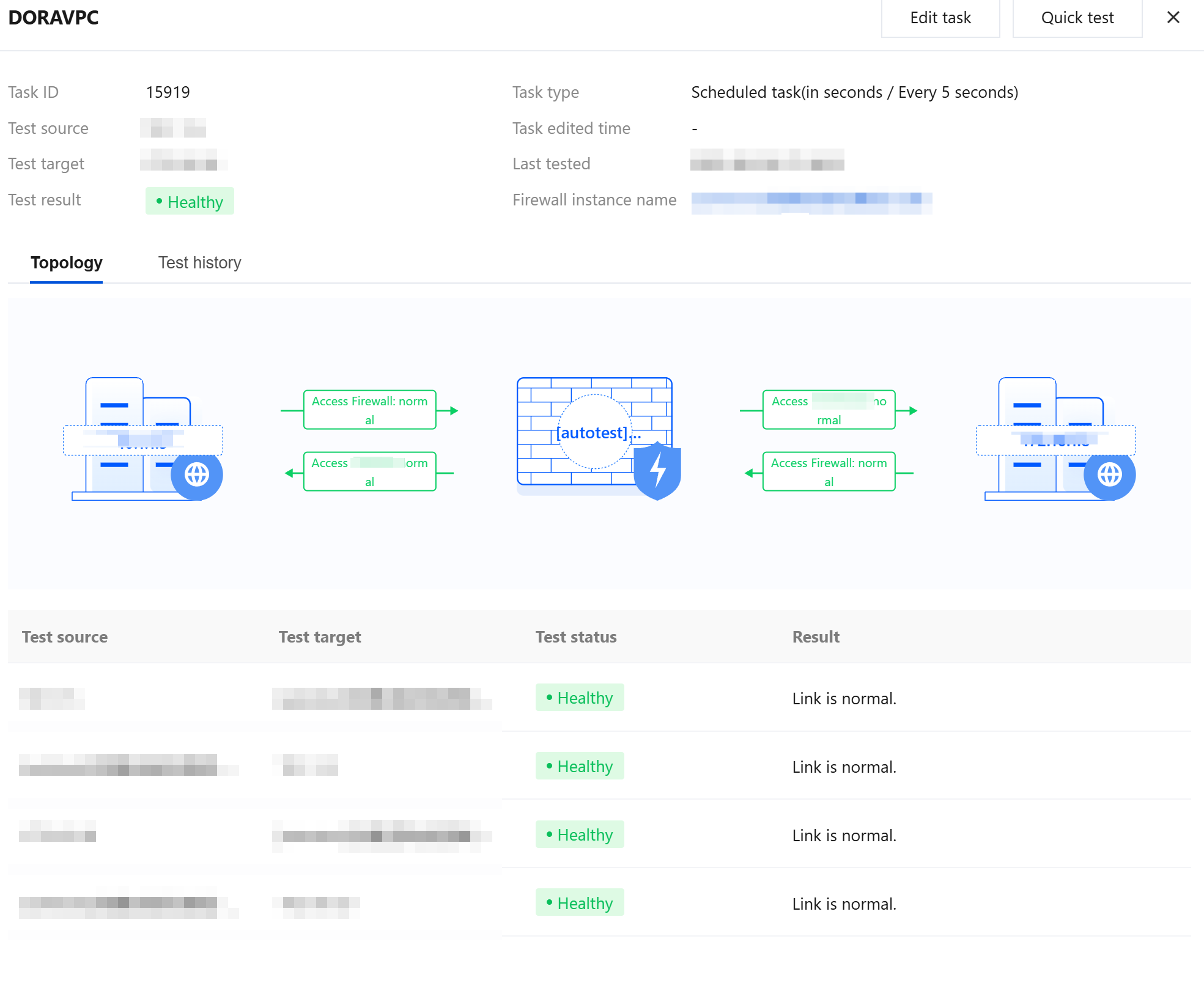
- Click a Task ID or the Details button to view detailed information about a task.
- If a test task encounters anomalies, system logs are recorded and exception information is pushed according to your system log push configurations.
