

Tenant Cloud
TCenter
Cloud Access Management
Ops Management Guide
Scenario 2: Tag Service Page Error
Scenario Description of Failure Symptoms
The tag service page reports an error:
Impact Scope of the Failure
- Impact on Cloud Platform product control: Affects tag querying and modification.
- Impact on user's workload: None.
Failure Location and Analysis
Backend service abnormality, containerized deployment:
- The status of the pod is abnormal.
- A single API feature of the service is abnormal.
Failure Emergency Response Steps
Check the pod status of the service: Check whether the pod is started normally and whether the pod status is normal.
kubectl get pod -n tce | grep tagIf the pod status is abnormal, delete and restart the pod.
kubectl delete pod -n tce tcloud-tcenter-platform-tag-xxxxxIf the pod status is normal, use the RequestId from the page to query the service logs and troubleshoot the root cause:
kubectl get pod -n tce | grep tcloud-tcenter-platform-tag
kubectl exec -it -n tce tcloud-tcenter-platform-tag-xxxx bash
cd /data/log/swoole_tag
grep -ir "{RequestId}" ./*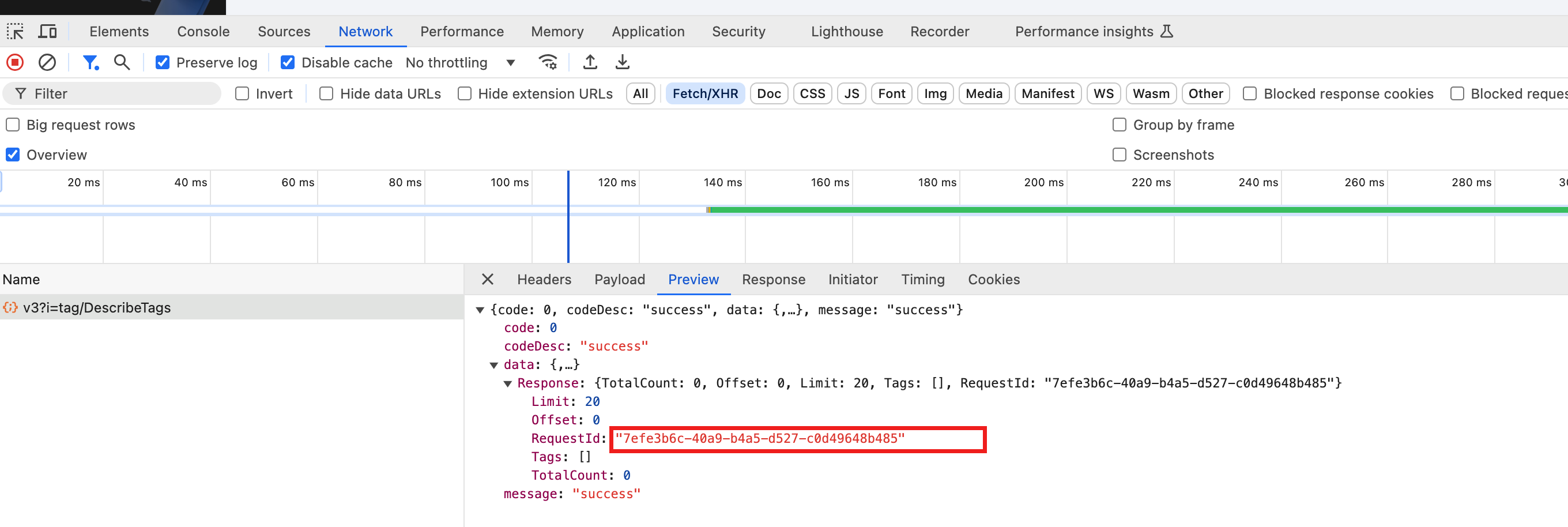
Failure Recovery Verification
The page feature is recovered.