

User and Permission: No Permission to Access Product Pages After Product Permissions Are Bound
Last Updated At: 2026-08-14 08:08:00
Scenario Description of Failure Symptoms
No permission to access product pages after product permissions are bound.
Failure Location and Analysis
Confirm whether the permission policy is normal: Check on the operation side whether the corresponding policy syntax includes actions and APIs for page access.
Confirm whether the policy information in the database is normal:
Log in to the CAM database, query the policy bound to the user by UIN in the cExtension table, and check if the API required by the user exists in actionName. If not, query the data for the service corresponding to the API by serviceType in the cServicePerm table, and check if the required API exists in apiEnName.dbsql_info dbsql-tcenter-cam-cauth/dbsql-tcenter-ocloud-cam-cauth select * from cExtension where uin='xxx' and actionName like "%xxx%"\G select * from cExtension where uin=xxx and strategyId in (xxx); select * from `cServicePerm` where serviceType='xxx'\G select * from cServicePerm where serviceType in (xxx); select * from cServicePerm where permId in (xxx) and apiEnName like '%xxx%'\G select distinct permId from cStrategyPerm where strategyId=xxx;Check whether the policy information is normal: View the details of the bound policy in the cStrategy table.
set names latin1
select * from cStrategy where strategyName = 'cam_permissions_for_xxx'\G
select * from cStrategy where  strategyInfo like '%xxx%'\G
select * from cStrategy where strategyId="xxx";
Check the record information on the policy binding task:
Check whether the policy binding record in the jobdetail table is abnormal.select * from cExtendJobDetail where uin=xxx; select * from cExtendJobDetail where uin=xxx order by updateTime desc limit 10;Check whether the record of permission policy addition via a user group is abnormal.
select * from cReceiverInfo where uin=xxx; // uid
select * from cGroupMemberInfo where uid=xxx; // groupId
select * from cExtendJobDetail where groupId in (xxx) order by updateTime desc limit 20; //
select * from cRelatedStrategy where groupId=xxx;
Further analyze the issue by reproducing it through requests:
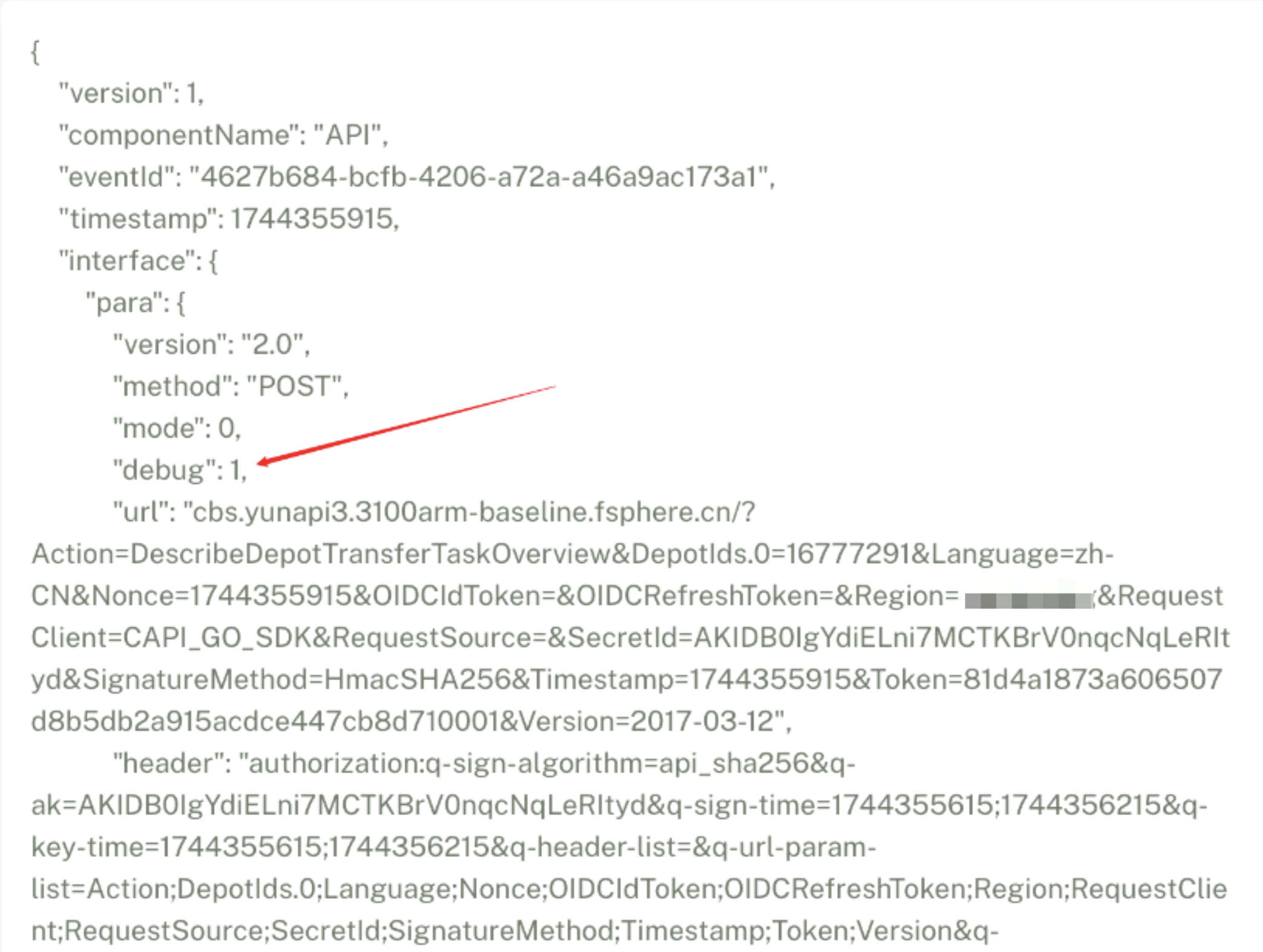
- Use the account with the issue to perform the action that triggers the issue. Then, use a request ID without permissions to query the log in the cam-auth component.
- When the log is queried, modify the content of the log by adding "debug": 1.
- Run curl 127.0.0.1:9502 -d'' to initiate a request with modified parameters.
Failure Emergency Response Steps
- If the preset data permission policy is missing, manually update the preset component.
kaleido_preset update /data/tce_dc/software/lastest/preset/preset-xxx
If dirty data exists, clear the dirty data.
- Back up the original data.
tad job dbBackup --servicebindings=dbsql-tcenter-cam-cauth tad job dbBackup --servicebindings=dbsql-tcenter-ocloud-cam-cauth- Delete the dirty data in cServicePerm.
- Refresh the preset component.
kaleido_preset update preset-- Check whether cStrategyPerm and cExtension are referenced correctly.