Operation Description
Daily inspection of pod status.
Processing Procedures
- Enter the pod and view the rendering status:
kubectl get pod -ntce | grep -E 'tcenter-platform-tag|tcenter-platform-wtag'
# Enter the pod and view the rendering status.
kubectl exec -it -n tce tcloud-tcenter-platform-tag-xxxxx bash
cat /tce/conf/config/tce.config.center/sdk.json

kubectl exec -it -n tce tcloud-tcenter-platform-tag-wtag-xxxxx bash
# Enter the pod and view the rendering status.
cat /tce/conf/config/tce.config.center/sdk.json
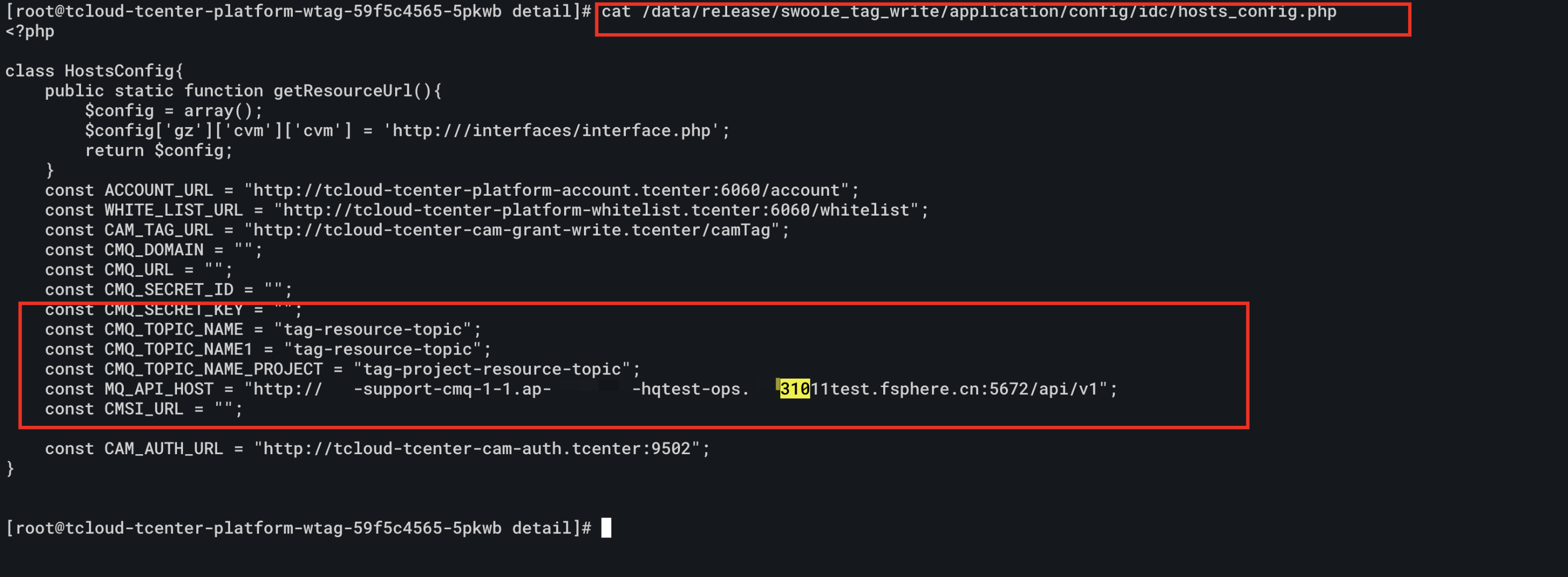
cat /data/release/swoole_tag/application/config/idc/hosts_config.php
- Database rendering of the tcloud-tcenter-platform-tag service:

- Check whether the database rendering of tcloud-tcenter-platform-tag-wtag is normal:

- Check whether the rendering of CMQ is normal: