

This document describes how to query resources by tag key/value and export the list and detailed operations for editing tag values.
Querying Tags
- Log in to the Tag console.
- In the left sidebar, click Resource Tag to enter the Resource Tag page.
- On the Resource Tag page, select the following information to set filtering rules.
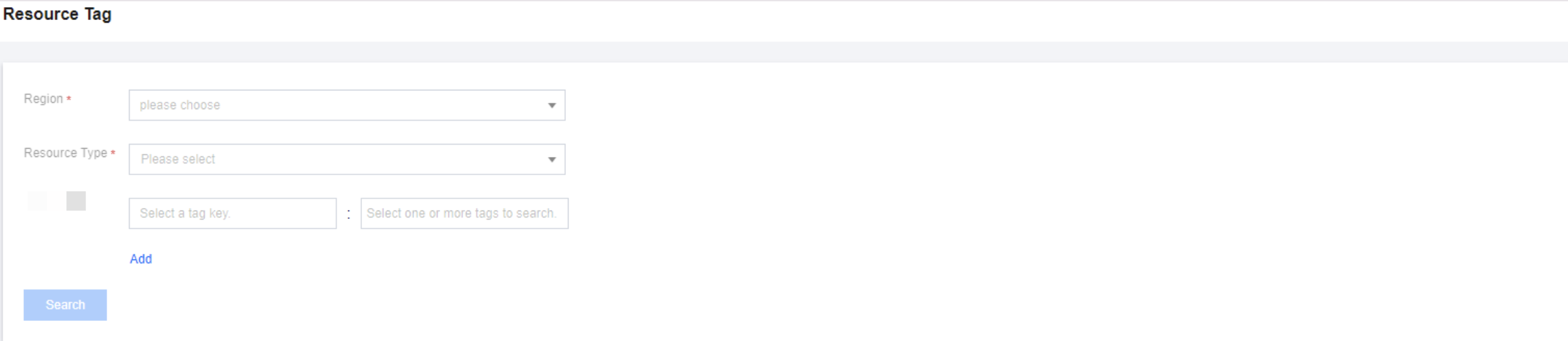
- Region: The region of the resource to be queried.
- Resource Type: The resource type of the resource to be queried. Only products with tags are supported. For details, see TAG(TAG)Product Introduction> Tags-enabled Products.
- Tag Key/Value: The tag key/value of the resource to be queried. The tag value can be empty, and multiple selections are supported.
- Click Query, and the corresponding resources are displayed in a list at the bottom of the page to complete the resource query operation.
Exporting Tags
Check the checkbox in front of the specified tag, select  on the right side of the Edit Tag Values, and export the tag list.
Editing Tag Values
- Batch Editing
- Check the checkbox in front of the specified tag, click Edit Tag Value, and open the Edit Tag dialog box.
- In the Edit Tag dialog box, edit the tag value.
- Click OK.
- Editing One by One
Select the specified tag, click on the right side of the tag value, and edit the tag value.
 on the right side of the tag value, and edit the tag value.
Deleting Tags
- Batch Edit
- Check the checkbox in front of the specified tag, click Edit Tag Value, and open the Edit Tag dialog box.
- In the Edit Tag dialog box, click
 on the right side of the specified tag value.
 - Click OK.
- Editing One by One
Select the specified tag, click on the right side of the tag value, and delete the tag value.
 on the right side of the specified tag value.
 on the right side of the tag value, and delete the tag value.