

Introduction to Cloud API must read
To conveniently and swiftly manage your cloud resources using Cloud API, a range of tools including API Explorer and SDK are provided. By invoking the standard API V3 interfaces, you can operate cloud products quickly with just a few lines of code.
Note:
The Operations Platform Basic Edition does not support API documentation management for third-party products.
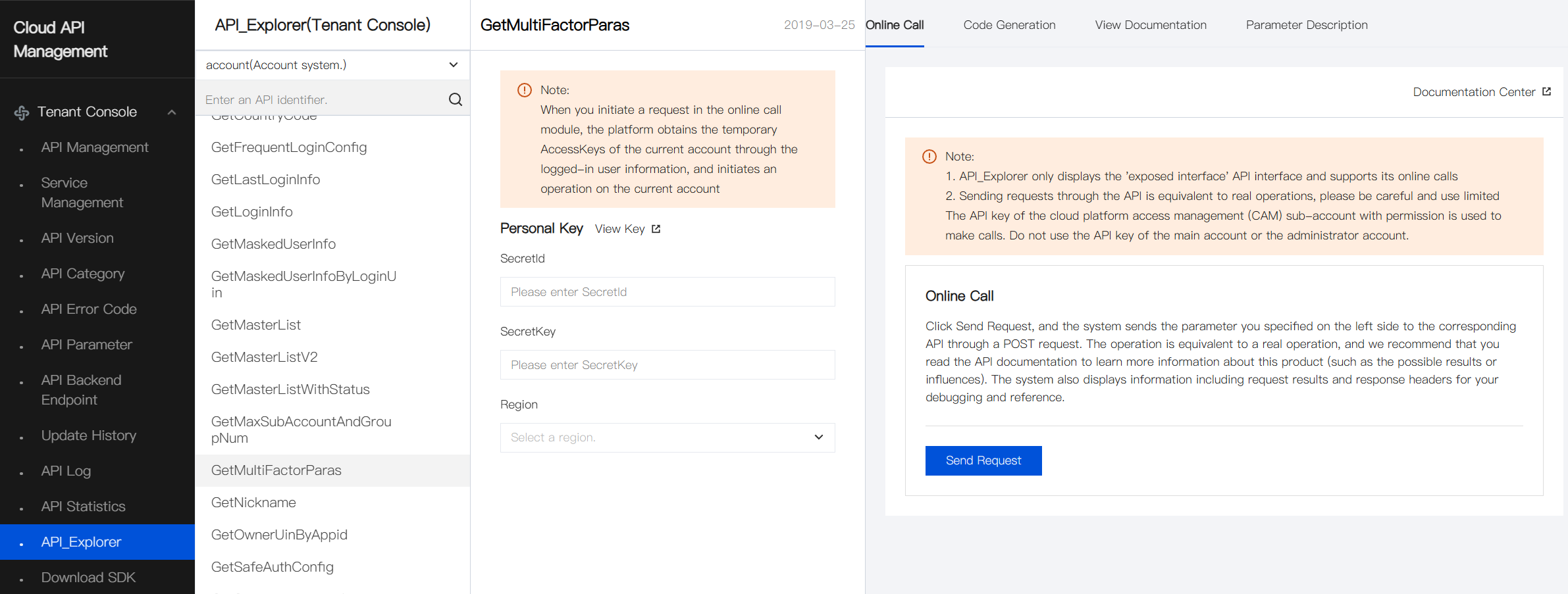
API Explorer
Capabilities such as online invocation, signature verification, SDK code generation, and quick search interfaces are provided, significantly reducing the difficulty of using Cloud API 3.0.
SDK
The Developer Tools Kit (SDK) 3.0 is a companion tool for Cloud API 3.0 platform. Cloud API 3.0 products provide SDKs in 5 languages. Under the root path of each language's SDK package, there is an "examples" folder containing interface invocation examples for user reference.
Generally, the following information needs to be modified according to actual situations:
Import the corresponding product module's Module Package
Obtain SecretId & SecretKey
Endpoint
Region
Interface parameter information
Below is an example of calling the Tenant-side API interface using Python:
Operation step
Download the SDK package for Python from [Platform] > [Cloud API Management] > [Tenant Console] > [Download SDK].
After decompressing, obtain the "\examples\location\v20191128\describeRegionZoneTest.py" file.
Refer to this file and modify the following information.
Import the corresponding product module's Module Package.
# Import the client models of the corresponding product module.
from cloud.location.v20191128 import location_client, models
Here, cloud is the root directory under the project, location is the ServiceType name, and v20191128 is the version information of the module.
Obtain SecretId and SecretKey, modify the "Credential" value.
try: request.protocol = 'http' # Use the HTTP protocol (HTTPS protocol is used by default) # Instantiate an authentication object, input parameters must include account secretId, secretKey cred = credential.Credential( "SECRET_ID", "SECRET_KEY")SECRET_IDandSECRET_KEYare obtained from [Cloud Access Management] > [Cloud API Key].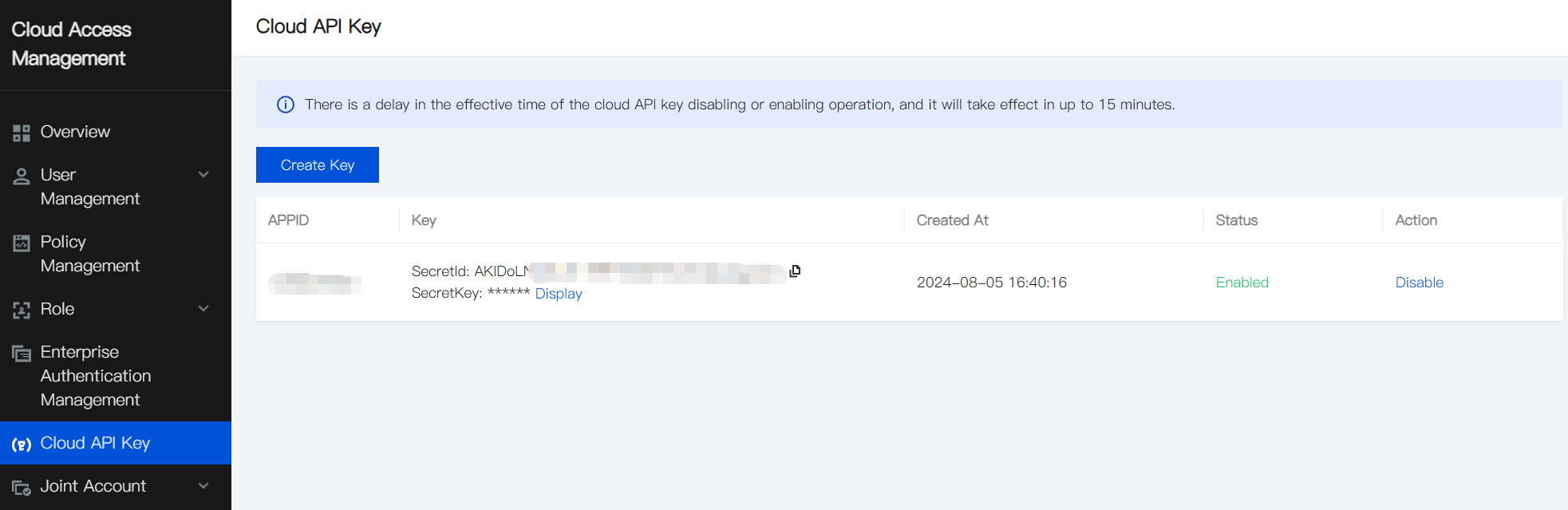
Modify the endpoint.
# Instantiate an optional HTTP option, can be skipped if there are no special requirements.
httpProfile = HttpProfile()
# httpProfile.reqMethod = "GET"  # POST request (POST is the default request method)
# httpProfile.reqTimeout = 30    # Specify the request timeout in seconds (default is 60 seconds)
httpProfile.endpoint = "location.api3.convergecloud.com"  # 'location' is the product name, 'api3' the version being called, and 'convergecloud.com' is the main domain.
The endpoint concatenation rule is {product}.{tenant-side}.{domain}.
Generally, modifying the product name is sufficient. The above example provides the endpoint for the operational side of the location product.
Obtain Region.
# Instantiate the client object for the requested product (location, for example); `clientProfile` is optional.
client = location_client.LocationClient(cred, "", clientProfile)
In LocationClient, fill in Region information.
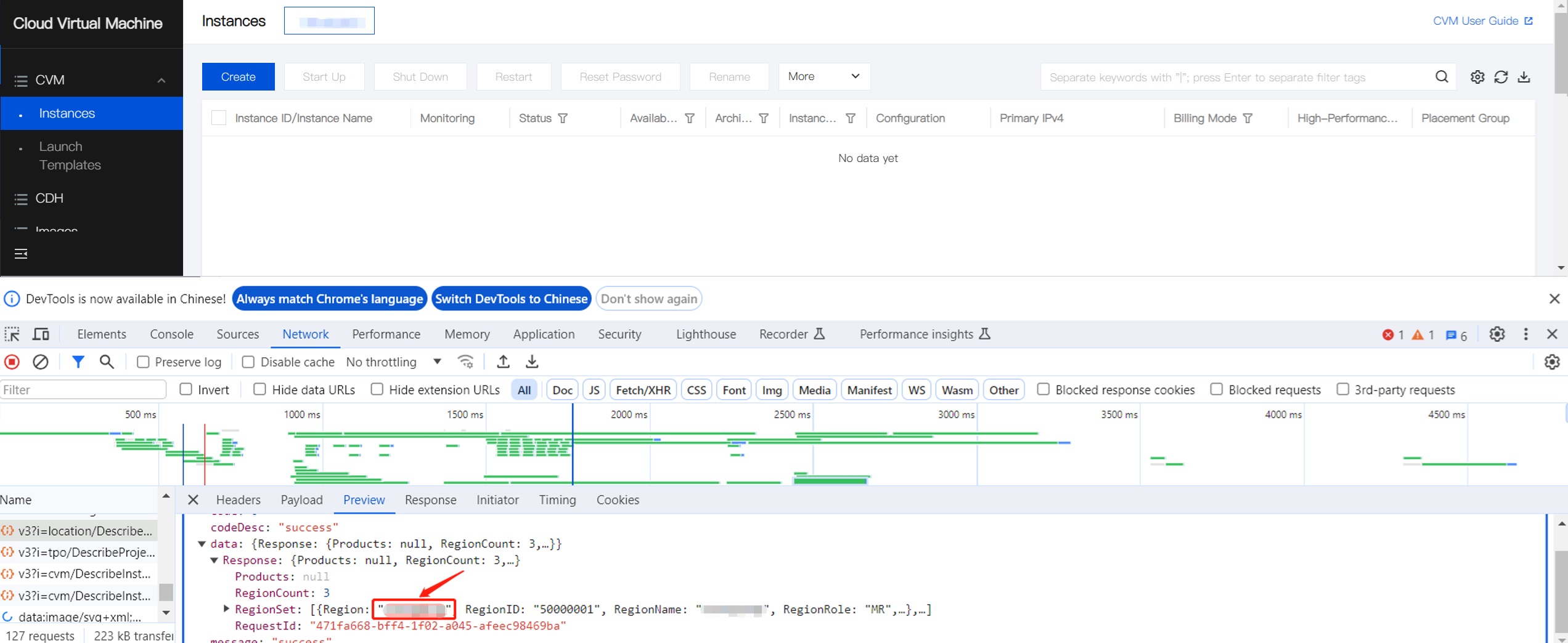
Obtained through the webpage
For example, retrieving via CVM, obtaining it from the DescribeRegionZone interface of location on the webpage, as shown below:
Obtained through SDK
Invoke the DescribeRegionZone interface of location to obtain. After modifying the SecretId and SecretKey in the "\examples\location\v20191128\describeRegionZoneTest.py" file within the SDK package, directly invoke it.
Interface parameters.
Download API documentation from the API Documentation Center for use in conjunction.