

Managing Approval Processes
An approval process is defined based on approval businesses. It defines which approvers are required when users trigger specific businesses on pages.
Creating Approval Processes
Enter a name and description for the approval process.
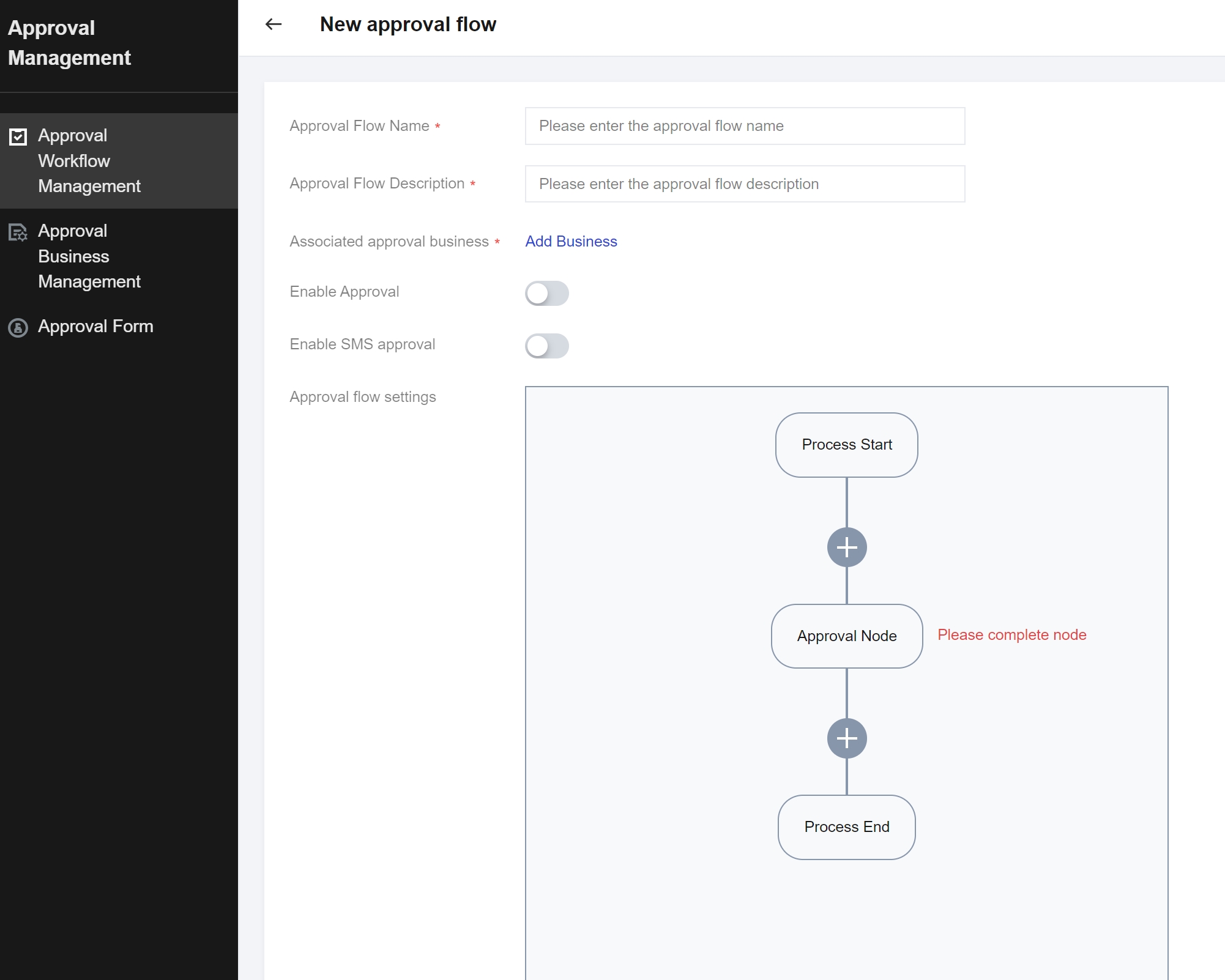
Add the business.
Select a business to be approved. The approval processes created by a tenant only take effect for this tenant but not for other tenants.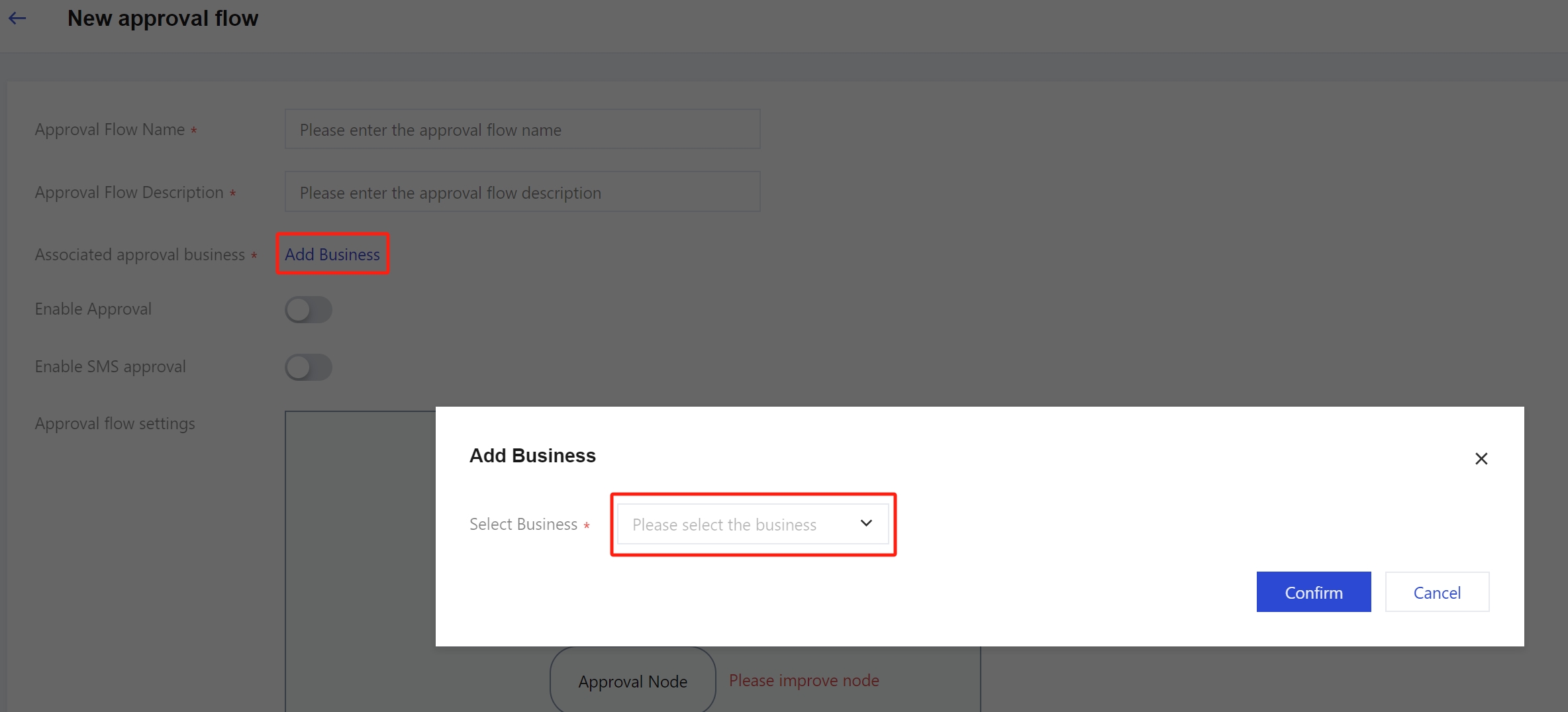
Set the approval process.
You can set multiple approval nodes. Currently, a maximum of 5 approval nodes can be set. Multiple approvers can be set for each node, and the approver list displays users under the current tenant.
Suppose that the operation-side administrator defines an approval process for a business, and the applicable scope of the approval process includes tenant A, while tenant A also defines and enables an approval process for the same business on the tenant side. When users under tenant A trigger the business on the page, the actual approval process is formed by combining the approval process for the business under tenant A and the one on the operation side. When tenant A triggers the business on the page, the business is first approved by the corresponding approvers set under tenant A and then approved by the corresponding approvers set on the operation side.
For example, an approval process for "CVM instance creation" is defined and enabled on the operation side. Its applicable scope includes tenant A, and the approver is the sub-user user01 on the operation side. Tenant A also defines and enables an approval process for "CVM instance creation" on the tenant side, with the approver being the sub-user user02 of tenant A. At this point, when a sub-user under tenant A creates a CVM instance, an approval form is generated is first sent to the sub-user user02 of tenant A. If user02 rejects the approval form, the approval form status becomes Rejected, and the CVM instance cannot be created. If the sub-user user02 of tenant A approves the approval form, the form is sent to the sub-user user01 on the operation side. If user01 approves the form, the approval form status becomes Approved, and the CVM instance will be created.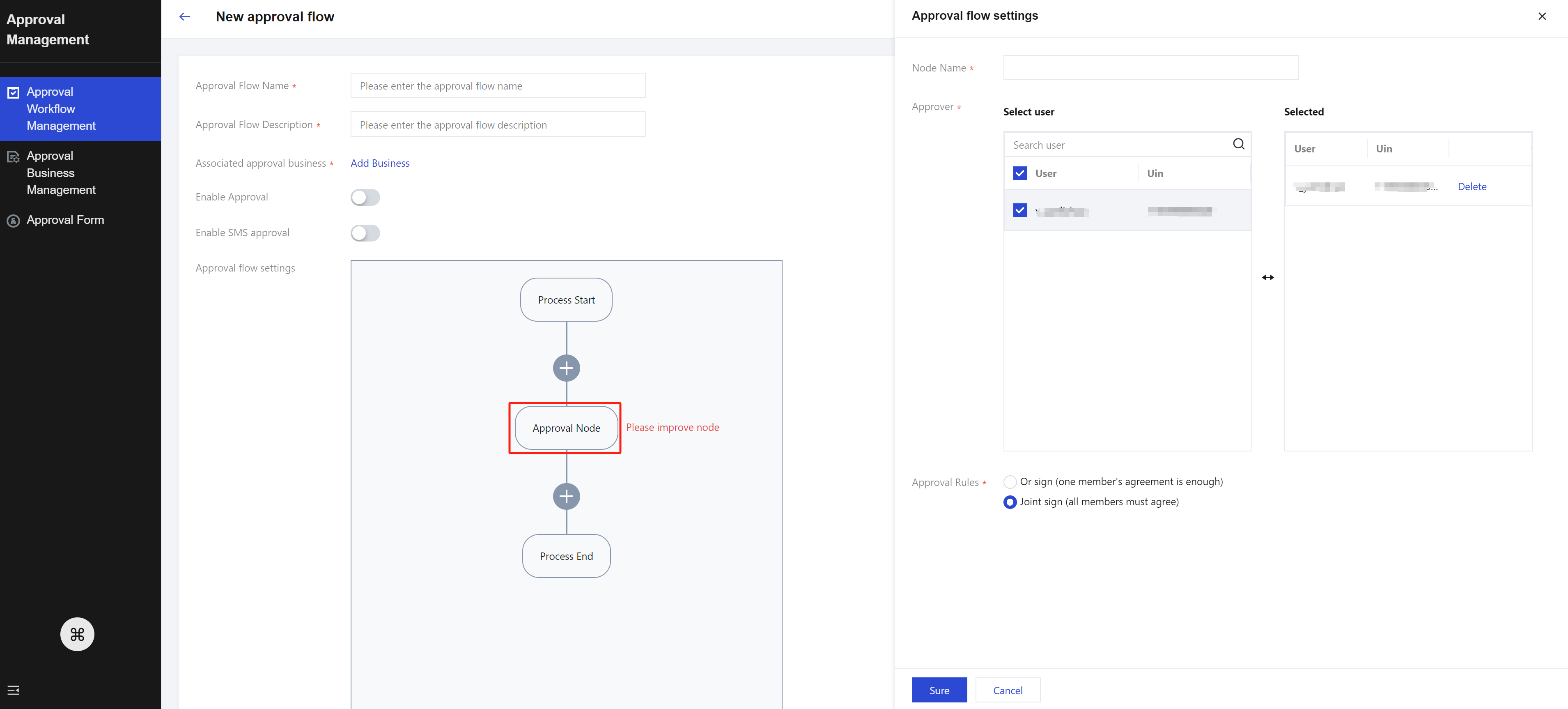
Enabling/Disabling Approval Processes
You can enable/disable the approval process in the approval process list. If the process is enabled, an approval form will be generated to trigger the approval process when users within the scope of the approval process trigger the corresponding business on the page. If the process is disabled, the approval process will become invalid.
Viewing All Approval Forms
If you assign the permission ApprovalFullAccess to a sub-user, the sub-user can view all approval forms of the current tenant on the Approval Management > Approval Form page.
Processing Approval Forms
Each user can click My Approval to view approval forms that are pending processing and have been processed by the user. Users can choose to approve or reject the forms.
Viewing the Application List
Each user can click My Application to view approval forms that are pending application and have been applied for. Users can also view the details and status of approval forms.