

The group organization creator can cancel an invitation before it is accepted by the invitee.
Operation Steps
- Log in to the Cloud Organization console. In the left sidebar, select Organization Change Records.
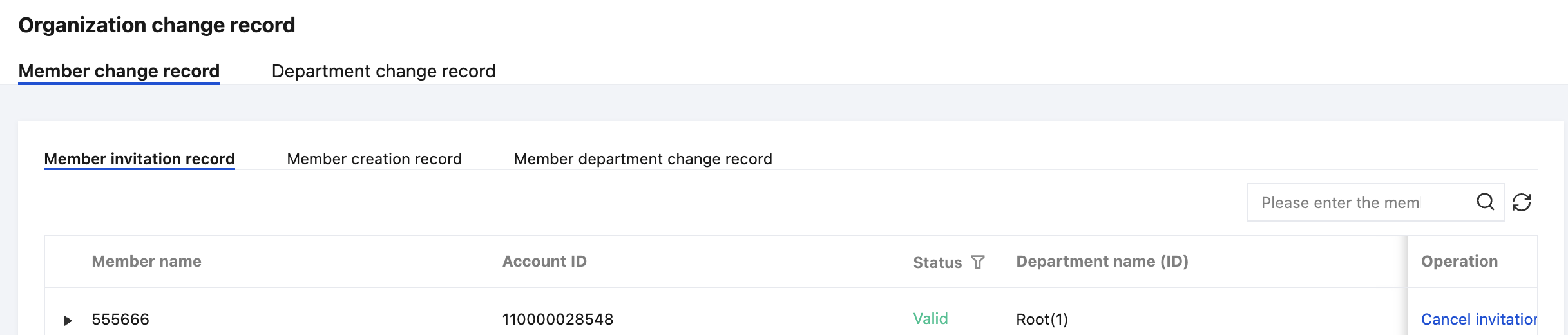
- On the Organization Change Record page, choose Member change record > Member invitation record, and click Cancel invitation on the right side of the invitee row, as shown in the following figure:
- In the pop-up dialog box, click OK to complete the cancellation.
