

Tenant Cloud
Management and Audit
Cloud Organization
Operation Guide
Viewing/Modifying/Deleting User Synchronization
Scenarios
This document introduces how to view CAM user synchronization details, modify CAM user synchronization, and delete CAM user synchronization.
Operation Steps
Viewing CAM User Synchronization
- Go to Cloud Organization > Identity Center.
- In the left sidebar, choose CAM Synchronization > User Synchronization Management.
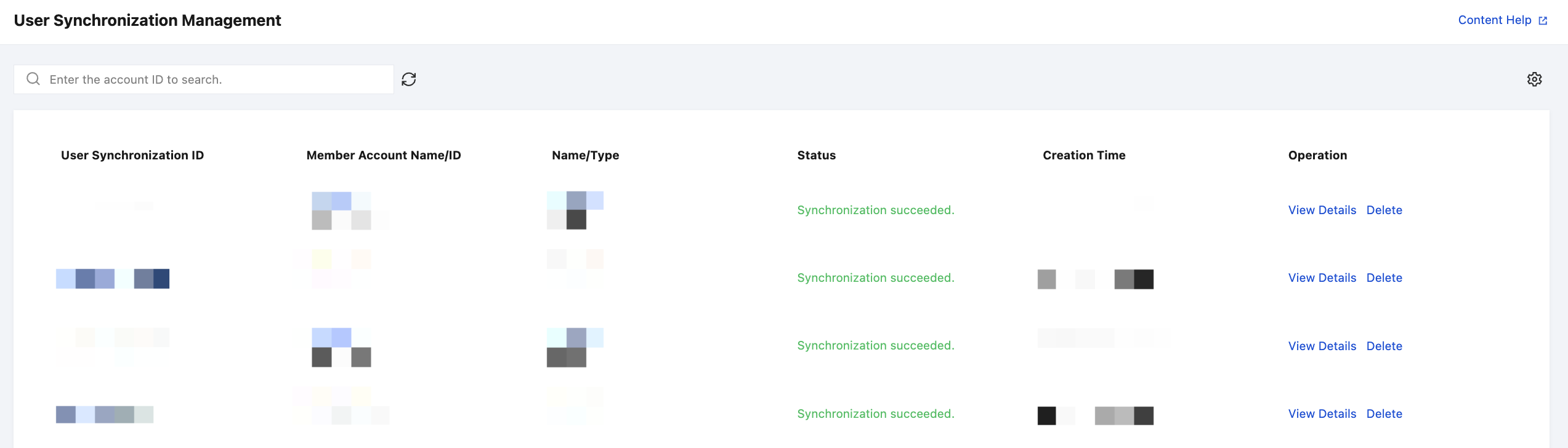
- On the User Synchronization Management page, click View Detail in the Operation column of the target user synchronization.
- On the User Synchronization Detail panel, view the user synchronization details, including the CAM user synchronization ID, status, deletion policy, conflict policy, and creation time.
Modifying CAM User Synchronization
- Go to Cloud Organization > Identity Center.
- In the left sidebar, choose CAM Synchronization > User Synchronization Management.
- On the User Synchronization Management page, click View Detail in the Operation column of the target user synchronization.
- On the User Synchronization Detail panel, click Edit to modify the description or deletion policy.
For the meaning of configuration items, see Configuring CAM User Synchronization.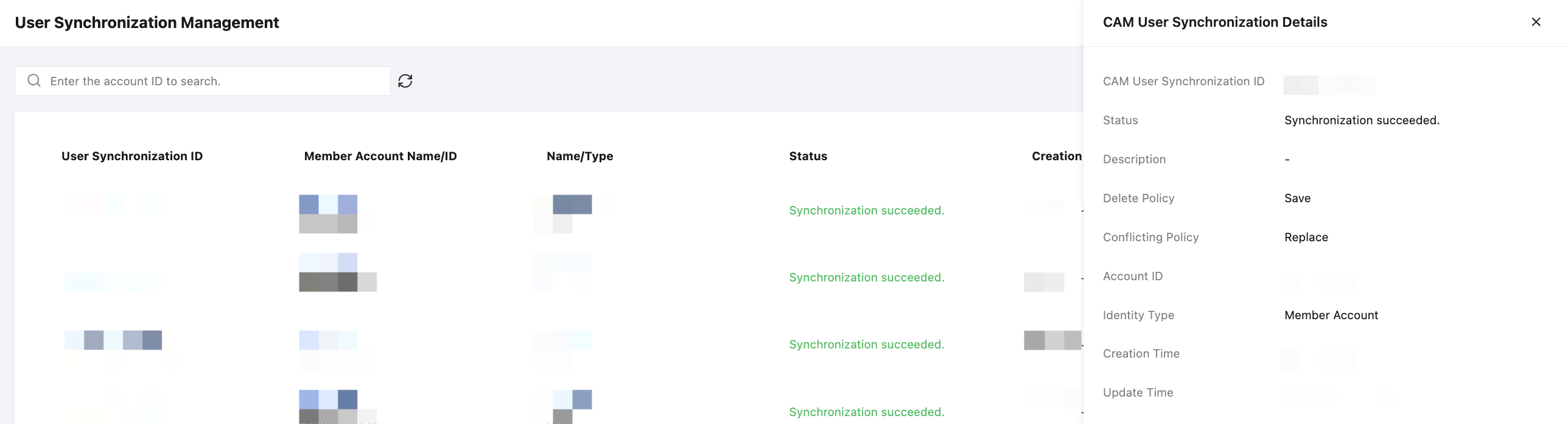
Deleting CAM User Synchronization
- Go to Cloud Organization > Identity Center.
- In the left sidebar, choose CAM Synchronization > User Synchronization Management.
- On the User Synchronization Management page, click Delete in the Operation column of the target user synchronization.
- In the pop-up dialog box, click OK.