

This document introduces how to modify department information in the Cloud Organization console.
Operation Steps
Log in to the Cloud Organization console, select Department Management in the left sidebar, and modify department-related information as needed.
Modifying the Name of a Department
- On the Organization Structure page, hover the mouse pointer over the department to be deleted and click the
 on the right, as shown in the figure below: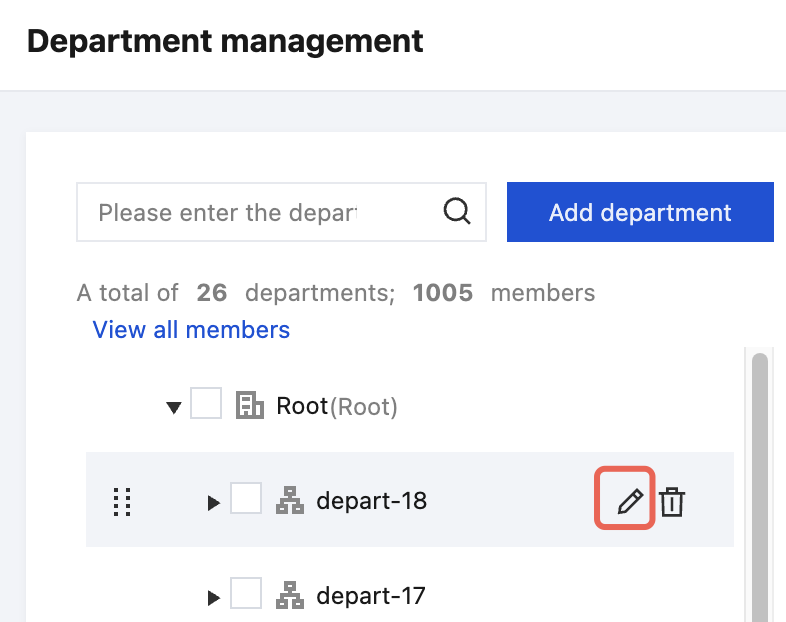
- In the pop-up Edit department name dialog box, enter the name of the new department and click OK to complete the modification, as shown in the figure below:
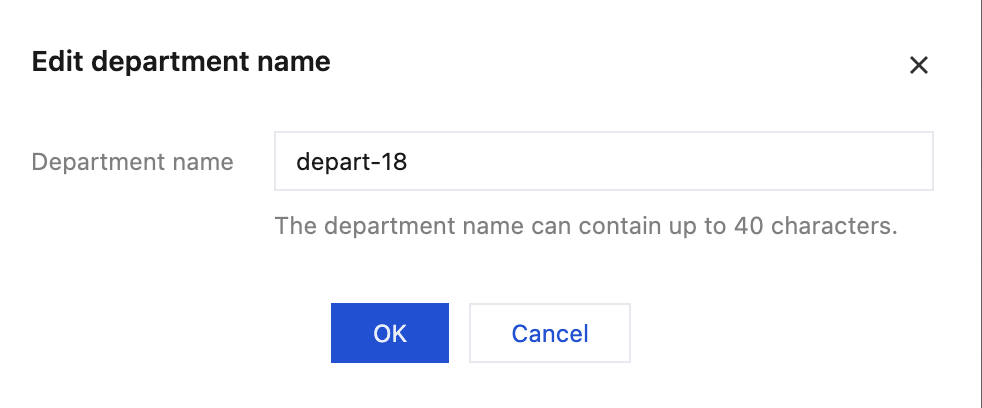
 on the right, as shown in the figure below:
Modifying the Description of a Department
In the right window of the Organization Structure page, click  on the right side of Description. In the pop-up window, edit information, and click OK to complete the modification, as shown in the following figure:
