

Creating a Project Directory
- Choose Resource Management Project Management.
- Click New, select what the project directory is affiliated to, and enter the project directory name.

Deleting a Project Directory
- Choose Resource Management Project Management.
- Select the project directory to be deleted and click Delete.
Adding a Project to a Project Directory
- Choose Resource Management Project Management.
- In the project directory list on the left, select the project directory to be operated.
- Click Add, and in the pop-up box, select the project to be added.
Note:
A project can be affiliated to at most one project directory.
Removing a Project from a Project Directory
- Choose Resource Management Project Management.
- In the project directory list on the left, select the project directory to be operated.
- In the project list, select the project to be removed from the project directory.
- Click Remove.
Viewing Projects in a Project Directory
- Click the project directory node to be viewed.
- Click Manage in the upper-right corner.
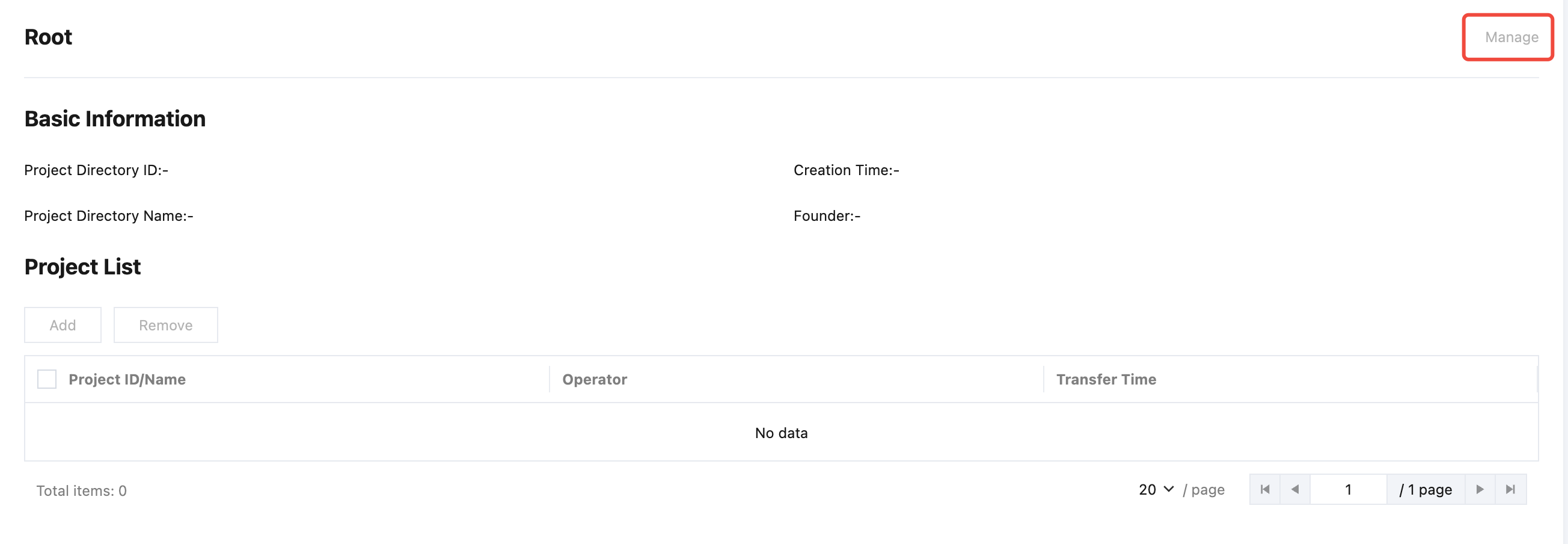
- Select the Project View tab, and in the search box in the upper-right corner, select the project directory node to be viewed. The list will display the directory list under the corresponding project directory node.
Viewing Resources in a Project Directory
- Click the project directory node to be viewed.
- Click Manage in the upper-right corner.
- Select the Resource View tab, and in the search box in the upper-right corner, select the project directory node to be viewed. The list will display the resource list under the corresponding project directory node.
Viewing Quotas in a Project Directory
- Click the project directory node to be viewed.
- Click Manage in the upper-right corner.
- Select the Project Quota View tab, and in the search box in the upper-right corner, select the project directory nodes to be viewed. The list will display the project quota list under the corresponding project directory node.