

This document introduces how to view or edit basic member information in the Cloud Organization console.
Operation Steps
- Log in to the Cloud Organization console. In the left sidebar, select Member Account Management to view member information of the current group organization.
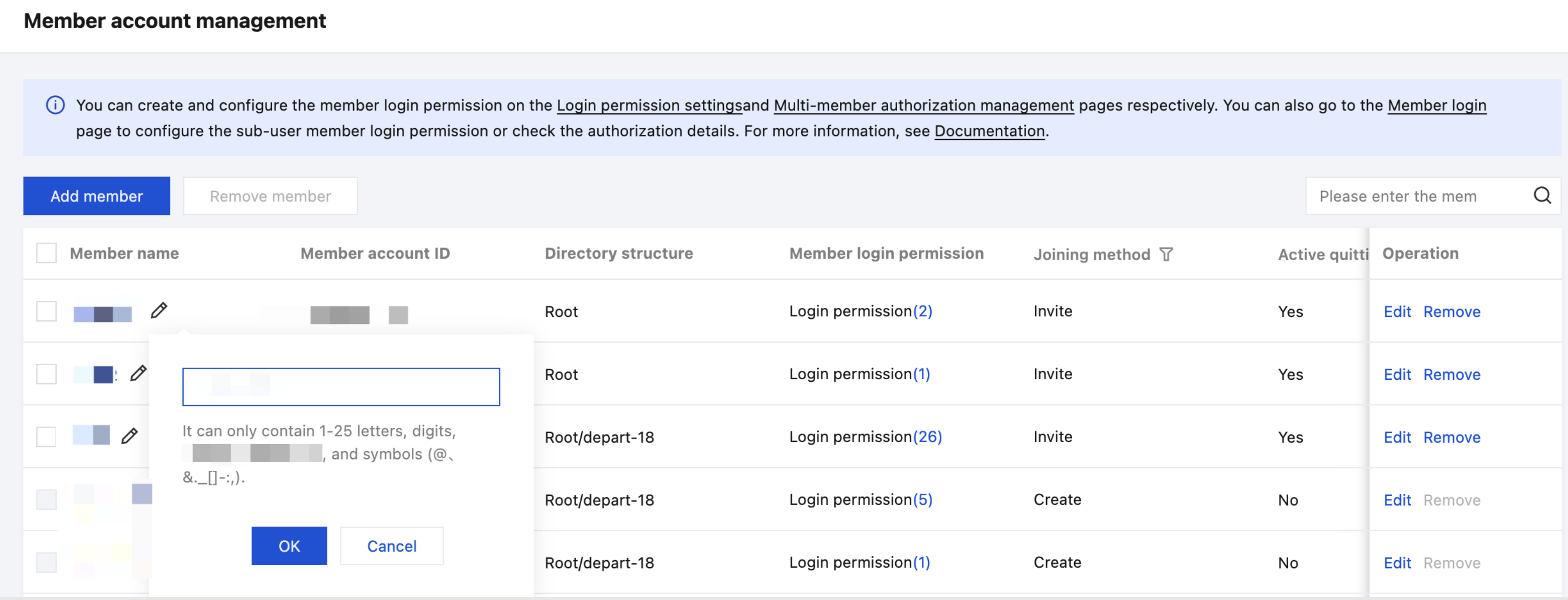
- Member information includes the member name, member account ID, directory structure (department), member login permission, joining method, whether voluntary withdrawal is supported, and joining time. Among them, the member name, directory structure (department), member login permission, and whether voluntary withdrawal is supported can be modified.
- On the Member account management page, click
 in the row of the member whose name needs to be modified.
 - Enter a new member name in the pop-up edit box and click OK to save the modification, as shown in the following figure:
- To modify the directory structure (department), whether voluntary withdrawal is supported, or member description, click Edit in the Operation column on the right of the member row, and then modify the information in the pop-up Edit member window, as shown in the following figure:
 in the row of the member whose name needs to be modified.

6. To modify the login permissions for members, see Configuring Login Permissions for Members.