
- You can log in to the VPC console.
- In the left sidebar, you can click Direct Connect Gateway to open the management page.
- Choose Region and VPC, click Create.
- In the pop-up box, you can fill in the relevant information.
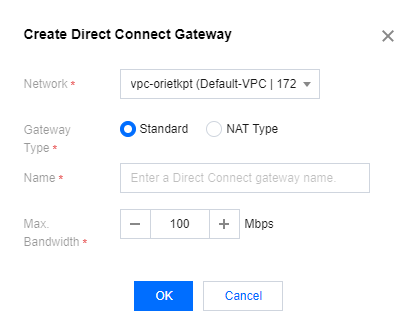
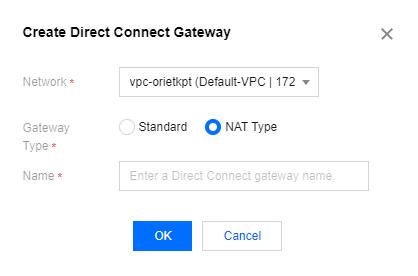
- Network: You can select the created VPC instance.
- Name: The name of the DC gateway.
- Gateway Type: Standard or network address translation (NAT) type.
- Bandwidth Limit: Set the bandwidth limit of the gateway, with the default value being 100 Mbps.
- After the information is filled in, click OK to complete the creation of the DC gateway.

