

After a DC gateway is created and the construction of a DC tunnel is completed, you can configure the route table of the VPC in the console to direct the traffic that needs to go to the DC to the DC gateway.
You can log in to the VPC console.
In the directory on the left, you can click Route Table to open the management page.
You can click the route table ID that needs to be associated with the DC gateway to open the details page.
You can cllick Add Routing Policy.
You can enter the destination IP range, select DC Gateway for the next hop type, and select the gateway name for the next hop.
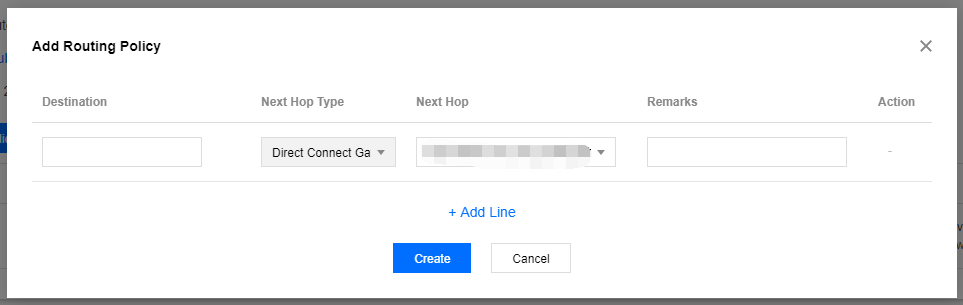
Click OK.
After the above steps is completed, you can direct specific destination traffic to the DC gateway and associate it with your local data center.
