

When the Dedicated Tunnel status displays Ready, you can also change channel parameters, modify tunnel bandwidth, and perform other operations in the Direct Connect console.
Note:
In the Shared Connection mode, the bandwidth change cannot be initiated in the Dedicated Tunnel but must be initiated by the owner of the Connection.
Restrictions on the Use of Large IP Ranges
To enhance the fine-tuned scheduling capability of your network, please avoid publishing the following routes:
10.0.0.0/8, 172.16.0.0/12, 192.168.0.0/16, 100.64.0.0/10.
You can split the above large segments into the following publications:
10.0.0.0/8
Split into: 10.0.0.0/9 + 10.128.0.0/9.
172.16.0.0/12
Split into: 172.16.0.0/13 + 172.24.0.0/13.
192.168.0.0/16
Split into: 192.168.0.0/17 + 192.168.128.0/17.
100.64.0.0/10
Split into: 100.64.0.0/11 + 100.96.0.0/11.
Changing the Tunnel Route
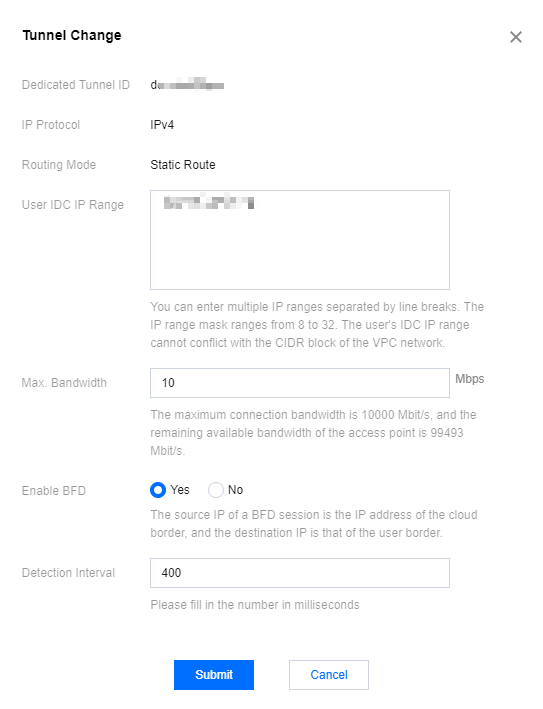
Changing the Dedicated Tunnel of the Static Route
- Log in to the Direct Connect console.
- In the left navigation bar, click Dedicated Tunnel to enter the Dedicated Tunnel interface.
- On the Dedicated Tunnel page, click Tunnel Change in the Operation column to the right of the channel whose parameters need to be changed.

- On the Tunnel Change Page, follow the interface prompts to make modifications. After completing the changes, click Submit.
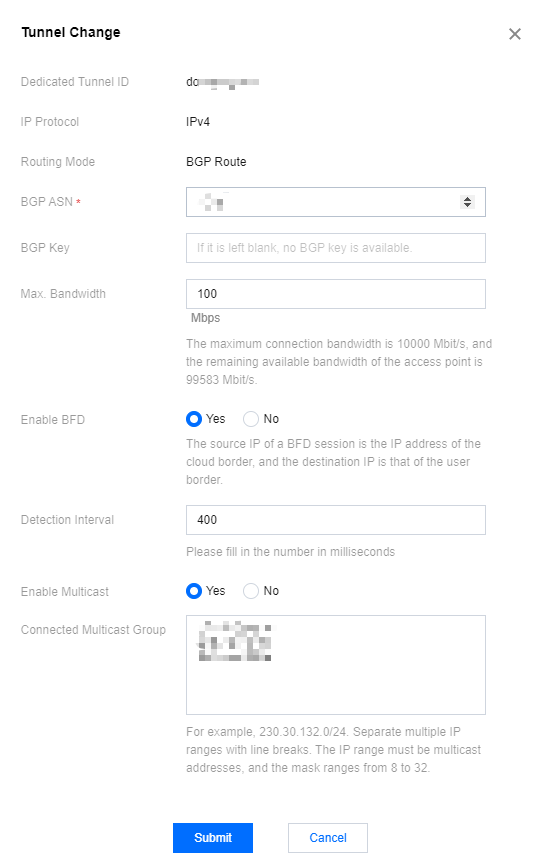
Changing the BGP Routing Dedicated Tunnel
- On the Dedicated Tunnel page, click Tunnel Change in the Operation column to the right of the channel whose parameters need to be changed.

- On the Tunnel Change Page, follow the interface prompts to make modifications. After completing the changes, click Submit.
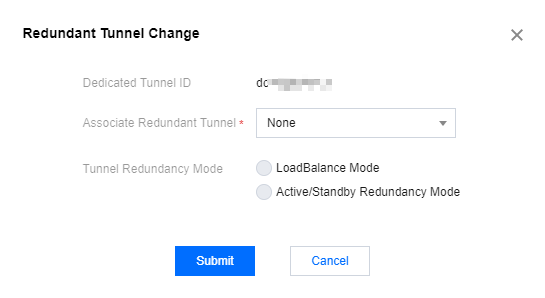
Changing the Redundant Tunnel
- On the "Dedicated Tunnel" page, click Redundant Tunnel Change in the "Actions" column to the right of the tunnel for which parameters need to be changed.
- On the Tunnel Change Page, follow the interface prompts to make modifications. After completing the changes, click Submit.
Enabling Multicast
- On the Dedicated Tunnel page, click Tunnel Change in the Operation column to the right of the channel whose parameters need to be changed.

- If multicast is disabled for your VPC, follow the on-screen prompts to enable it. In the Tunnel Change dialog box, click Enable now to the right of Enable Multicast.
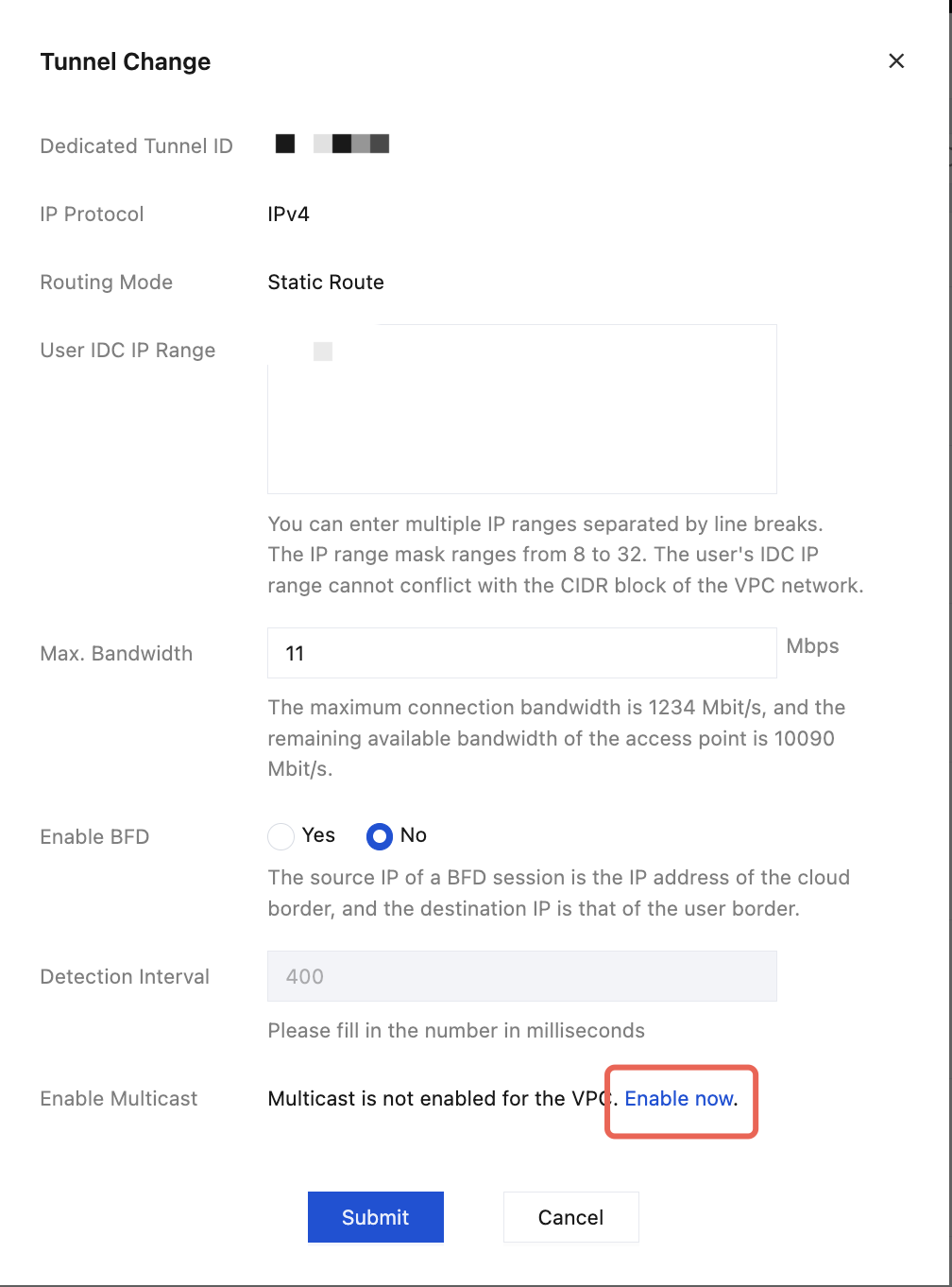
- Go to the VPC page, select the ID of the VPC that is currently used, and toggle on the switch
 in the Multicast column to enable multicast for the VPC.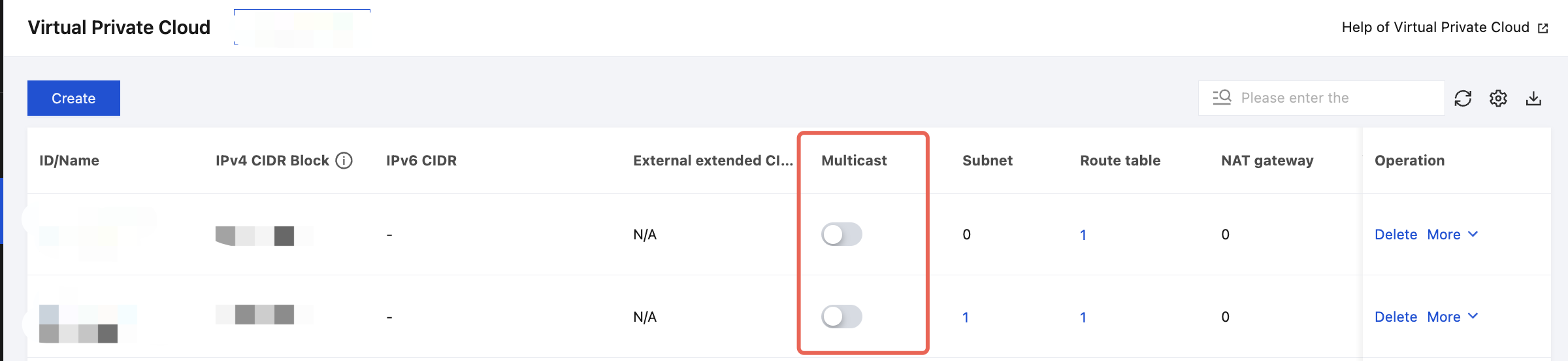
- Go back to the Dedicated Tunnel page and find the tunnel whose parameters need to be changed and click Tunnel Change in the Operation column.
- In the Tunnel Change dialog box, follow the on-screen prompts to enable multicast. Select Yes for Enable Multicast, set Connected Multicast Group, and click Submit.
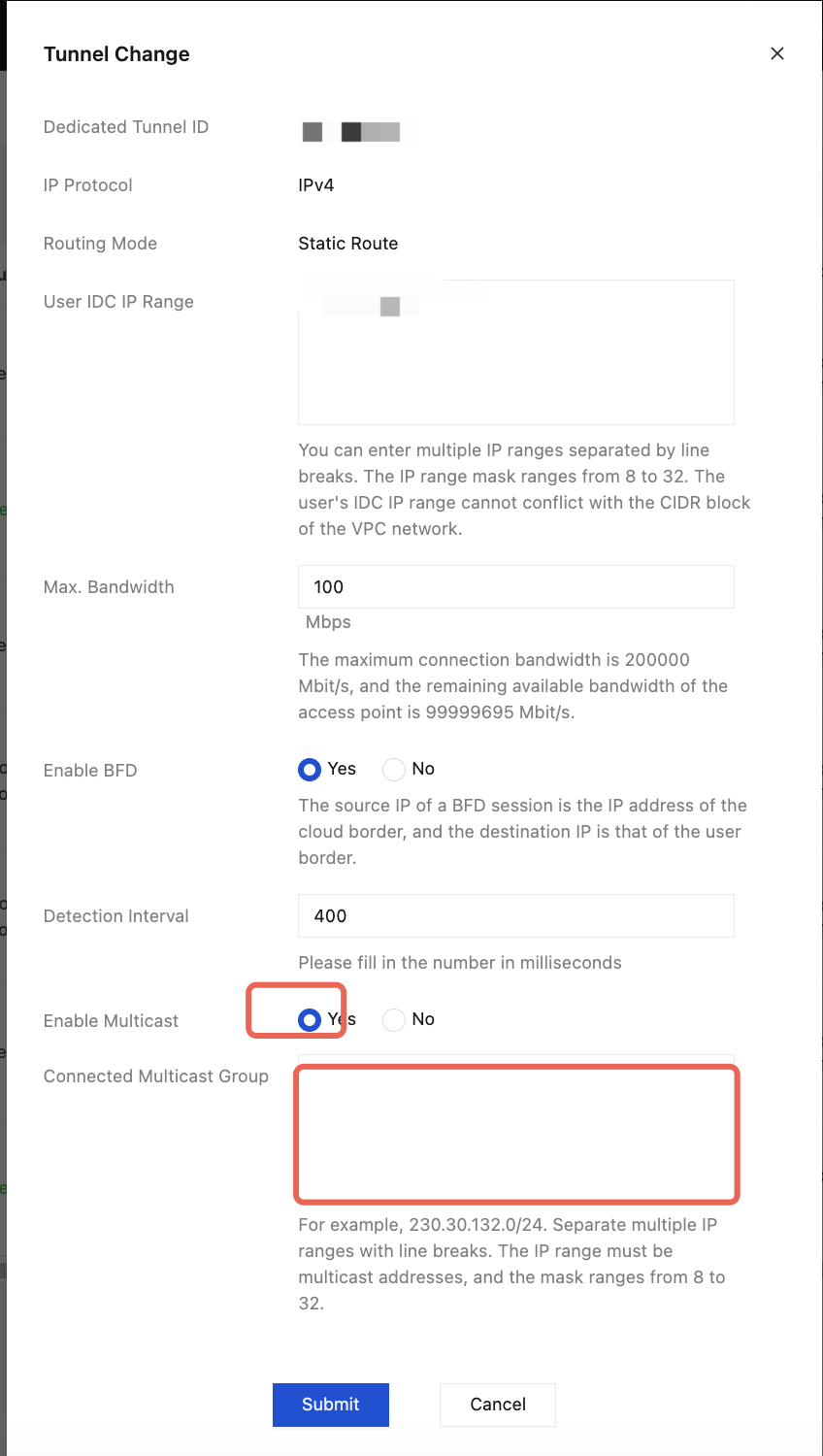
 in the Multicast column to enable multicast for the VPC.
Disabling Multicast
- On the Dedicated Tunnel page, click Tunnel Change in the Operation column to the right of the channel whose parameters need to be changed.

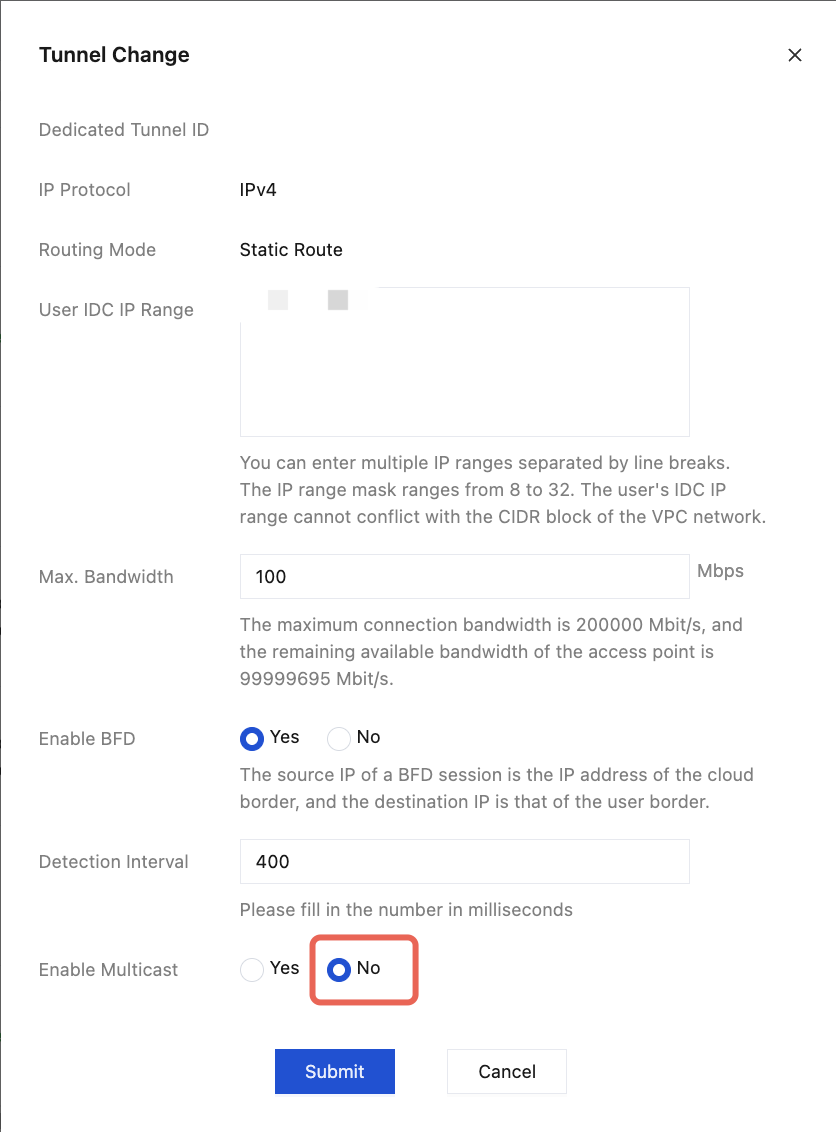
- In the Tunnel Change dialog box, follow the on-screen prompts to disable multicast. Select No for Enable Multicast and click Submit.
Parameter Change Description
The dedicated tunnel supports the following parameter changes:
BGP ASN
Changing the BGP ASN will interrupt services.Bandwidth
Changing the bandwidth does not interrupt the business because the system automatically overwrites the configuration.
Note:
In the Shared Connection mode, the dedicated tunnel cannot request bandwidth changes. Bandwidth changes must be initiated by the Connection owner.
BGP KEY
Changing the BGP KEY will not interrupt the services because the system will automatically overwrite the configuration.User IDC IP Range
Supports modification of user IDC IP range, and the system automatically distributes configurations.Health Check
Supports users to customize the BFD dedicated tunnel detection feature to be turned on or off, and supports modifying the detection interval.
After the channel change request is submitted, the system will complete the device configuration within a few minutes.