
- Log in to the CWP tenant console and go to Vulnerability Management > Vulnerability Management.
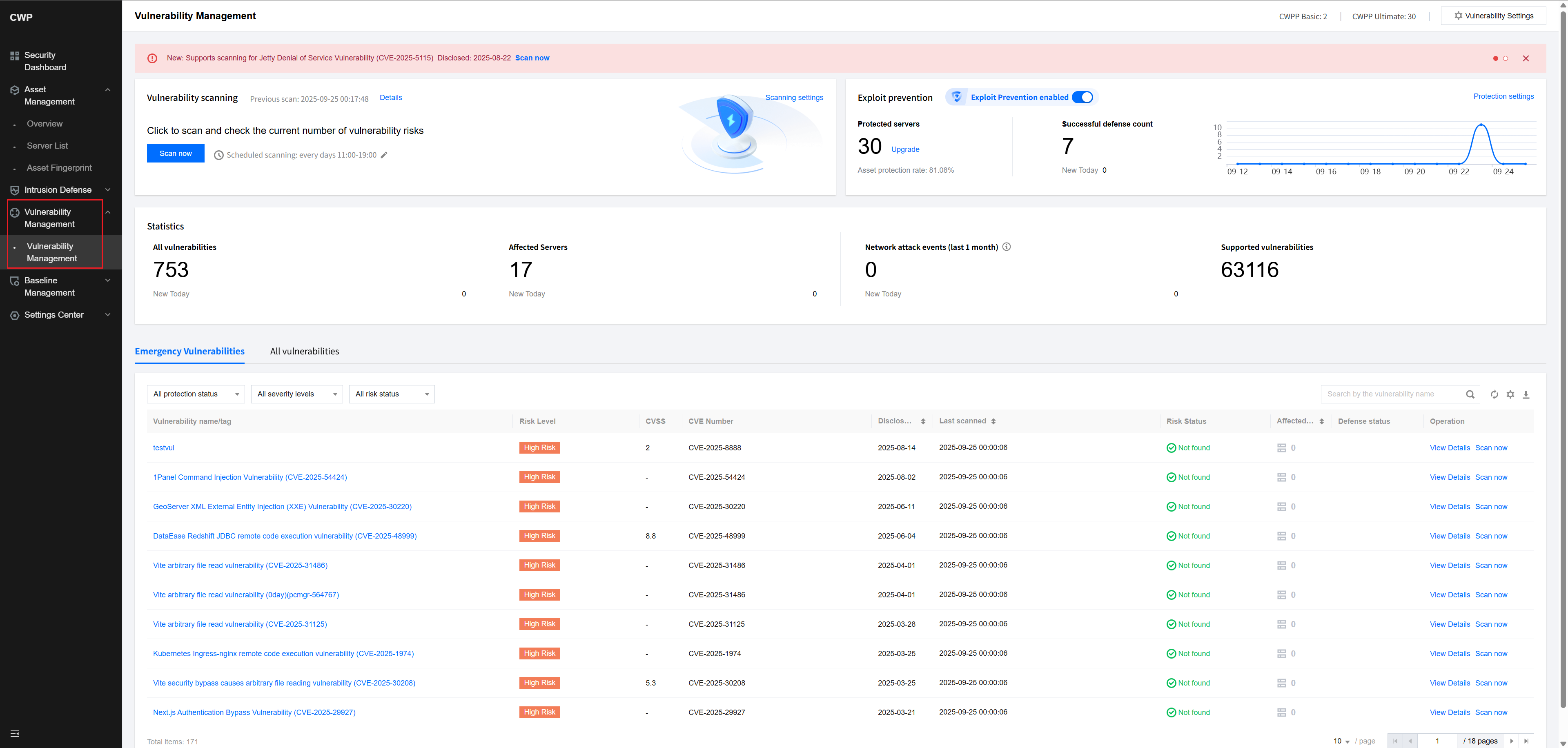
- Click One-click Scan, select the types of vulnerabilities to scan, and select the target server.
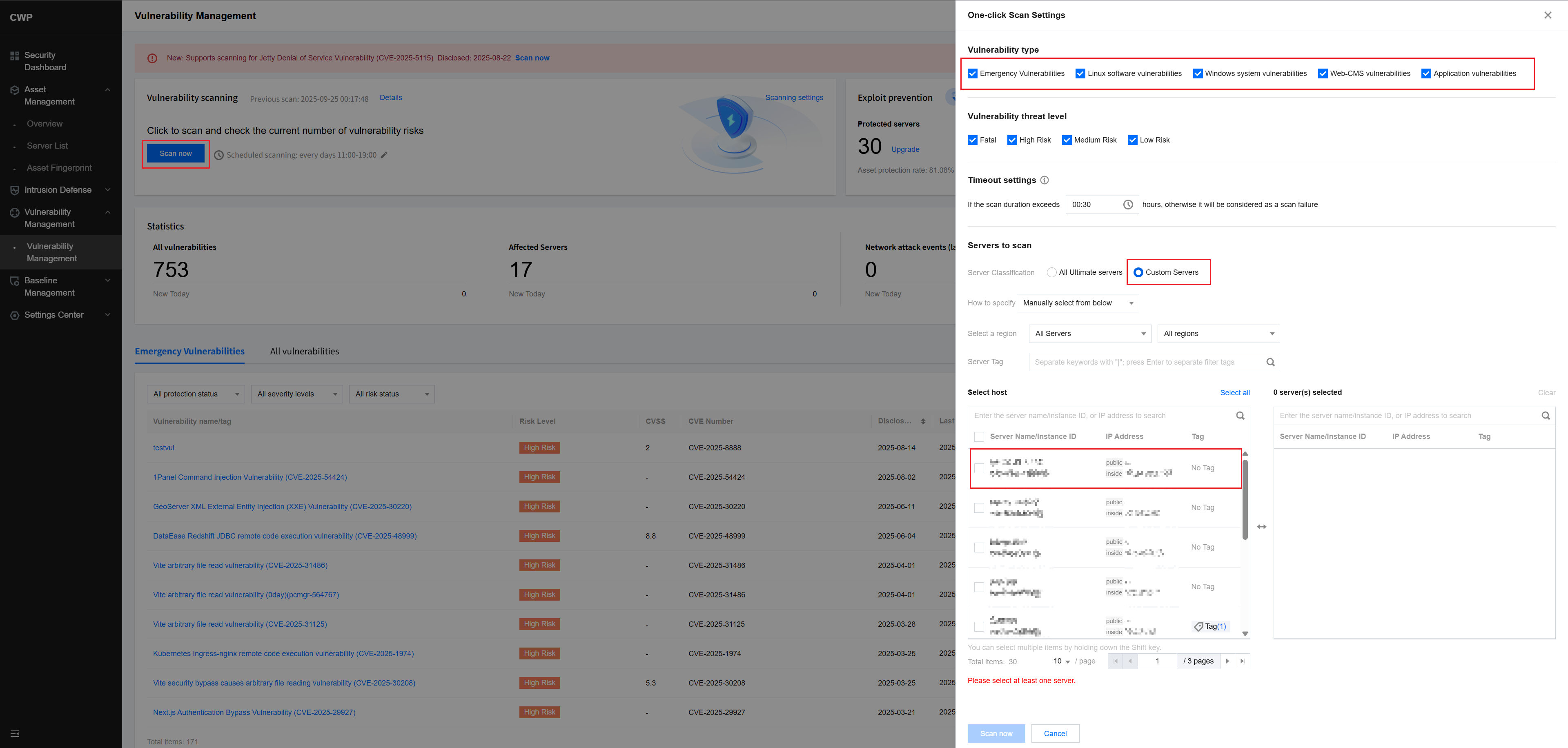
- After completing all configurations, click One-click Scan at the bottom to start the vulnerability scan for the selected server.

