

VPC supports IPv6 feature. When there are IPv6 service needs, you need to assign an IPv6 CIDR IP range to your VPC first, and then cloud resources in the VPC can be assigned IPv6 addresses within the VPC's IPv6 CIDR, enabling IPv6 communication for your services. This section describes how to assign IPv6 CIDR to the VPC through the console.
Assign IPv6 CIDR
- Log in to the Virtual Private Cloud console.
- Select Virtual Private Cloud in the left navigation bar.
- In the VPC list, click Edit IPv6 CIDR in the Action column to the right side of the target VPC.

- Select the IPv6 address type in the pop-up Edit dialog box. The system will assign an IPv6 CIDR of
/56to this VPC.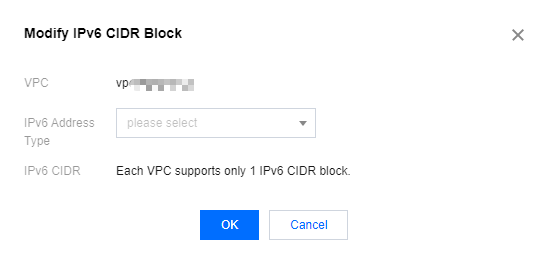
- Click OK to complete the IPv6 CIDR assignment.
Release IPv6 CIDR
- Log in to the Virtual Private Cloud console.
- Select Virtual Private Cloud in the left navigation bar.
- In the VPC list, click Release IPv6 Address in the Action column to the right side of the target VPC to release this IPv6 address range.

