

By default, WAF records web attack log information, including the attack occurrence time, attack source IP address, attack type, and attack details. You can query logs according to the filter conditions and download the query results as needed.
Usage Instructions
Querying Attack Logs
- Log in to the WAF console. In the left sidebar, choose Log Service > Attack Logs to enter the Attack Log Query page. Click Log Query, select a domain name from the dropdown search list above, set query conditions as needed, and click Query to view the corresponding attack log information.
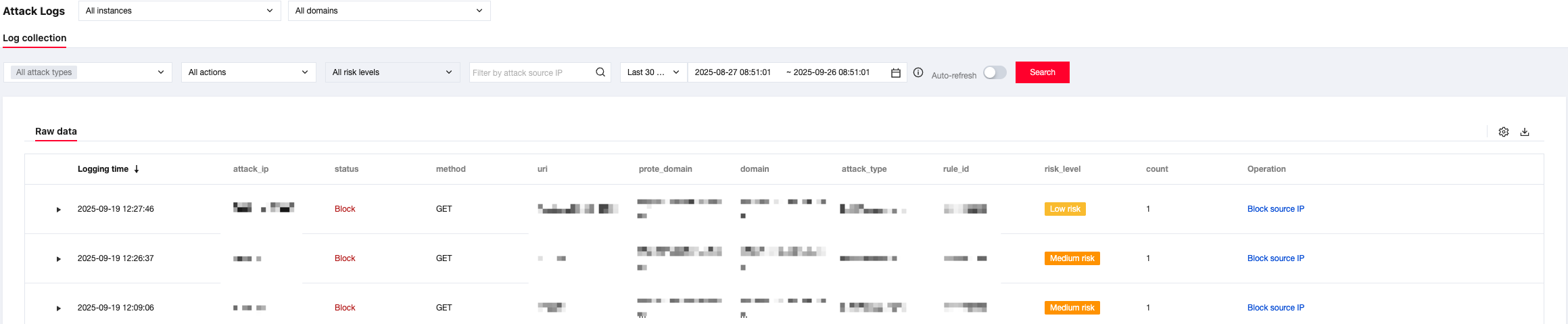
Query condition description:
- Domain name: Select the domain name to be queried in the domain name dropdown search list.
- Time condition: 1 hour, by default. You can query the attack log information from the last 30 days at most.
- Risk level: All, by default. You can select high risk, medium risk, or low risk.
- Execution action: All, by default. You can select observing or intercepting.
- Policy ID: Enter the policy ID you need to query. (The policy ID can be viewed in the log entry.)
- Attack source IP: Enter the attack source IP to conduct a query.
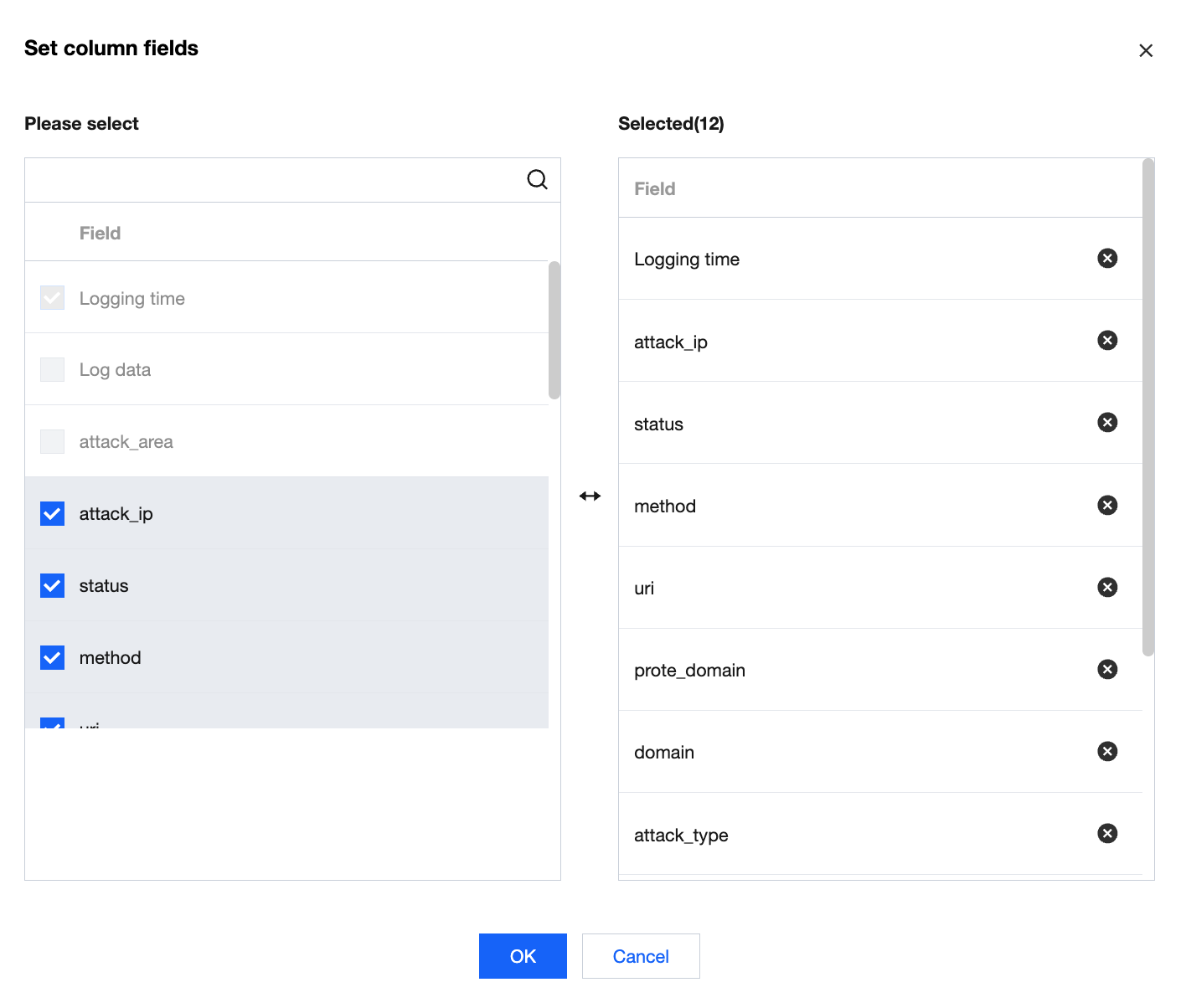
- Click the Set button in the upper right corner of the attack log. In the Custom List Fields pop-up window, select the list details to display, as shown in the figure below:
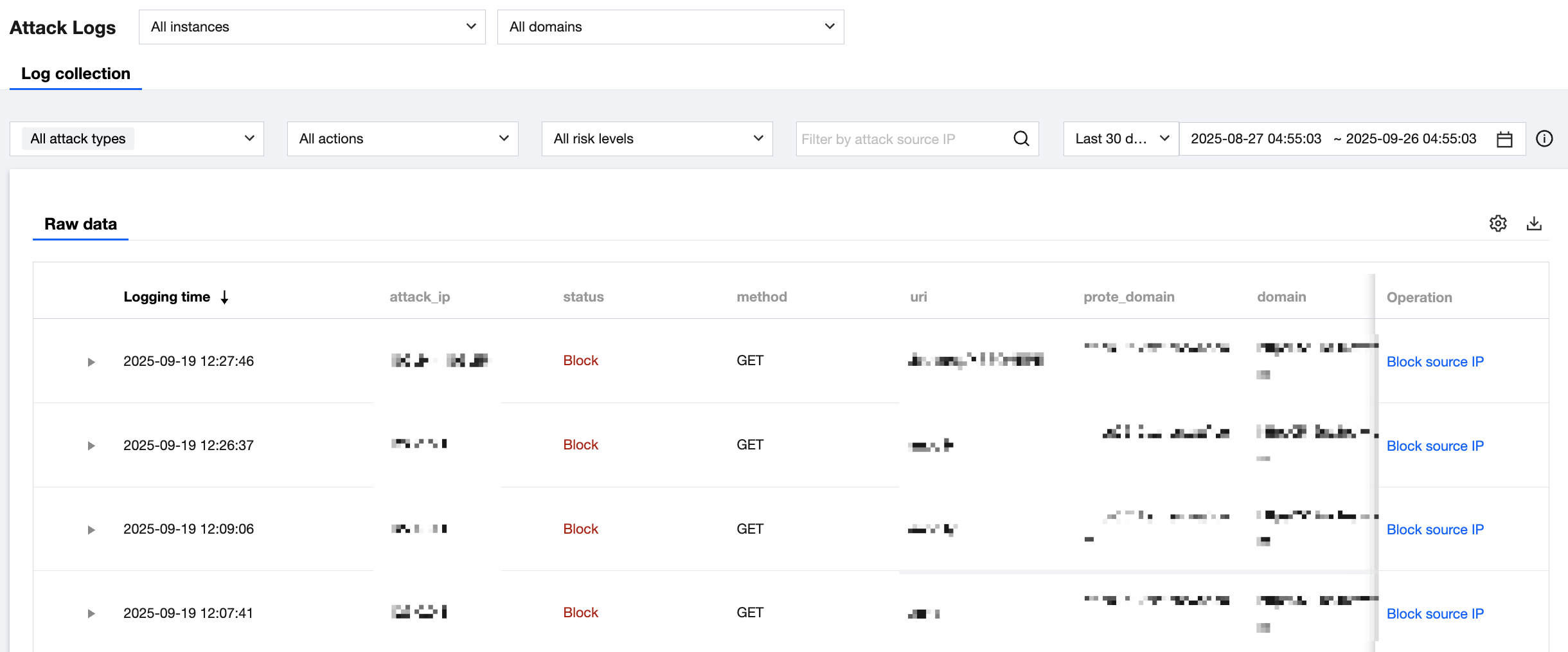
- View attack details. Select the log entry you need to view and click Details in the right operation column to view attack details.
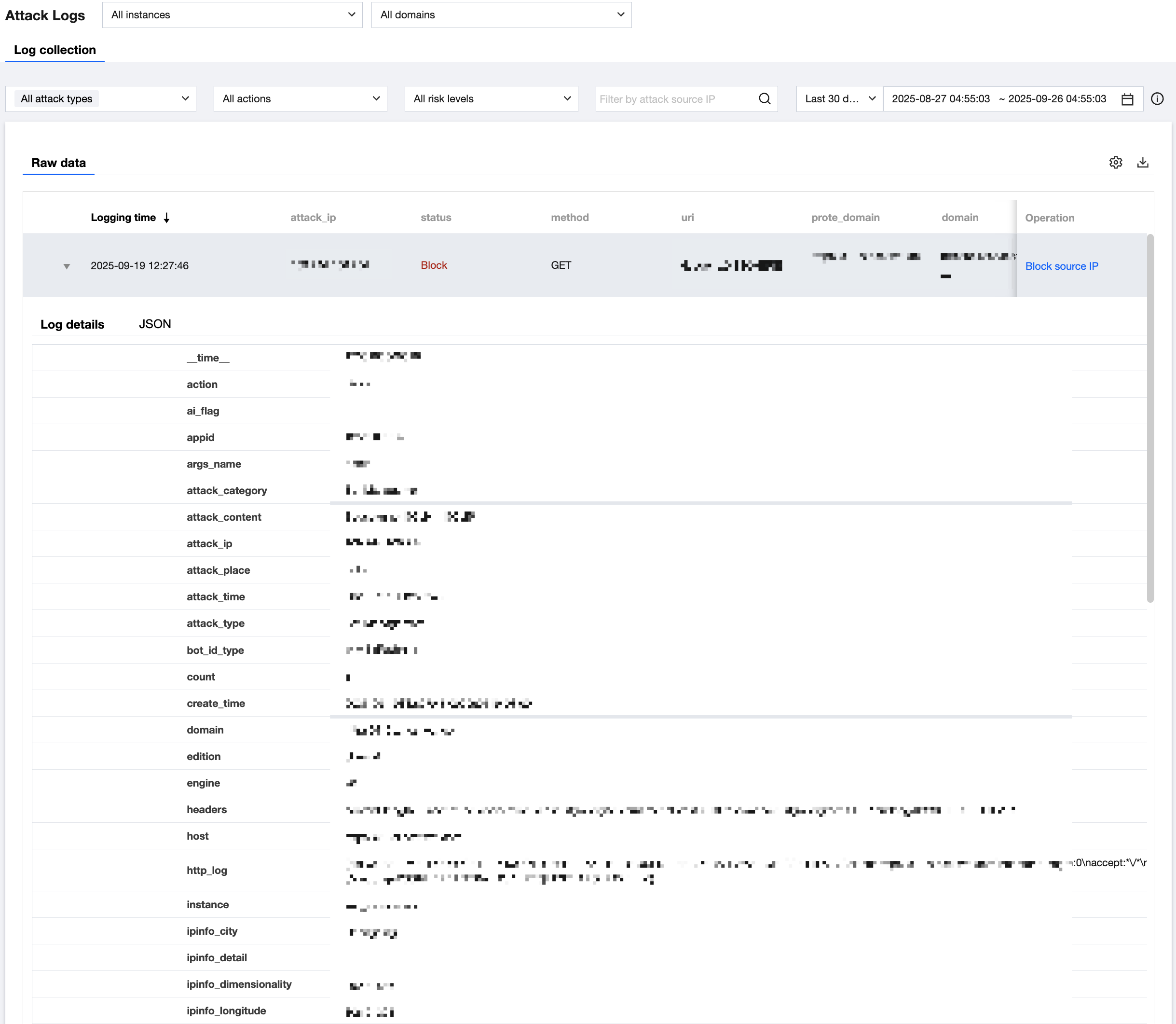
- Enter the Log Details page and view corresponding fields.
Exporting Attack Logs
- Log in to the WAF console. In the left sidebar, select Log Service > Attack Logs to enter the Attack Log Query page. Click Log Query, select a domain name from the dropdown search list above, set query conditions as needed, and click Query to view the corresponding attack log information. Click Export Logs to export the corresponding attack log information.
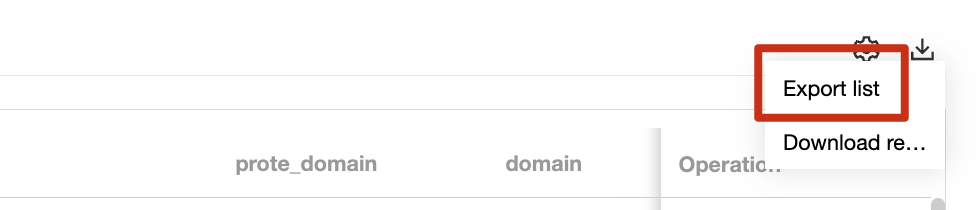
Export condition description:
- Domain name: Select the domain name to be queried in the domain name dropdown search list.
- Time condition: 1 hour, by default. You can query the attack log information from the last 30 days at most.
- Risk level: All, by default. You can select high risk, medium risk, or low risk.
- Execution action: All, by default. You can select observing or intercepting.
- Policy ID: Enter the policy ID you need to query. (The policy ID can be viewed in the log entry.)
- Attack source IP: Enter the attack source IP to conduct a query.
- Log table content cannot be empty.
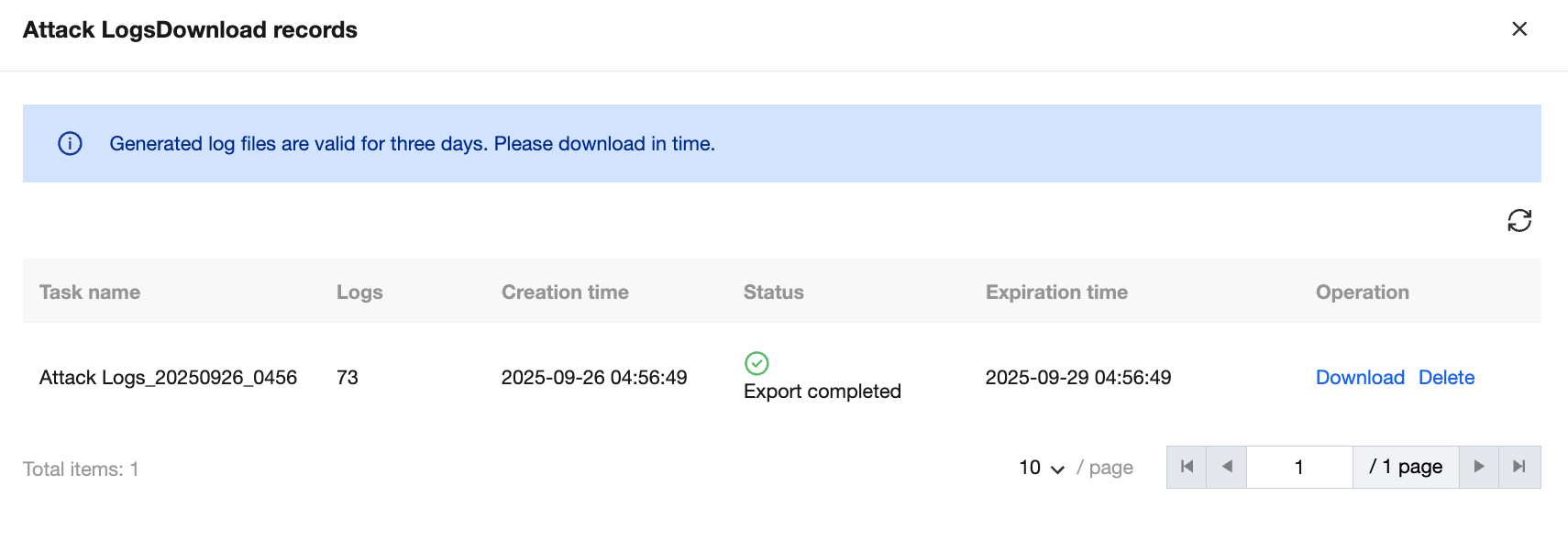
Choose Log Service > Attack Logs > Download Task to enter the download task query page, as shown in the figure below:
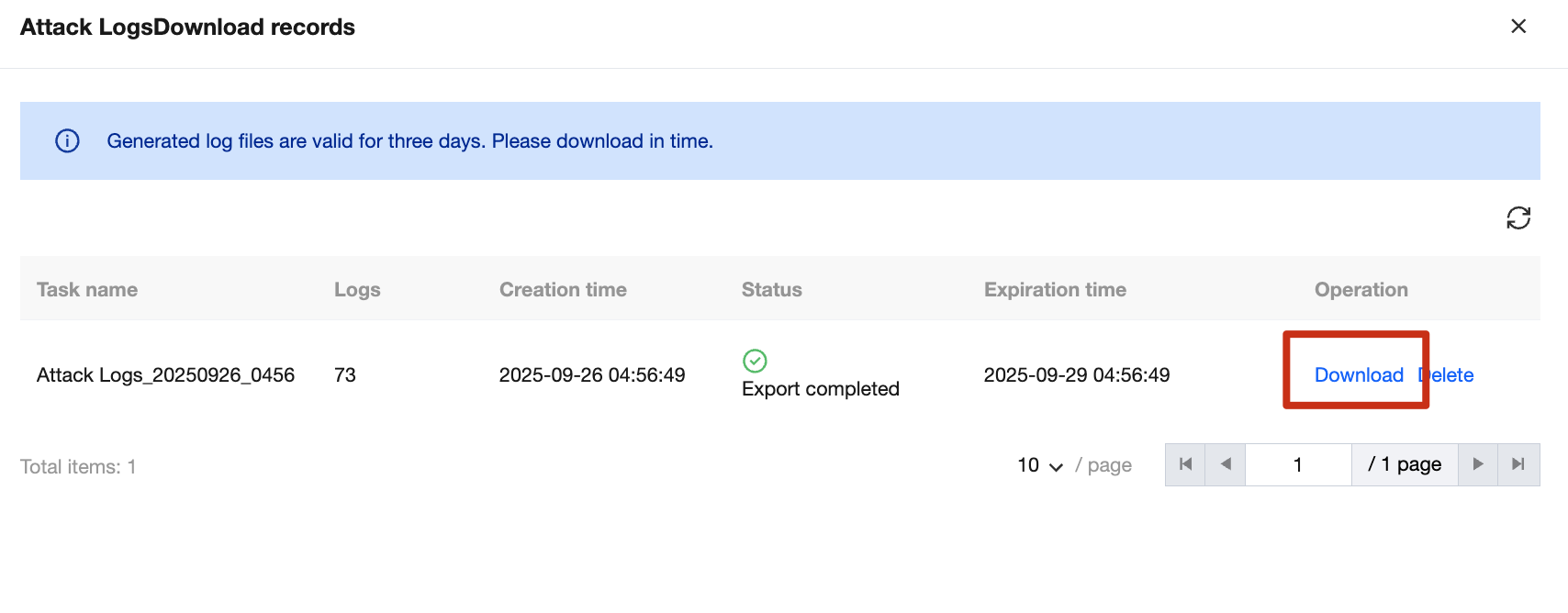
Click Download, and a prompt "The address of the log file has been successfully copied. Open it in a new browser window" will appear. Copy the link to the browser and open it to successfully download the compressed log file.
Log details field description:
- Basic information
| Field Name | Field Description |
|---|---|
| Domain Name | Client access domain name. |
| Attack Type | Information on the attack types currently supported by WAF. The default value is All. |
| Number of Aggregate Attacks | Total number of attacks generated every 10 seconds with the same attack source IP address and attack type. |
| Attack Source IP Address | Source IP address of the client attack. |
| Hit Rule ID | The rule ID that triggers the protection policy. For attacks detected by the AI engine, the rule ID is 0. |
| Hit Rule Name | The policy name that triggers the protection policy. The policy name of the rule engine and AI engine is empty. |
| Request Method | Client attack request method. |
| Risk Level | The risk level triggered by the client attack. |
| Attack Time | The time when the client attack is triggered. |
| Matching Source | Client attack matching source information, such as the source IP address. |
| Execution Action | Actions triggered by the client attack. |
| Request URI | Request URI content. |
| Attack Content | The content of the triggered client attack. |
- Attack IP details
| Field Name | Field Description |
|---|---|
| Region | English abbreviation of the country where the source IP address is used |
| IP Owner | Owner information of the used source IP address |
| Country | Country name of the attack source IP address |
| Province | Province information of the attack source IP address |
| City | City information of the attack source IP address |
| ISP | ISP information of the attack source IP address |
| Longitude | Longitude information of the attack source IP address |
| Latitude | Latitude information of the attack source IP address |
- Detailed information
| Field Name | Field Description |
|---|---|
| Protocol Version | HTTP protocol version information of the attack source IP address |
| User-Agent | Browser type and operating system identifier provided by the attack source IP address to the server |