

1. Feature Introduction
The information leakage prevention feature supports replacing sensitive information returned on your webpage, such as phone numbers and ID numbers.
Remarks: CLB WAF instances do not support this feature.
2. Configuration Example
- Log in to the WAF console. In the left sidebar, select WAF > Configuration Center > Basic Security. Select a protected domain name (such as
www.waf.com) and click to select Information Leakage Prevention to enter the configuration page. Select Information Leakage Prevention > Add Rule.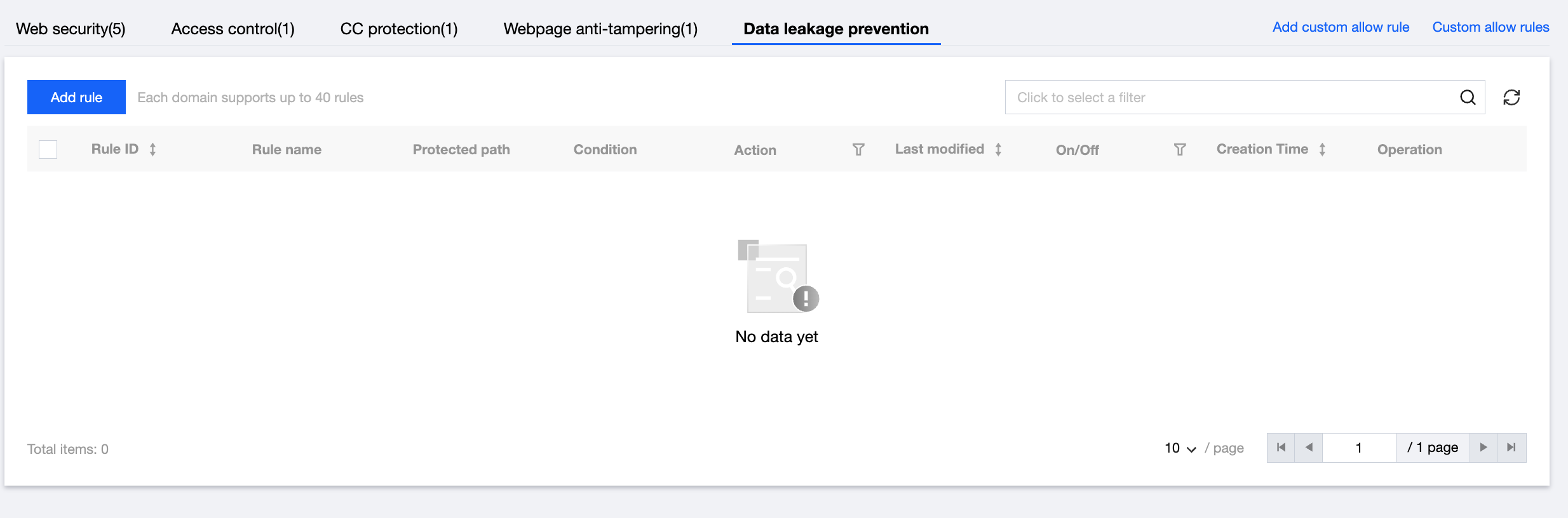
On the Add Rule page, enter the rule name, select the matching condition (the matching field is Sensitive Information, the matching condition is Contain, and the matching content is ID Card or Mobile Number) and execution action (Replace or Observe), and click OK to save.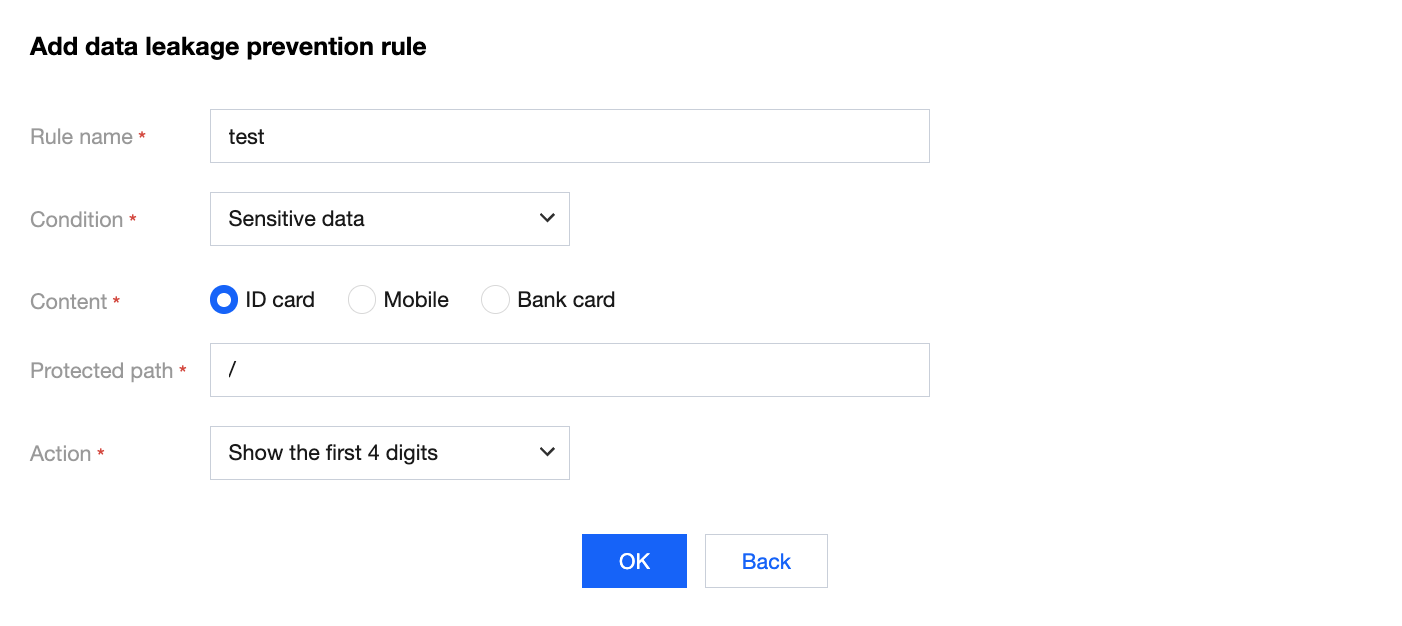
- When the rule takes effect, it will protect the sensitive information returned from your webpage. The protection effect is as follows (the sensitive content is fictitious):
- Before the protection is enabled:

Before the protection is enabled - After the protection is enabled:

After the protection is enabled
