

The anti-tampering feature can be used to prevent the specified page from being tampered with and displaying abnormally.
The specified page is limited to .html, .shtml, .txt, .js, .css, .jpg, .png, and other static resources.
CLB WAF instances do not support this feature.
Configuration Example
Protecting Website Homepage from Tampering
Log in to the WAF console. In the left sidebar, select WAF > Configuration Center > Basic Security. Select a protected domain name (such as
www.cloudwaf.com) and click to select Anti-tampering to enter the configuration page.
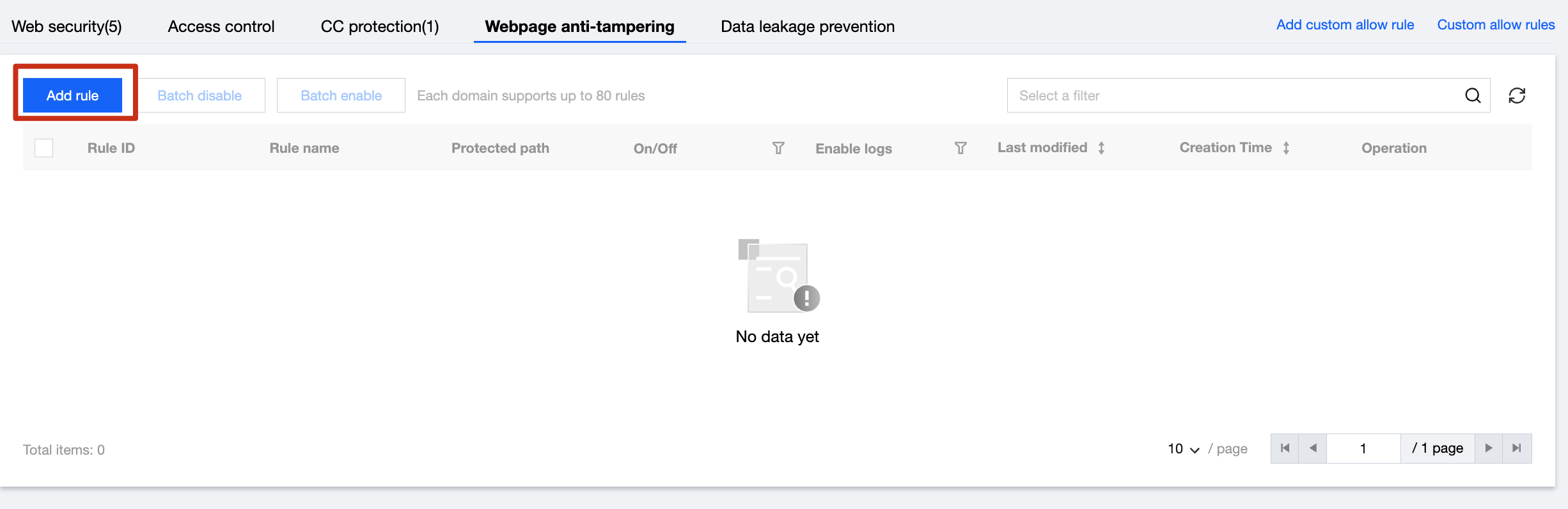
Enter the Protection Settings page. If required, replace the domain name of the site to be protected at the top. Click Anti-tampering to enter the Anti-tampering Configuration interface. Click Add Rule.
In the Add Anti-tampering Rule pop-up window, enter the rule name (such as homepage) and the complete URL path (such as
http://www.cloudwaf.com/index.html) of the rule (such as homepage), and click Add after entering to save the rule.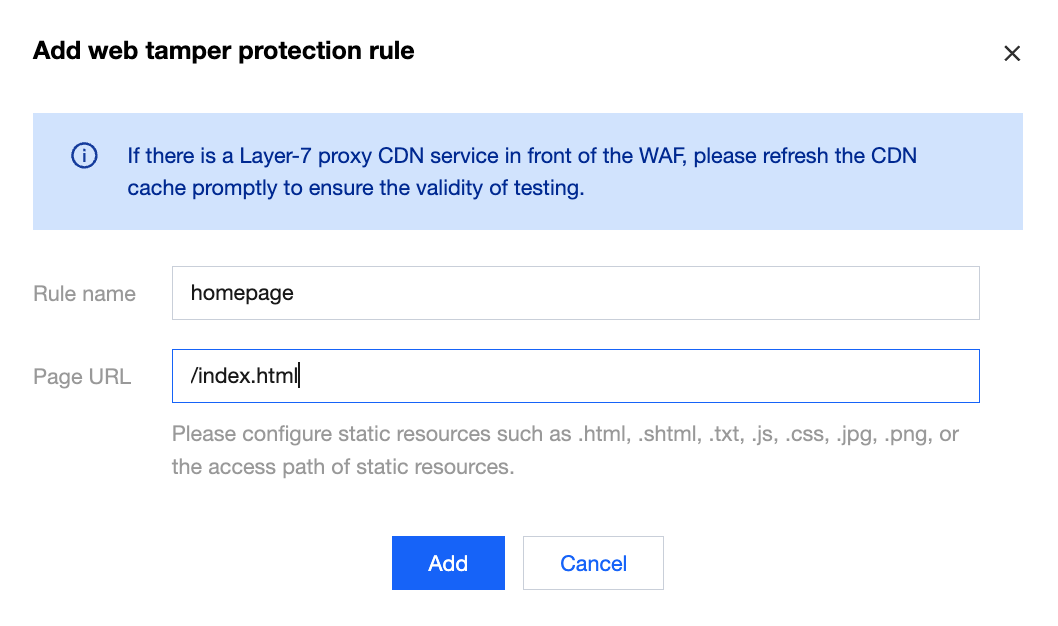
The rule will take effect. If the rules are updated, click Refresh Cache in the right operation column to update the cache content.

