

Tenant Cloud
Monitor and Operation
Cloud Monitor
Operation Guide
Receiving Alarm Notifications Through a WeCom Group
- Limitations
Regarding sending WeCom group messages, the number of messages sent by each bot cannot exceed 20 per minute. If you have many alarm policies, it is recommended to create multiple bots and associate alarm policies with different bots. Otherwise, multiple alarm policies may trigger alarms simultaneously, and you may fail to receive some alarm notifications as a result. - Step 1: Add a bot on WeCom.
- WebCom for PC
On WeCom for PC, find the target WeCom group for receiving alarm notifications.
Select and right-click the WeCom group. In the pop-up box, click Add Group Robot.
In the pop-up box, click Create a New Robot.
In the pop-up box, enter a custom bot name and click Add Robot.
Copy the webhook URL and configure the API callback by following Step 2. - WebCom for Web
On WeCom for Web, open the target WeCom group for receiving alarm notifications.
Click the group settings icon in the upper-right corner.
On the Group Settings page, choose Group Bot > Add Robot.
On the Add Bot page, enter a custom name for the new bot.
Click Add, copy the webhook URL, and configure the API callback by following Step 2.
WeCom alarm messages are in markdown format.
- WebCom for PC
- Step 2: Configure the alarm API callback.
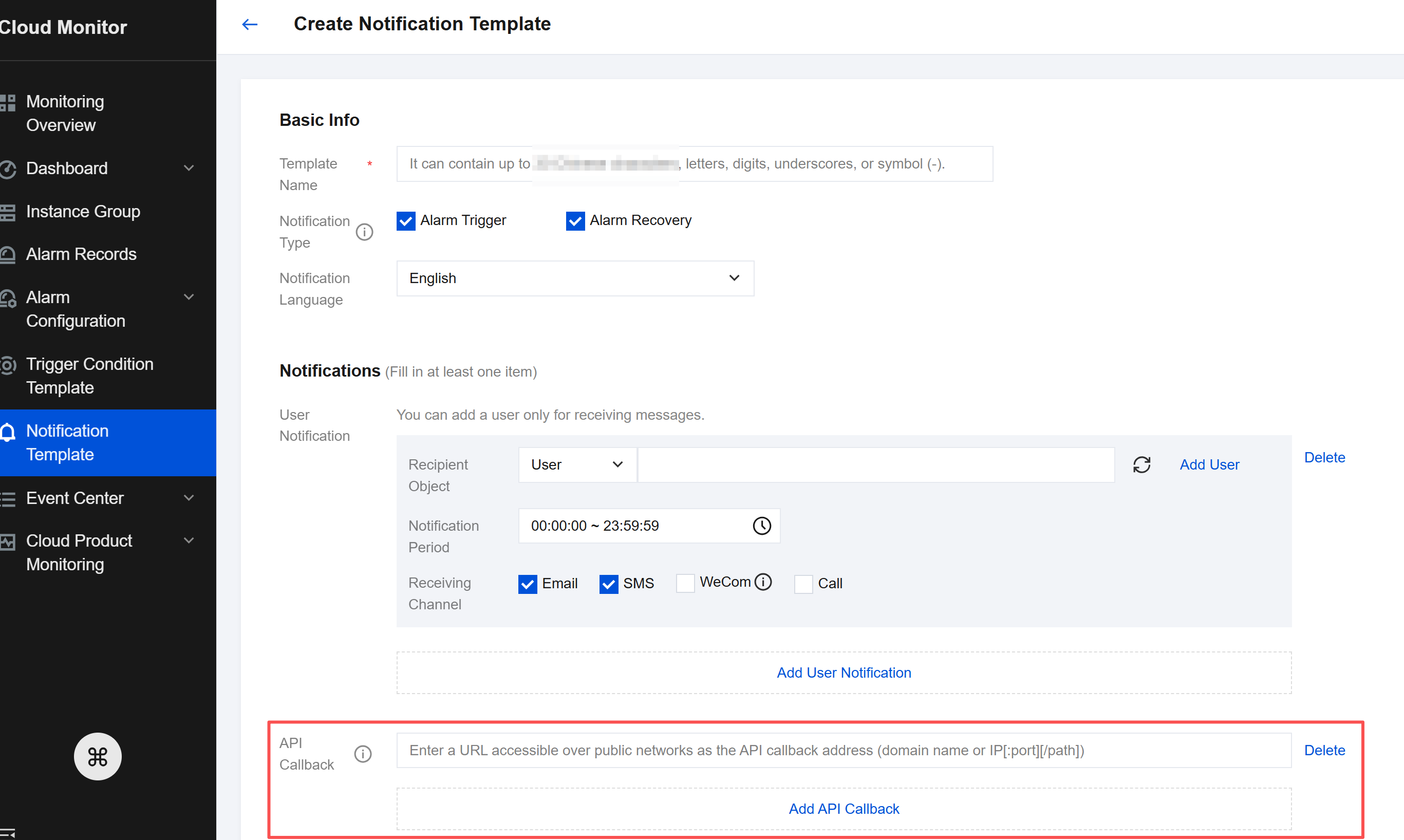
- Log in to the cloud platform console and choose Cloud Monitor > Notification Template.
- Click Create to enter the Create Notification Template page.
- After configuring the basic information, paste the copied webhook URL in the API callback field.
- On the Alarm Policy List page, click the name of the alarm policy to be associated with an alarm callback to enter the Manage Alarm Policy page. Associate a notification template on the Alarm Policy page.
After successful configuration, when an alarm policy is triggered or recovered, you can receive alarm notifications sent by the group bot in the WeCom group.
