
- Configure template variables.
- Log in to the console and choose Cloud Monitor > Dashboard to go to the dashboard list.
- Choose the corresponding dashboard, click the settings icon, and select Template Variables on the Dashboard Management page.
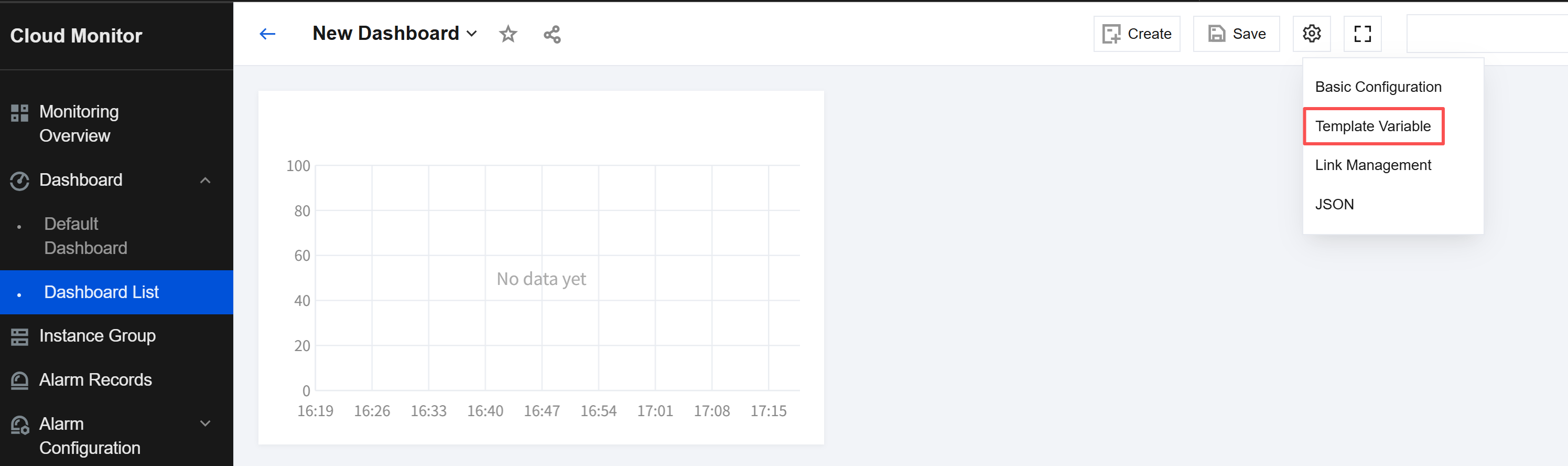
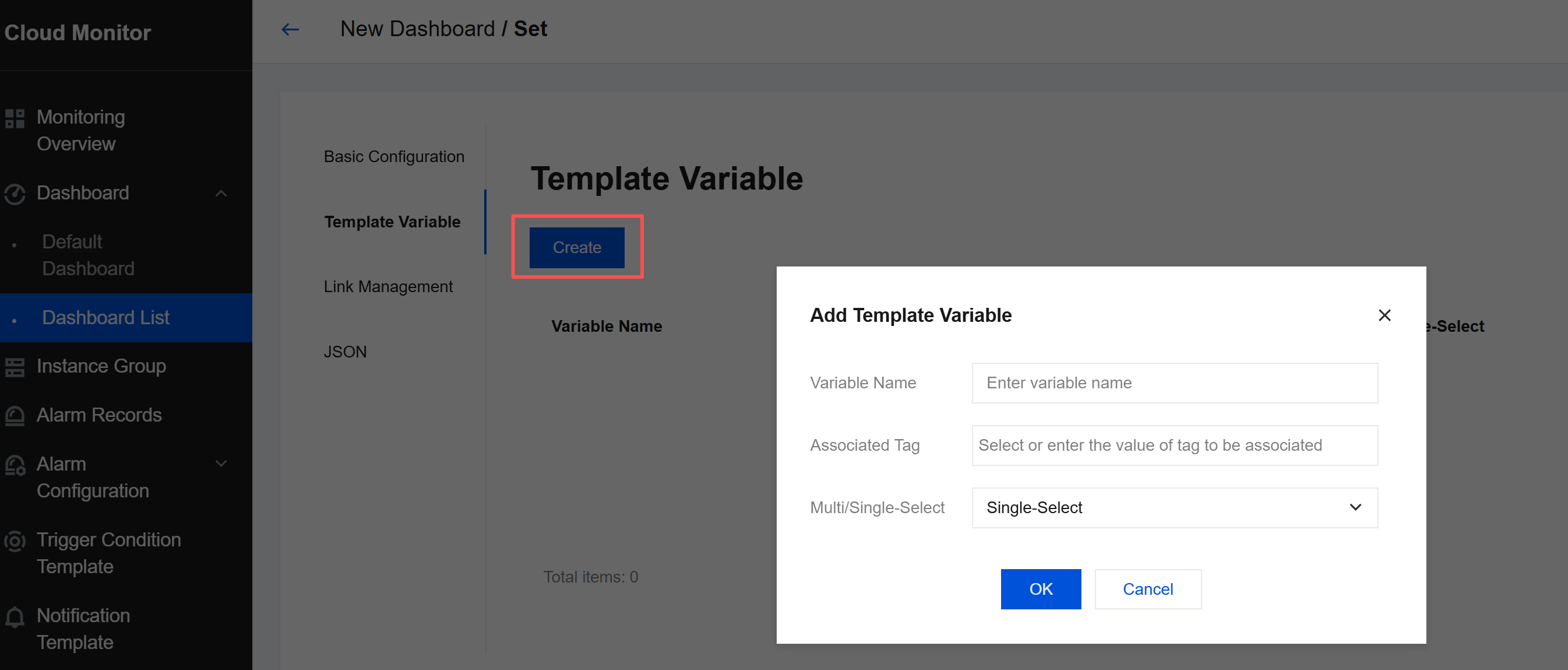
- Template variables are used for customizing dashboard filter conditions. On the Dashboard Management page, you can use template variables to quickly filter instances.
- Click Create on the template management page, and then click OK to create a template variable.
- Use template variables.
After template variables are created, they can be used as quick selectors for dashboards and monitoring charts.- Use in dashboards: Template variables can be used on the Dashboard Management page to filter the dashboard data.
- Use in monitoring charts: On the Chart Editing page, quickly select tags to group and aggregate the instance data to be displayed.

