
- Log in to the cloud platform console and choose Cloud Monitor > Dashboard to enter the dashboard list.
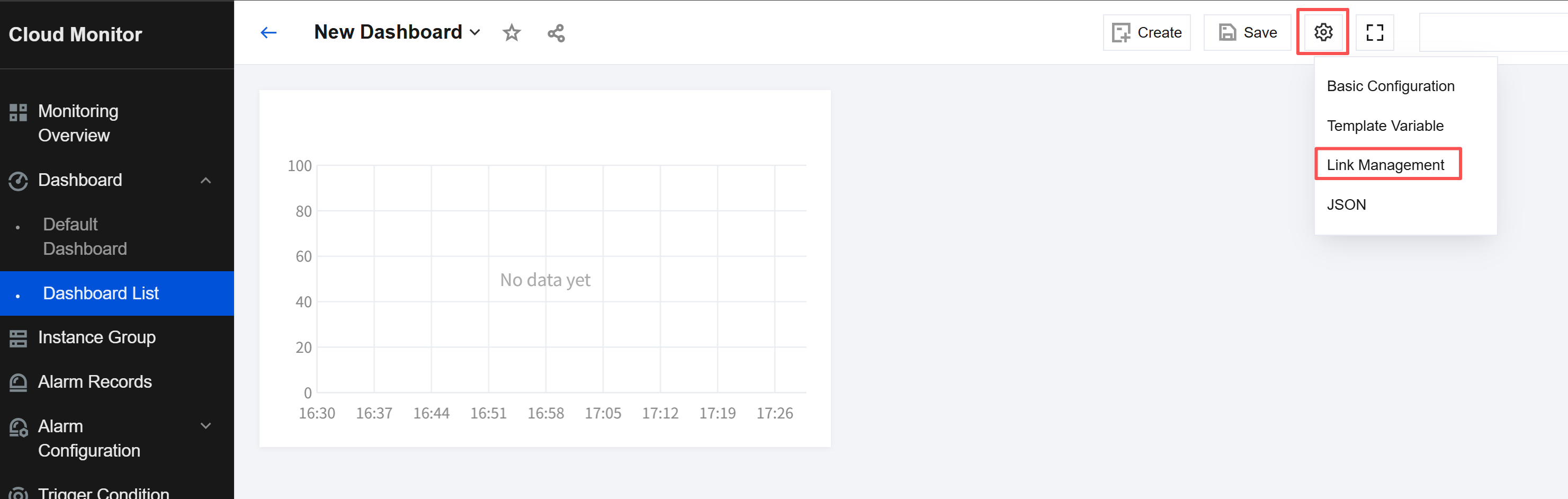
- Choose the corresponding dashboard, click the settings icon, and select Link Management on the dashboard management page.
- Link management is used for customizing quick links to dashboards. To create a link, specify the link name, type, link target, and parameter,
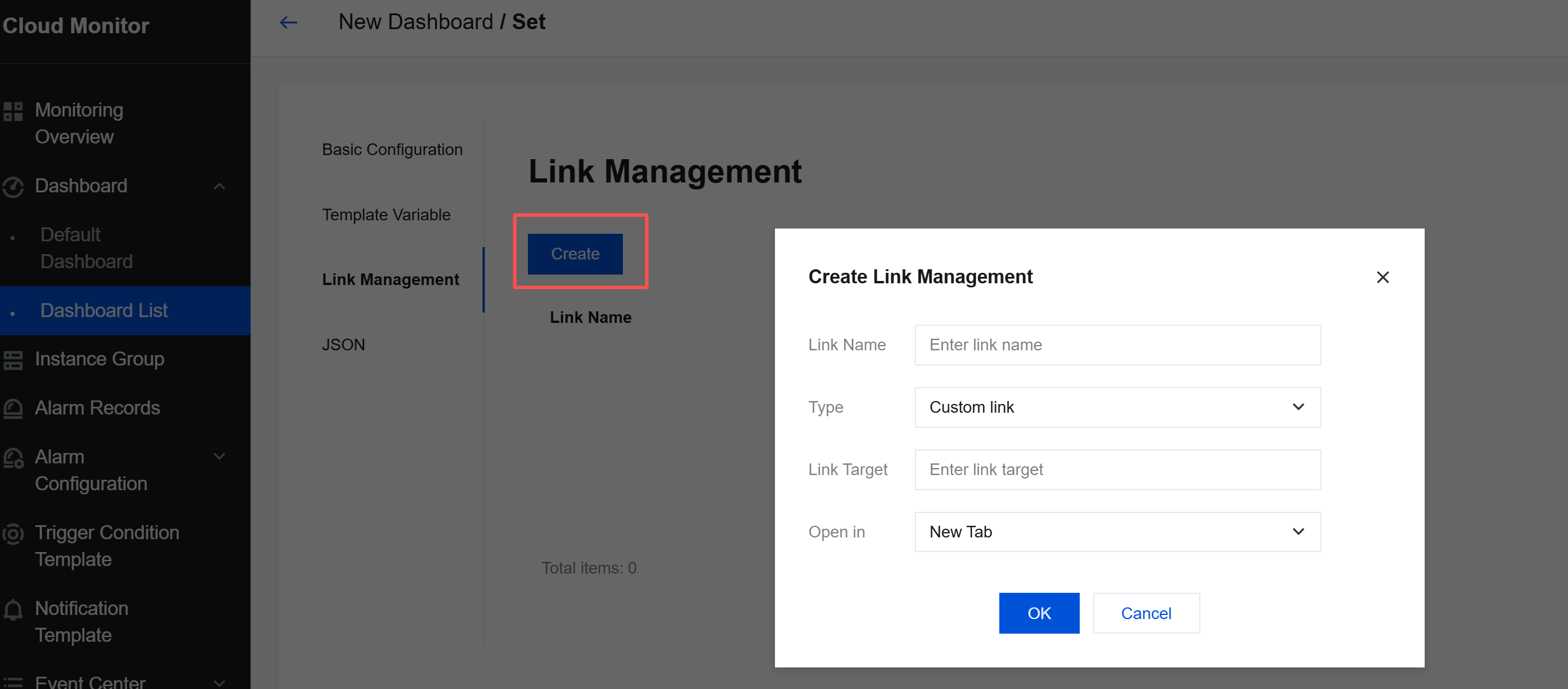
as described below:- Link Name: custom link name.
Type - Custom Link: All links are supported.
- Other Panels: links to other panels.
- Link Target: link address or link panel.
Parameter - Time: whether the destination page synchronizes the panel's time during link redirection.
Open Mode - New Tab: opens the link in a new tab.
- Current Page: opens the link in the current tab.
- Link Name: custom link name.
- Use links.
On the dashboard management page, you can quickly navigate to your custom links for troubleshooting or monitoring data comparison.

