
- View monitoring charts.
Cloud Monitor provides customers with various channels to view monitoring data. - Viewing the detailed monitoring data of a single instance.
- View through Cloud Monitor > Cloud Product Monitoring.
Cloud Product Monitoring is a unified platform that collects and displays the most detailed monitoring information in the Cloud Monitor console. In Cloud Product Monitoring, users can view the list of cloud resources under the account, as well as the corresponding monitoring and alarm details.
Compared to the monitoring data displayed in the business console, Cloud Product Monitoring integrates the health status and alarm data of instances. It provides users with the capability to quickly locate abnormal instances and supports users in troubleshooting issues by combining specific data and exception information.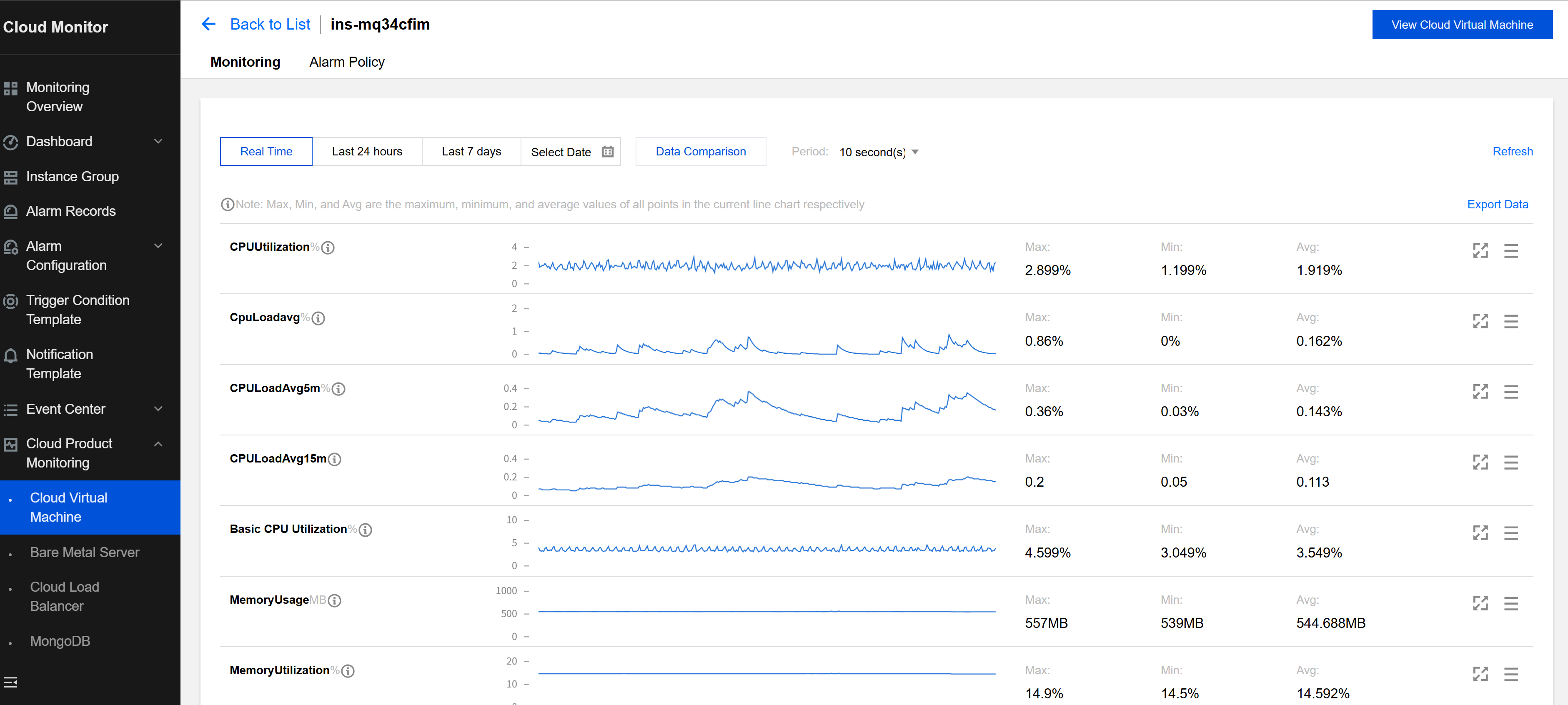
- View through various cloud product consoles.
Users can also log in to the console of each cloud service to view the monitoring details of an instance.
Using Cloud Virtual Machine (CVM) as an example:
- Users can quickly browse the performance data of each instance in the CVM list through the monitoring pop-up window.
- Users can also click a CVM ID in the list to further view the instance's monitoring details.
- View through Cloud Monitor > Cloud Product Monitoring.
- View the monitoring data of multiple cloud services.
- View the monitoring data through the dashboard.
View monitoring data across instances and products via the dashboard. This feature enables users to view data from multiple instances at once.
- Users can subscribe to their most concerned monitoring metrics through the dashboard and monitor the performance status of core instances through real-time monitoring or large-screen display of dashboard panels.
- Users can subscribe to the overall performance status of a workload or cluster through the dashboard. This allows them to intuitively understand the overall resource situation without the inefficiency of checking the monitoring data for each resource individually.
For specific usage of the dashboard, see Creating a Dashboard.
- View the monitoring data through the dashboard.
- Obtain data reports.
- Export data from the dashboard.
Log in to the cloud platform console and choose Cloud Monitor > Dashboard to enter the dashboard list.
Click the corresponding dashboard. On the dashboard page, locate the monitoring item for which you want to export data, and click ... above it to export the corresponding instance monitoring details list.
- Export data from the dashboard.

