

Adding a Private Domain
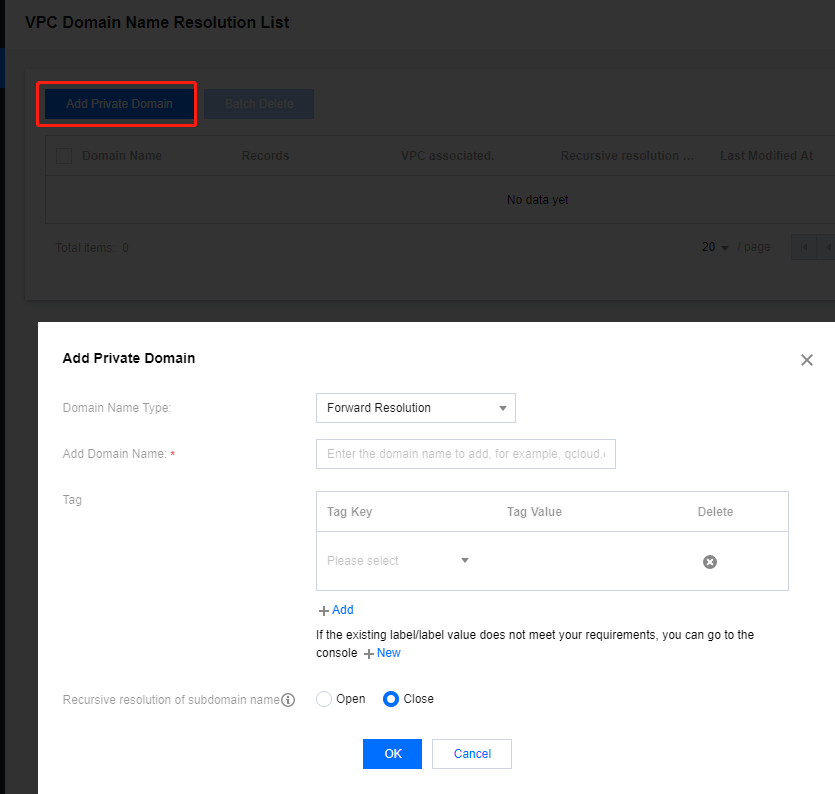
- Click Add Private Domain to add the domain you want to resolve.
Adding a Resolution Record
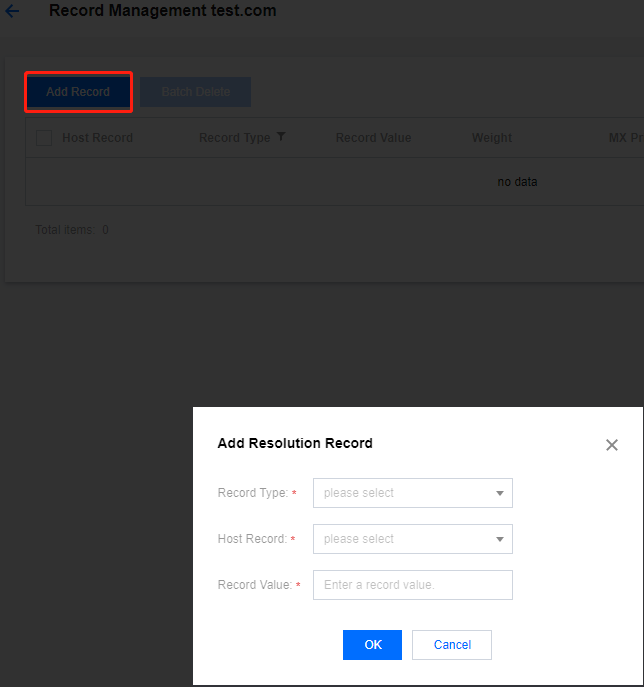
- On the list page, click Private Domain to enter the Record Management page.
- Click Add Record to add a resolution record for that domain.
Adding a Forward Resolution Record
Adding an A Record
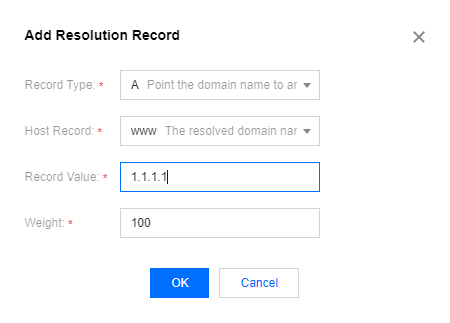
- Add an A record for the domain.
Note:
- Weight range: 1–100 (default: 100)
- Resolution proportion = record weight ÷ sum of all weights under the subdomain
Adding an AAAA Record
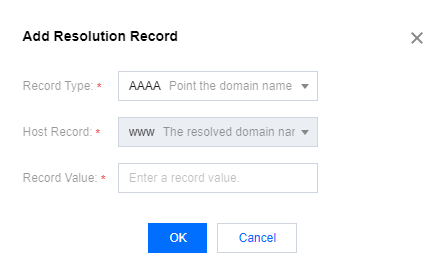
- Add an AAAA record for the domain.
Adding a CNAME Record
- Add a CNAME record for the domain.
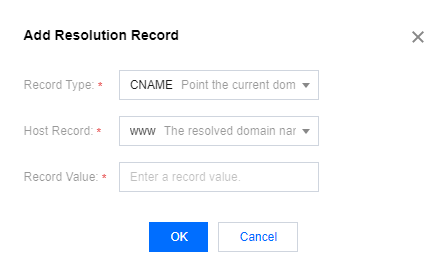
Note:
- Only one CNAME record per host record; cannot coexist with other records
- Supports CNAME only to private domains under the current account
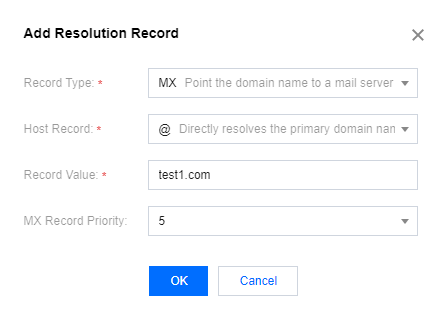
Adding an MX Record
- Add an MX record for the domain.
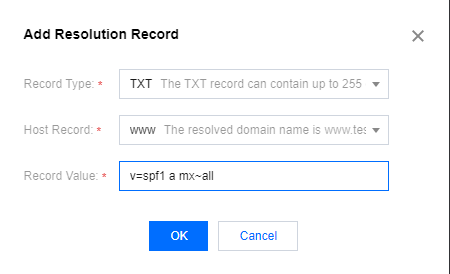
Adding a TXT Record
- Add a TXT record for the domain.
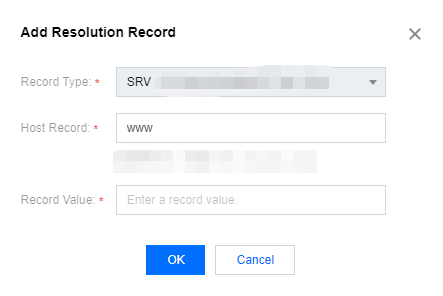
Adding an SRV Record
- Add an SRV record for the domain.
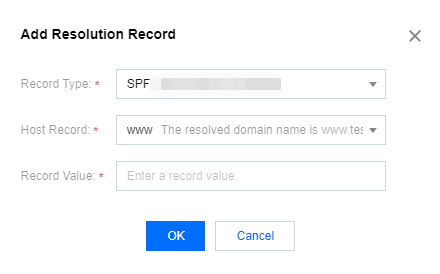
Adding an SPF Record
- Add an SPF record for the domain.
Adding a Reverse Resolution Record
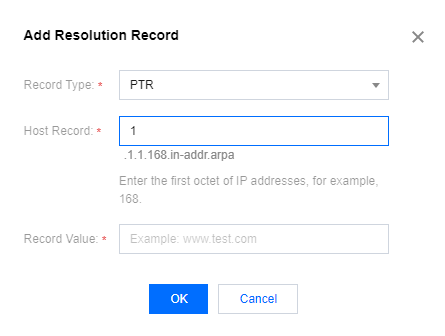
Adding a PTR Record
- Add a PTR record for the domain.
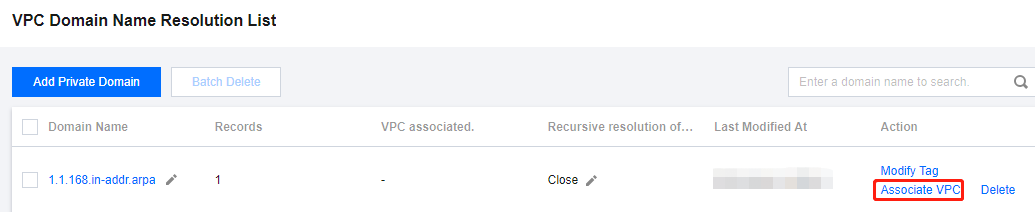
Associating with a VPC
- After adding the domain, click Associate with VPC.
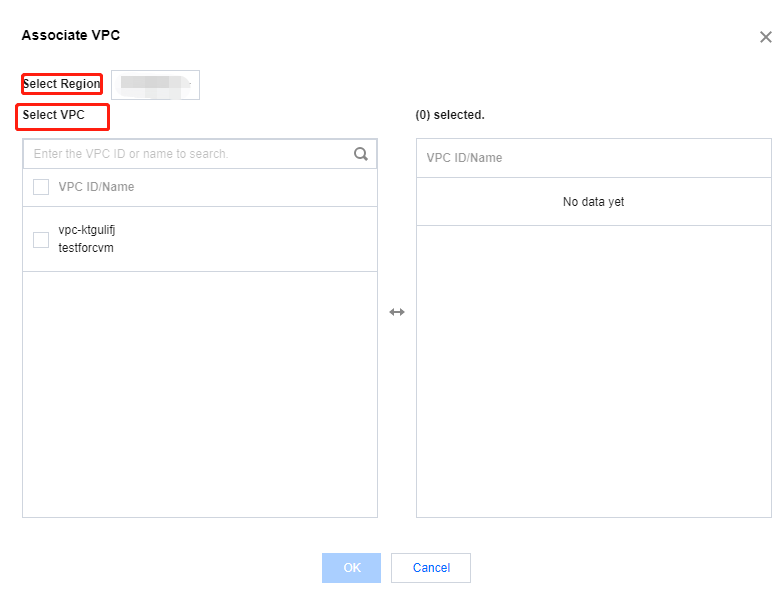
- Select a region and VPC, then click OK to associate.
- The resolution takes effect immediately.

