

Cloud Monitor provides data collection and display functions for CLB and backend instances. Using Cloud Monitor, you can CLB statistics, verify whether the system is running properly, and create corresponding alarms. For more information about Cloud Monitoring, see Cloud Monitor product documentation.
Converge Cloud provides cloud monitoring to all users by default. You do not need to enable it manually. As long as you use the CLB, Cloud Monitor can help you collect relevant monitoring data. You can view the monitoring data of the CLB in the following ways:
CLB Console
- Log in to the CLB console and click the monitoring icon next to the CLB instance ID to quickly view the performance data of each instance through the monitoring floating window.

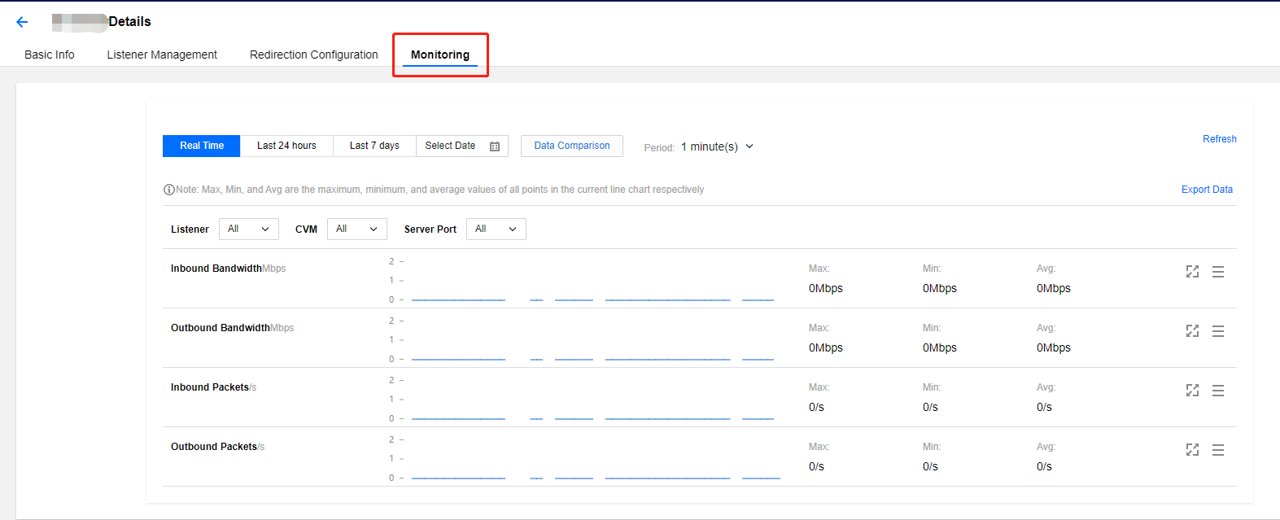
- Click the CLB instance ID to enter the CLB details page, and click the Monitoring tab to view the monitoring data of the current CLB instance.
Cloud Monitor Console
Log in to Cloud Monitor Console, click CLB under the Cloud Services Monitoring module in the left sidebar, click the CLB instance ID to enter the monitoring details page, where you can view the monitoring data of the CLB instance. Expand the instance to view the monitoring information of the listener and backend server.