

Before creating monitoring charts, you need to create a dashboard first. You can refer to the following steps to create a dashboard.
- Log in to the cloud platform console and choose Cloud Monitor > Dashboard to enter the dashboard list.
- Click Create Dashboard in the upper-left corner of the dashboard list to go to the dashboard creation page.
- Click Create New Chart in the empty chart to go to the chart editing page. For details, see Creating a Chart.
- Configure chart parameters. You can click <- in the upper-left corner to return to the dashboard creation page to add a chart.
- After configuring the chart, click Save in the upper-right corner, and then fill in the dashboard name and choose the folder it belongs to in the pop-up box.
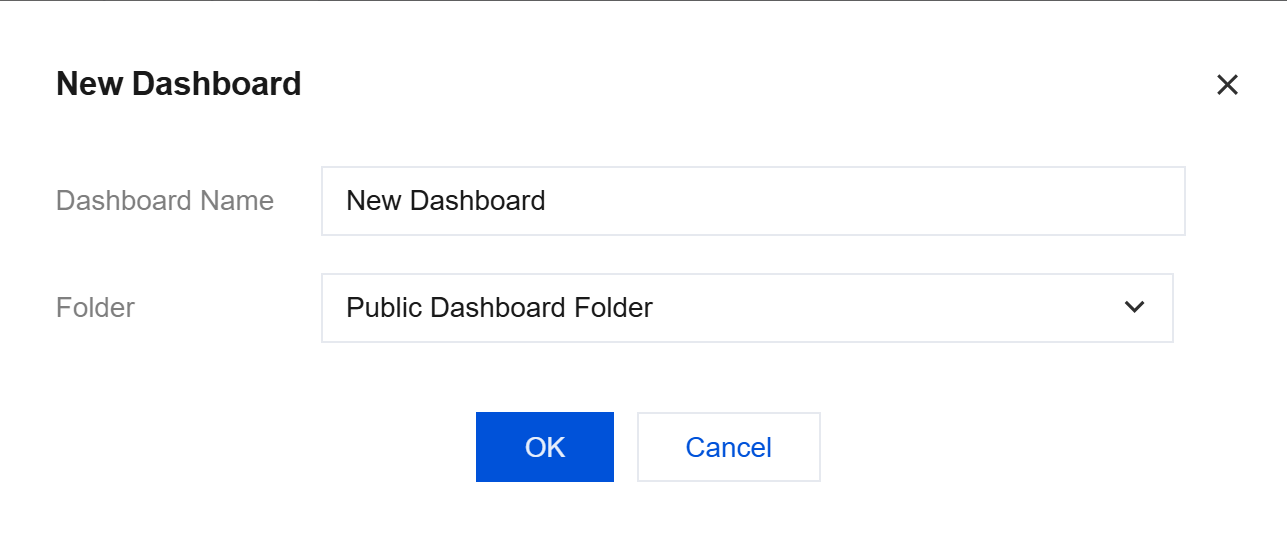
- Click OK to create the dashboard.
