

Overview
A bucket tag is a key-value pair (key = value), which is comprised of a tag key and a tag value that is connected by an equal sign =, for example, group = IT. It can serve as a marker for managing buckets, facilitating users in grouping and managing buckets. t can serve as a marker for managing buckets, facilitating users in grouping and managing buckets.
Note:
- A bucket can have a maximum of 50 tags, and tag keys cannot be repeated.
- Tag keys and tag values must not use qcs: or project reserved fields.
Adding Tags When Creating a New Bucket
You can add a bucket tag when you click Create Bucket, as shown in the following figure:
Adding Tags to the Created Bucket
If you did not add tags when you created the bucket, you can follow the steps below to add tags to the bucket.
- On the bucket list page, find the bucket to which you want to add a tag and click its name to go to the bucket configuration page.
- Click Basic Configuration > Tag Management and click Add Tag to add a bucket tag.
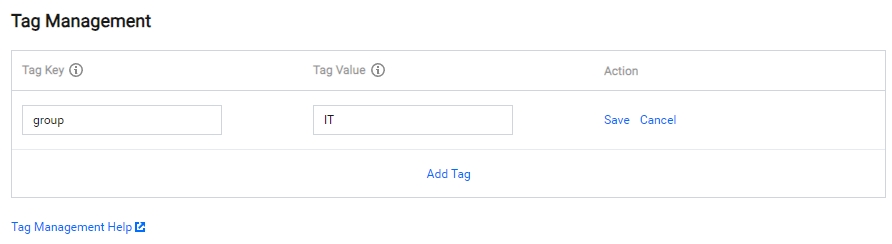
- After entering the tag key and tag value, click Save to complete adding a bucket tag.
