

You can view the fee information incurred by your account using the object storage service in the Billing Management of the console.
Directions
Log in to the Billing Management Console.
In the left navigation tree, select Bill Management > Bill Details, and go to Bill by Instance page.
Select a COS product to view your COS consumption by region, billing model, transaction type, and other dimensions.
Check the box not to display 0 USD fees, and the bill center will automatically hide the 0 USD consumption details bill.In the upper right corner of the bill page, click the Download button to download your monthly COS consumption details.
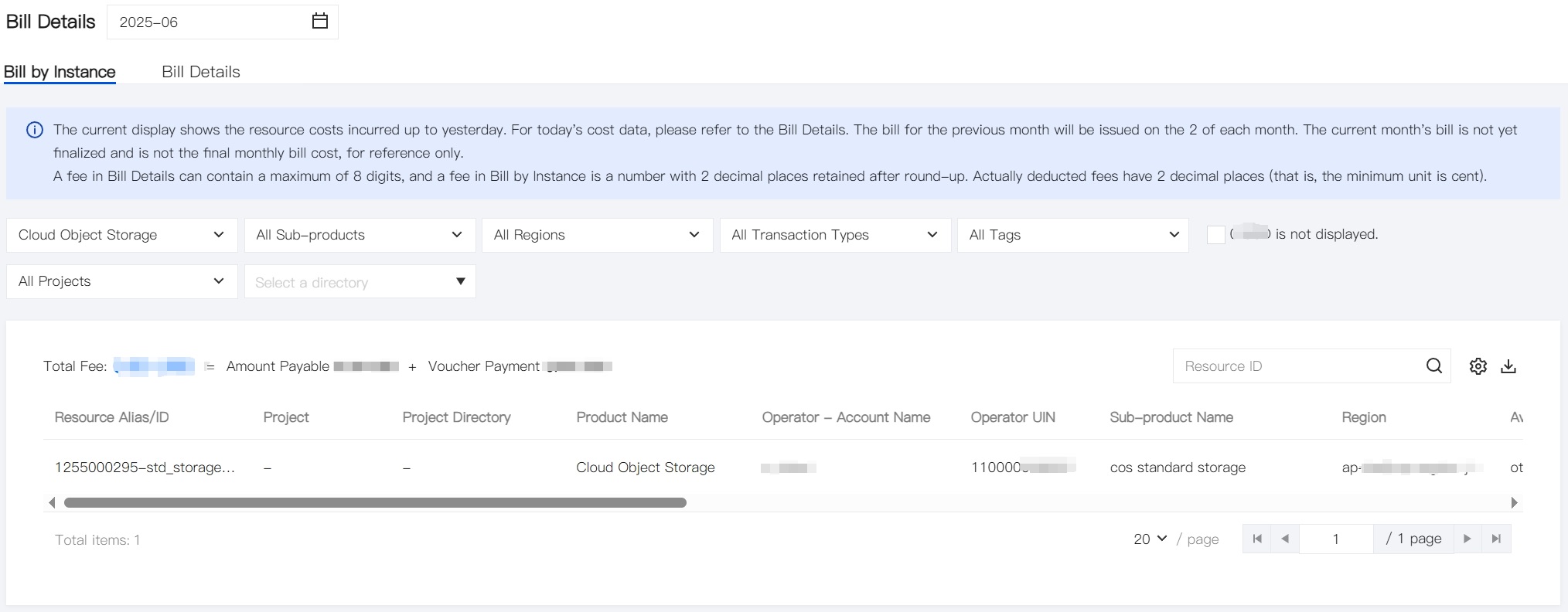
Click the Bill Details tab, select COS product, and you can view the detailed bill of COS online.
