

This document takes creating a security group as an example to introduce how to use the security group rules provided by Converge Cloud to configure a security group for the first time when you customize the configuration instance. For more information about security groups, you can go to the Security Group page in the Cloud Virtual Machine console.
Set Security Group
When setting security group, select Create Security Group based on actual needs.
When creating a new security group, use the following two rules:- TCP Ports 22, 80, 443, 3389 and ICMP Open: Allow access to SSH port 22, RDP port 3389, HTTP port 80 and HTTPS port 443 and ICMP protocol. The private network is fully opened, while all other ports are denied external access.
- Open All Ports: Open all ports. It can be accessed from both private network and public network.
Note:
Opening all ports has a high security risk, please choose carefully.
Select the security group rules provided by Converge Cloud based on actual needs.
For example, if you select TCP Ports 22, 80, 443, 3389 and ICMP Open, the detailed security group inbound/outbound rules will be displayed in Security Group Rules. As shown below: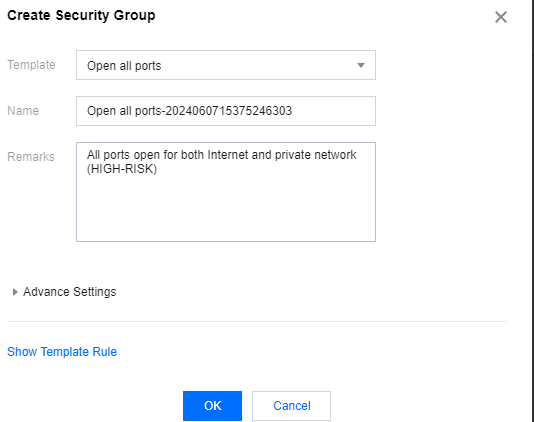
When the configured security group inbound/outbound rules meet your requirements, configure additional information according to the page prompts and click Next: Confirm Configuration Information.
Note:
If the two security group setting rules provided by Converge Cloud do not meet your needs, you can also refer to Security Group Application Case to Create Security Group. For security reasons, it is recommended that you open only the ports required for business purposes to avoid unnecessary security risks.
Security group rules
Inbound rule: Indicates that inbound traffic is allowed to the Cloud Virtual Machine associated with the security group.
Outbound rule: Indicates outbound traffic leaving the Cloud Virtual Machine.
- Priority of the security group rules: The higher the position, the higher the priority.
- When Cloud Virtual Machine is bound to a security group without rules, all inbound and outbound traffic is denied by default. (If there are rules, they take precedence).
- When Cloud Virtual Machine is bound to multiple security groups, the priority of the security group: the smaller the number, the higher the priority.
- When Cloud Virtual Machine is bound to multiple security groups, the default deny rule of the security group with the lowest priority takes effect.
Security Group Limits
For more information, please see Security Group Limits.