

Windows Server System Activation
Converge Cloud The Cloud Virtual Machine uses KMS to authorize Windows Servers Licensing.
- This document only applies to Windows Server public images provided by Converge Cloud. Custom images or externally imported images cannot be activated using this method.
- Windows Server 2008 and Windows Server 2012 require this activation method. The KMS address is correctly configured by default in the Windows Server 2016 public image and does not need modification.
Activation Prerequisites
The SPP Notification Service in Windows is responsible for executing activation-related services and must be running properly. As shown below:
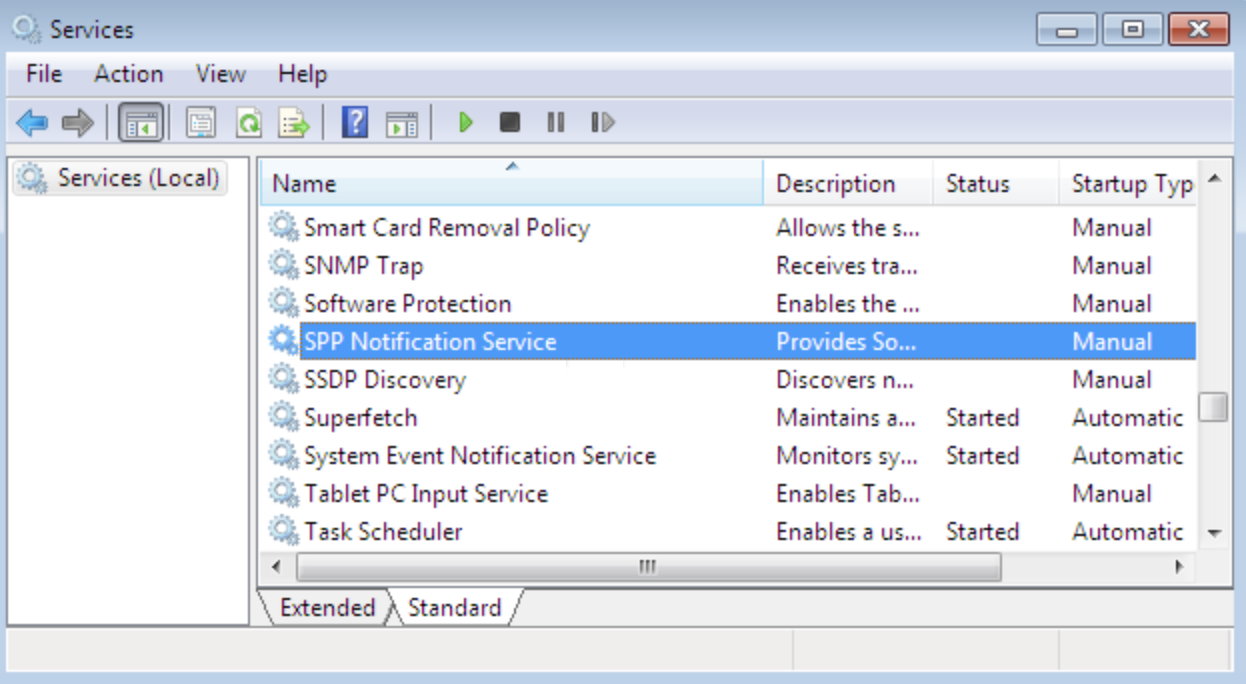
Some optimization software may disable the ability to modify the execution permissions of service-related executables, such as sppsvc.exe. If the execution permissions of sppsvc.exe are modified, the service may not run properly.
Before attempting to activate a Windows Cloud Virtual Machine, ensure that this service and other basic functions on Windows are operating normally.Contact engineers to obtain the Windows server activation script
activate-win.bat.
Automatic Activation
Converge Cloud provides a script to simplify the manual activation steps for Windows Servers.
- Log in to the Windows CVM.
- Run the script to complete automatic activation.
Manual Activation
Notes
On some systems, if the system clock is incorrect, errors may occur during manual activation. In such cases, you need to synchronize the system clock first. The steps to synchronize the clock are as follows:
If the system clock on the Windows Cloud Virtual Machine is correct, proceed directly to the activation steps.
Log in to the Windows CVM.
In the operating system interface, click Start > Run, and input
cmd.exeto open the console window.In the console window, execute the following commands in sequence to synchronize the system clock.
w32tm /config /syncfromflags:manual /manualpeerlist:"ntpupdate.convergecloud.com"
w32tm /resync