

Overview
Windows Time service (W32Time) is used to sync the time between the local system and the clock source server, and uses the Network Time Protocol (NTP) to sync computer clocks on the network. This document takes the Windows Server 2012 operating system Cloud Virtual Machine as an example to describe how to enable the NTP service and change the address of the clock source server.
Directions
- Log in to the Windows CVM.
- On the operating system interface, click
 > Management Tool > Service to open the Service window.
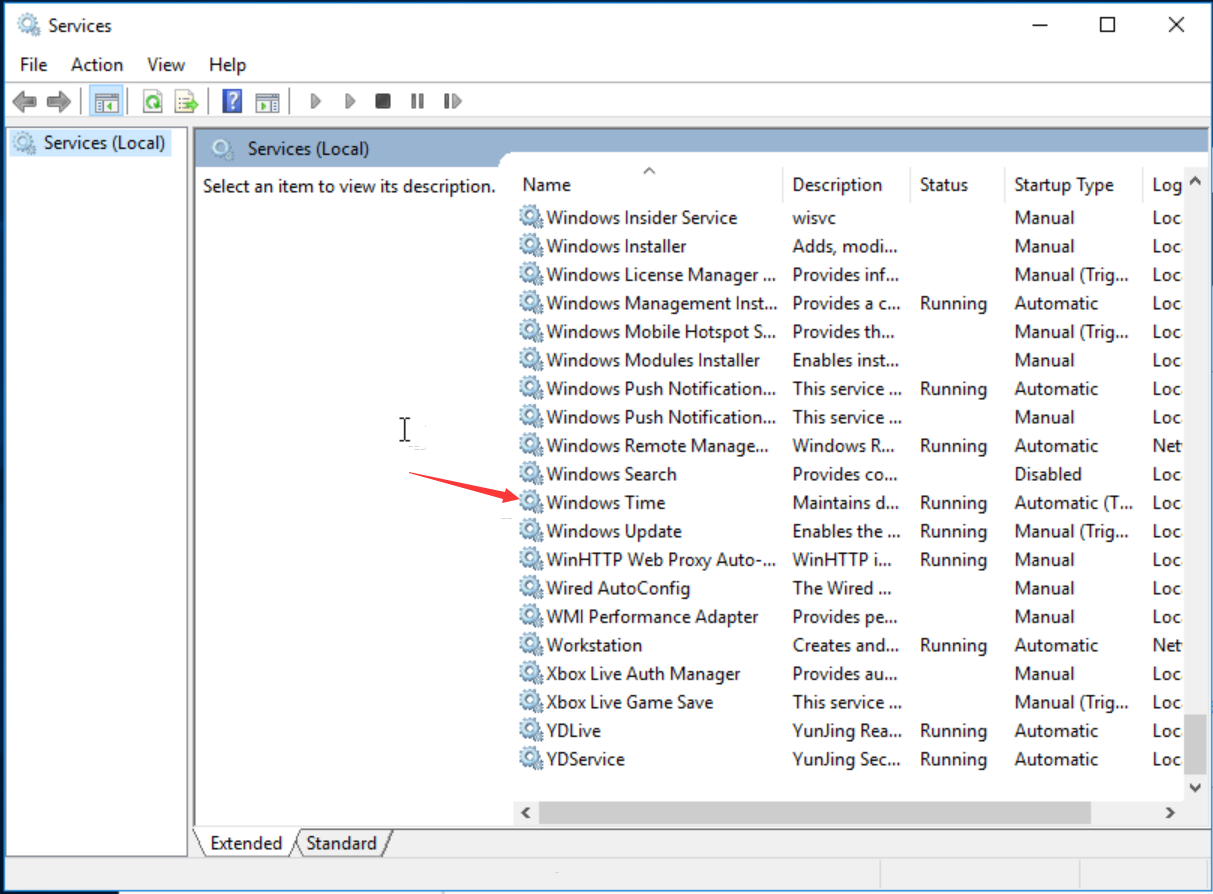
 - In the Service window, double click to open Windows Time. As shown below:
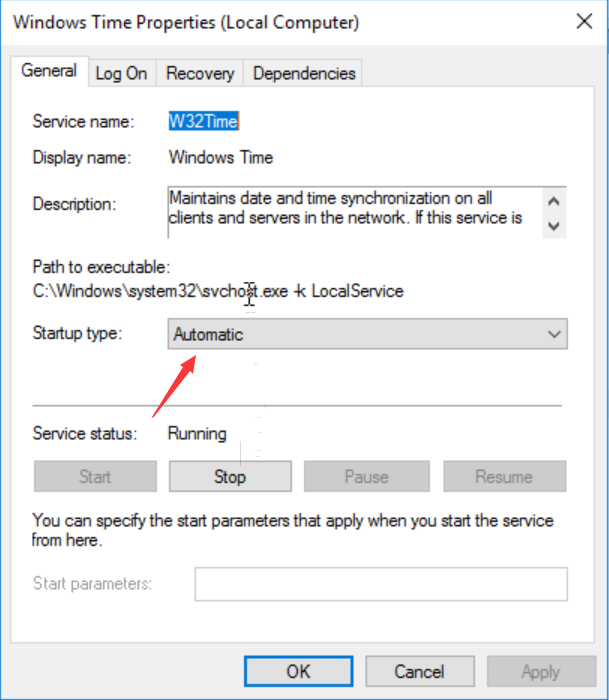
- In the opened Windows Time Attribute (Local Computer) window, set Startup Type to Auto, set Service Status to Start, and click OK. As shown below:
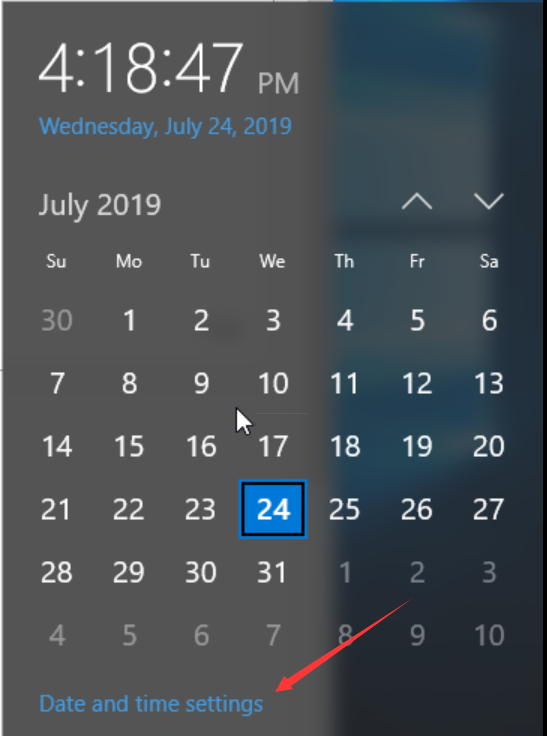
- In the task column of the operating system interface, click Time > Change Date and Time Settings in the lower right corner. As shown below:
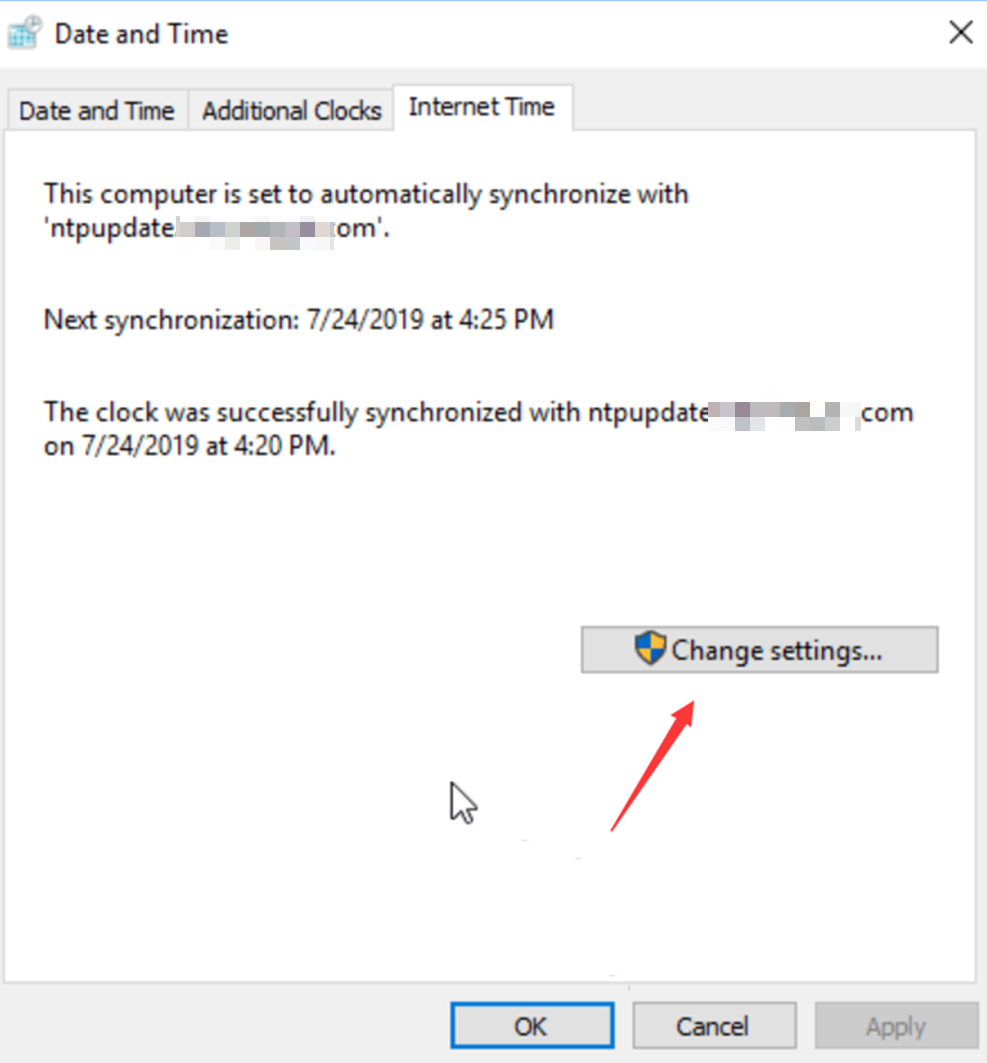
- In the pop-up Date and Time window, select the Internet Time tab and click Change Settings. As shown below:
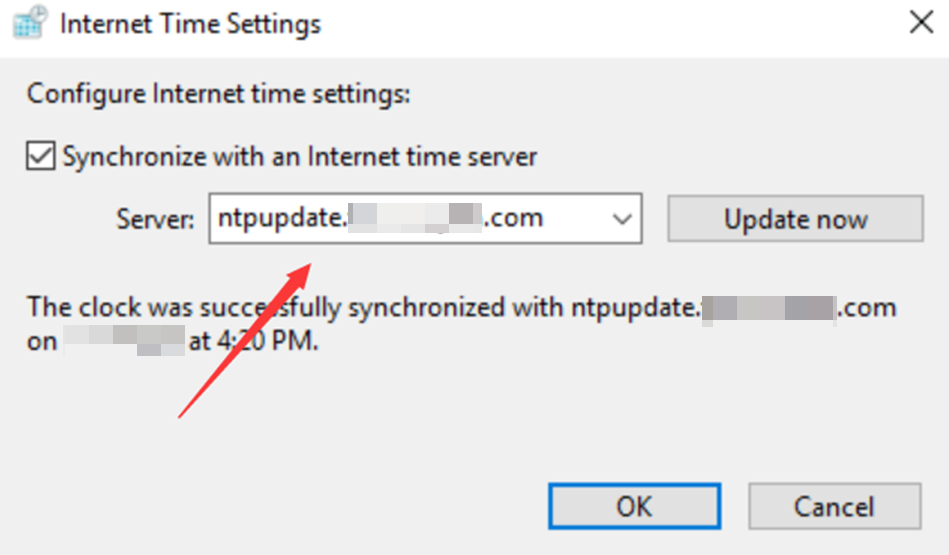
- In the pop-up Internet Time Settings window, set Server to the domain name or IP address of the target clock source server, and click OK to complete the setting. As shown below:
 > Management Tool > Service to open the Service window.
