

Tenant Cloud
Compute
Cloud Virtual Machine
Operation Guide
Managing Security Group Rule
Adjusting the Priority of Security Groups Rules
Overview
Rules within a security group have priorities. Rule priority is represented by the position of the rule in the list, with the highest priority rule at the top of the list.
When a security group has multiple rules and you need to adjust the priority of the rules to take effect, you can adjust them through the following steps.
Prerequisites
Multiple inbound or outbound rules are added to the security group.
Directions
- Log in to the CVM console.
- Click Security Group in the left sidebar to enter the security group list page.
- Select the security group ID whose rule priority needs to be adjusted and enter the details page.
- On the details page, select Security Group Rules > Inbound Rule/Outbound Rule, and click Sort to enter the sortable state.
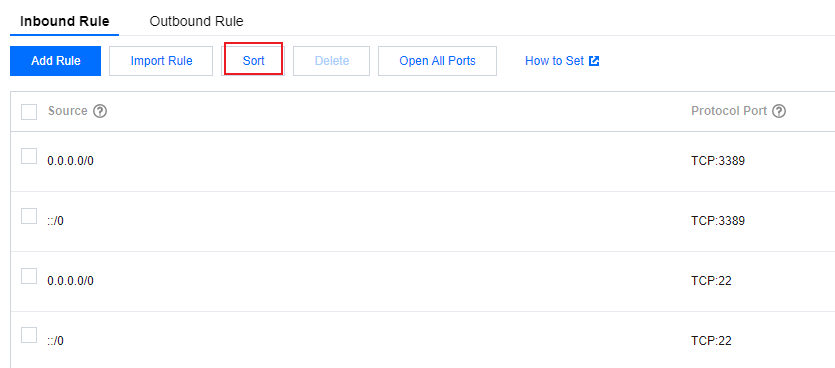
- Click Move Up or Move Down to adjust the order of the rules.
- After completing the adjustment, click Submit to save the configuration.
