

Tenant Cloud
Compute
Cloud Virtual Machine
Troubleshooting
Windows Instance: Network Level Authentication Required
This document describes how to handle the alarm message Network Level Authentication Required when you connect to a Windows instance remotely.
Failure Symptoms
When you use the built-in remote desktop connection of the Windows system, sometimes there is a problem of being unable to connect to the remote computer, and a prompt Network Level Authentication Required appears.
Troubleshooting
Note:
The following operation uses Windows Server 2016 as an example.
Logging in to the CVM via VNC
- Log in to the CVM console.
- On the instance management page, find the target CVM instance and click Log In.
- In the pop-up Log in to Windows Instance window, select Other methods (VNC) and click Log in now to log in to the CVM.
- In the log-in window that pops up, select Send Remote Command in the upper left corner and click Ctrl-Alt-Delete to enter the system log-in interface.
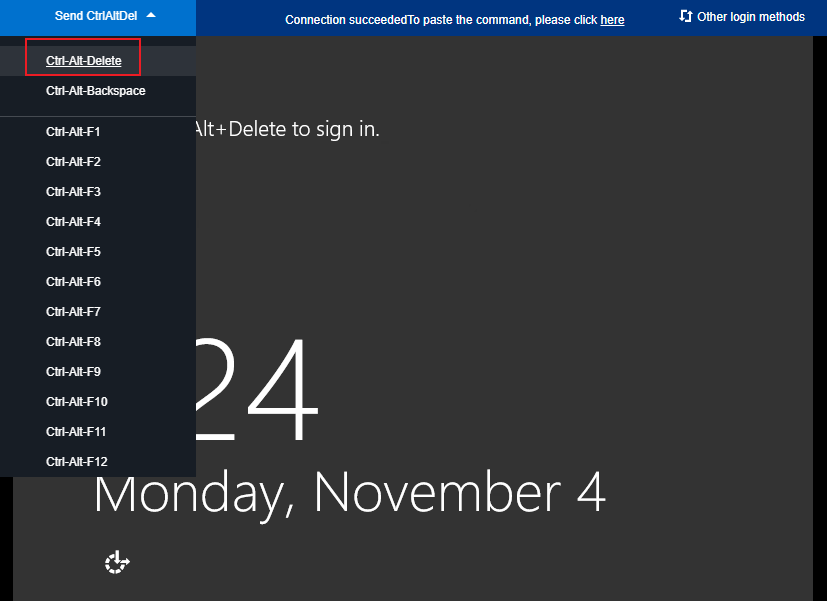
Modifying the Registry
- On the operating system interface, click
 , enter regedit, and press Enter to open the Registry Editor.
 - In the left sidebar, expand the directories in the following order:
Computer > HKEY_LOCAL_MACHINE > SYSTEM > CurrentControlSet > Control > Lsa, and find Security Packages in the right window.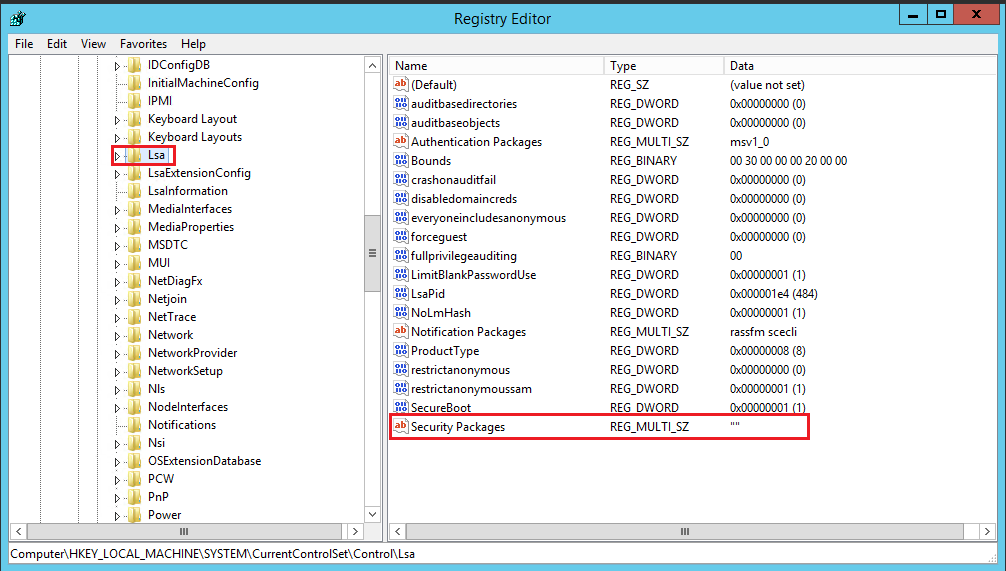
- Double-click Security Packages to open the Edit Multi-String dialog box.
- In the Edit Multi-String dialog box, add the
tspkgcharacter and click OK.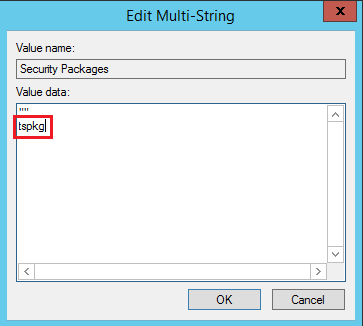
- In the left sidebar, expand the directories in the following order:
Computer > HKEY_LOCAL_MACHINE > SYSTEM > CurrentControlSet > Control > SecurityProviders, and find SecurityProviders in the right window.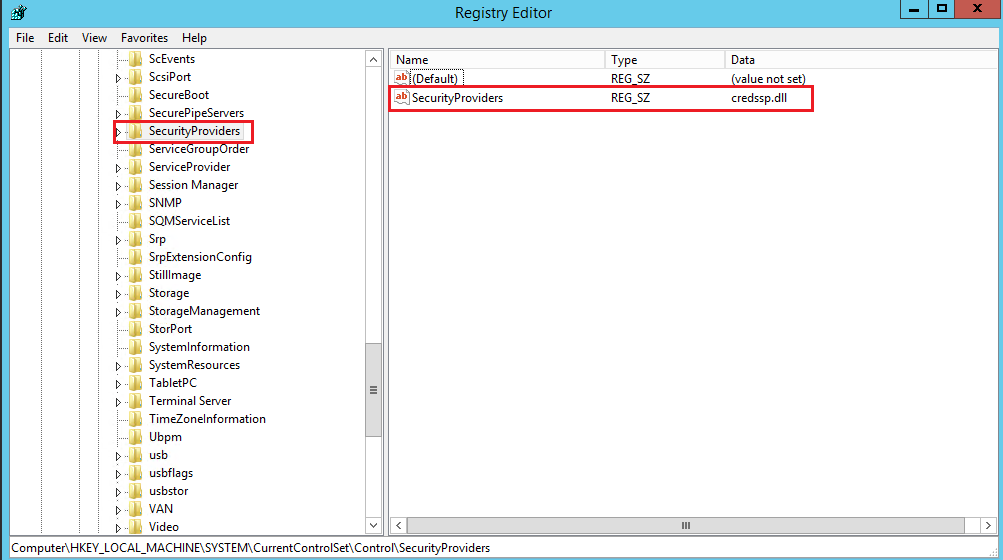
- Double-click SecurityProviders to open the Edit Multi-String dialog box.
- Add
, credssp.dllat the end of the Value Data in the Edit Multi-String dialog box, and click OK. - Close the registry editor, restart the instance, and you can log in remotely.
 , enter regedit, and press Enter to open the Registry Editor.
