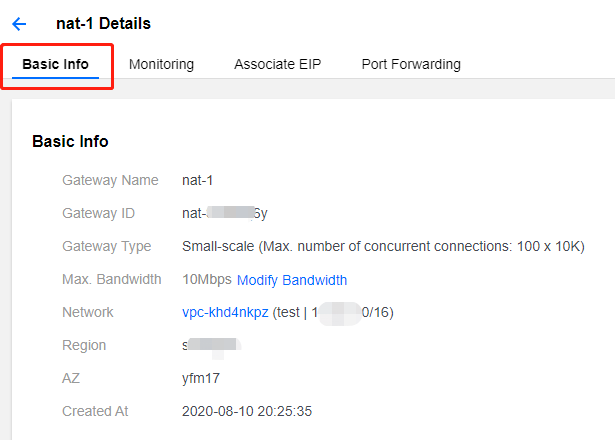
After you create a NAT Gateway, you can modify its attributes.
- Log in to the cloud console, select Cloud Products > Cloud Computing & Networking > Virtual Private Cloud to enter the VPC console, and click NAT Gateway in the sidebar on the left.
- In the list, click the NAT Gateway ID that needs to be modified to enter the details page. On the Basic Information page of the details page, you can complete the following operations.
- Modify the custom name of the gateway.
- Change the NAT Gateway type.
- Modify maximum bandwidth.