

Feature Introduction
CC protection provides access protection for specific URLs on a website.
- To use the CC protection policy based on SESSION, you need to perform SESSION settings before setting the policy.
Configuration Steps
Example 1: CC Protection Settings Based on the Source IP
For IP-based CC protection policies, you can directly configure them without the need to set the SESSION dimension.
- Log in to the WAF console. In the left sidebar, choose WAF > Configuration Center > Basic Security. Select a protected domain name and click to select CC Protection to enter the configuration page.
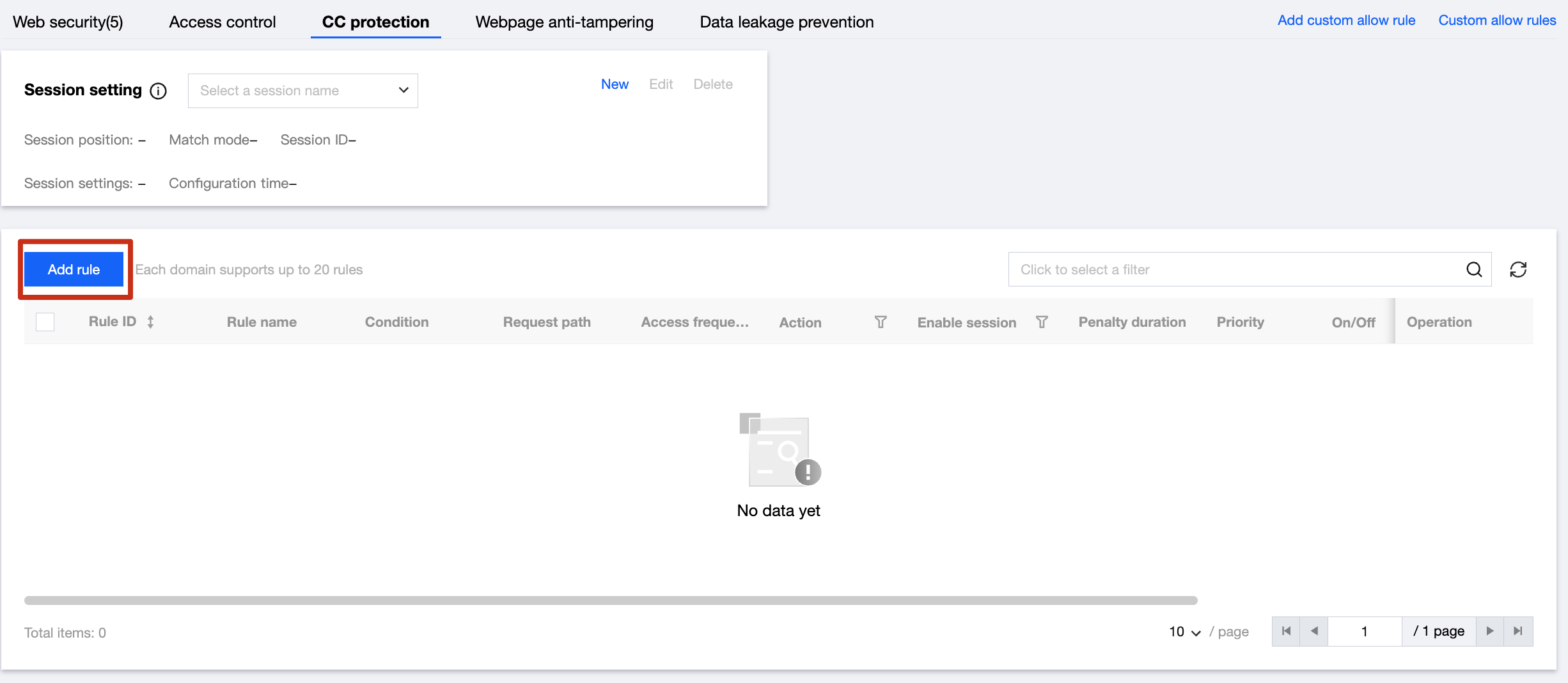
- Click Add Rule. Users can customize the CC Protection Rule page and fill in the corresponding information.
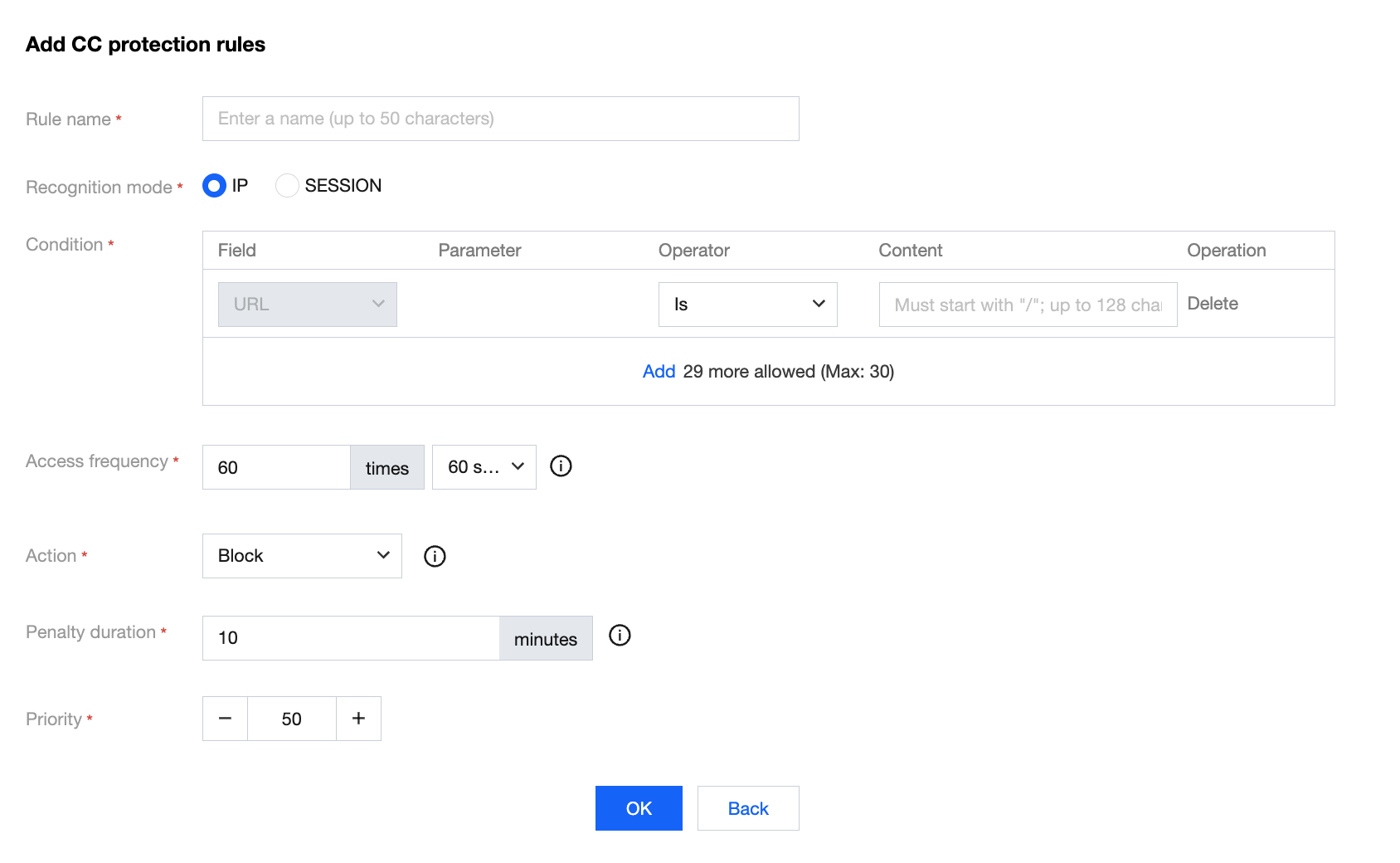
Configuration item description:
- Identification mode: IP and SESSION.
- Matching condition: Including equal, prefix matching, and contained.
Advanced configuration:
- Matching method: Set according to all matching fields in the custom rule.
- Access frequency: Set access frequency according to workload conditions. The recommended input is 3 to 10 times the normal access speed. For example, if the website is accessed 20 times per minute on average, it can be configured as 60 to 200 times per minute, adjustable according to the severity level of the attack.
- Execution action: Observing, human-machine recognition, and blocking.
- Penalty duration: No shorter than one minute and no longer than one week.
- Priority: Enter an integer from 1 to 100. The smaller the number, the higher the execution priority of this rule. Under the same priority, the later the creation time, the higher the priority.
- Perform rule operations. You can select the created rule and disable, modify, and delete the rule.

- According to the rule settings, you can see the interception page returned by WAF after the CC attack protection rule is triggered.
- View real-time IP blocking information. In the left sidebar, select IP Management > IP Blocking Status to view real-time blocked IP information and add the IP to the allowlist or blocklist.
Example 2: CC Protection Settings Based on SESSION
CC protection based on the SESSION access rate can effectively solve the issue of misinterception caused by users using the same egress IP address in office networks, supermarkets, and public WIFI scenarios.
- Enter the WAF console. In the left sidebar, choose WAF > Configuration Center > Basic Security. Select a protected domain name and click to select CC Protection to enter the configuration page.
- Click Add in CC Protection Settings, and you can customize the SESSION field settings.
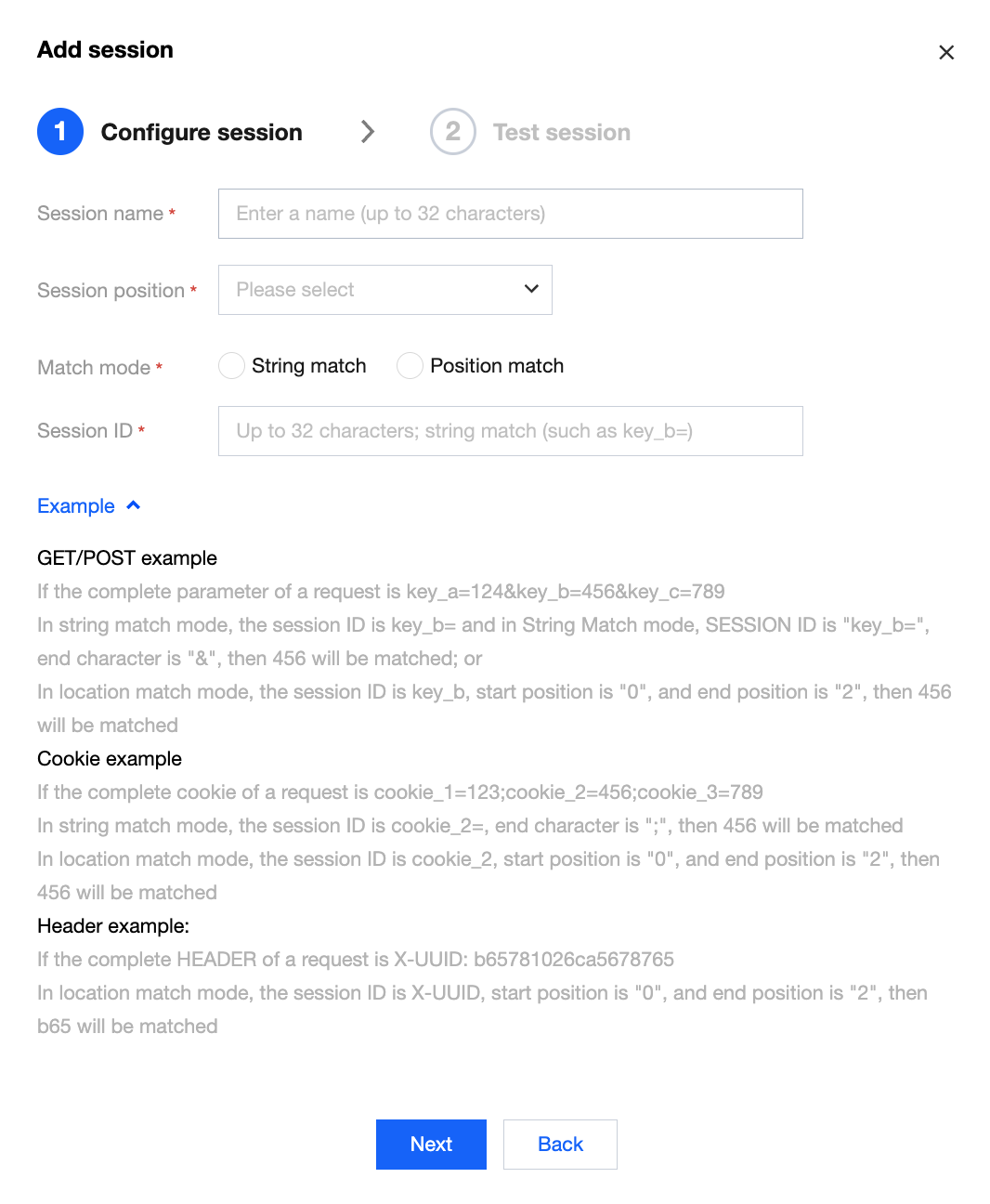
- Enter the SESSION Settings page. In this example, COOKIE is selected as the test content. The identifier is security, the start position is 0, and the end position is 9. After completing the configuration, click Set.
Configuration item description:
- SESSION location: You can select COOKIE, GET, or POST. Among them, GET or POST refers to HTTP request content parameters rather than HTTP header information.
- Matching description: Match by location or string.
- SESSION identifier: Value identifier.
- Start position: The start position of a string or location match.
- End position: The end position of a string or location match.
GET/POST example:
If the complete parameter content of a request is: key_a = 124&key_b = 456&key_c = 789:
- Under the string matching mode, if the SESSION identifier is key_b = and the end character is &, the matching content is 456.
- Under the position matching mode, if the SESSION identifier is key_b, the start position is 0, and the end position is 2, the matching content is 456.
COOKIE example:
If the complete COOKIE content of a request is: cookie_1 = 123;cookie_2 = 456;cookie_3 = 789:
- Under the string matching mode, if the SESSION identifier is cookie_2 = and the end character is ";", the matching content is 456.
- Under the position matching mode, if the SESSION identifier is cookie_2, the start position is 0, and the end position is 2, the matching content is 456.
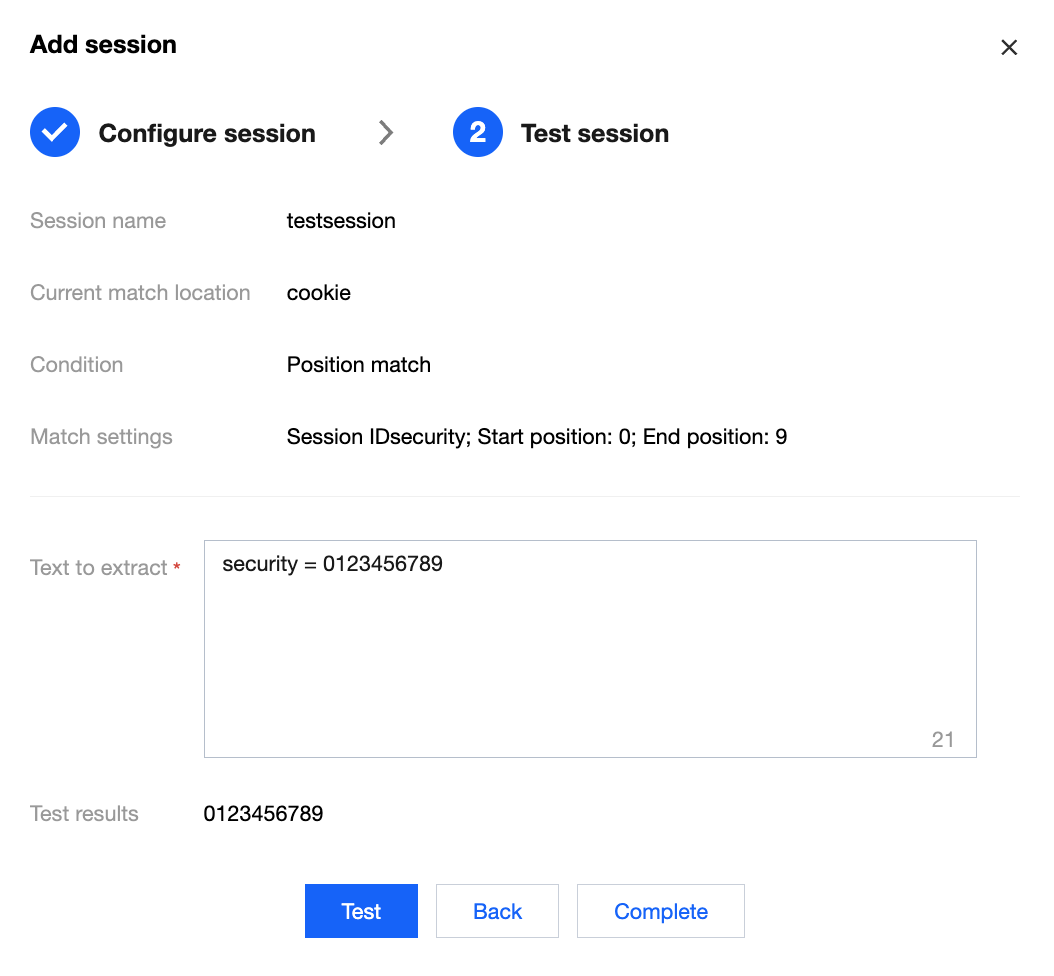
- Perform a SESSION dimension information test. After addition, click Test to test the filled content.
- Set the CC protection policy based on SESSION. The configuration process is consistent with Example 1. Select SESSION as the identification mode.
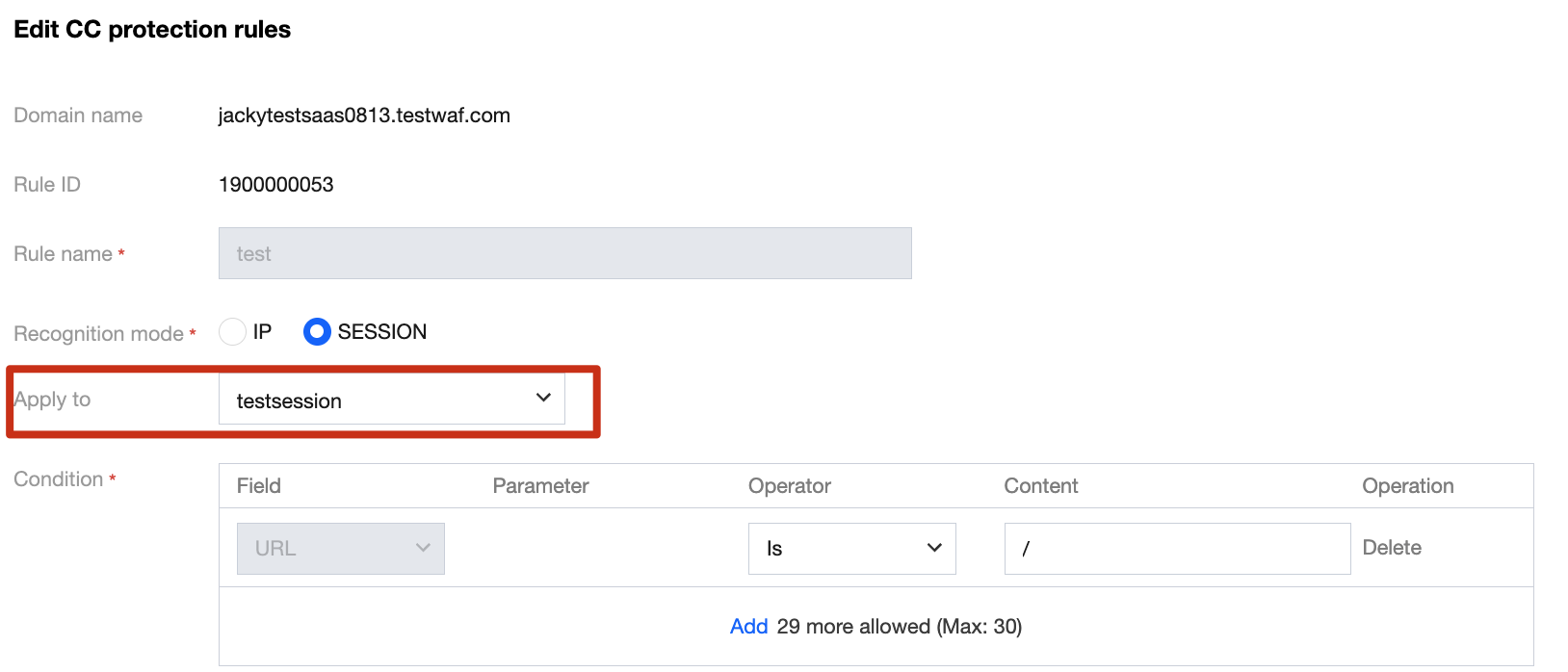
- The configuration is completed, and the CC protection policy based on SESSION takes effect.
If you use the CC protection mechanism based on SESSION, you cannot view blocking information in the IP blocking status.
