

Configuration Instructions
- Log in to the WAF console. In the left sidebar, choose Web Application Firewall (WAF) > Configuration Center > Basic Security. Select a protected domain name (such as
www.qcloudwaf.com) and click Access Control to enter the Configuration page and perform the regional blocking configuration.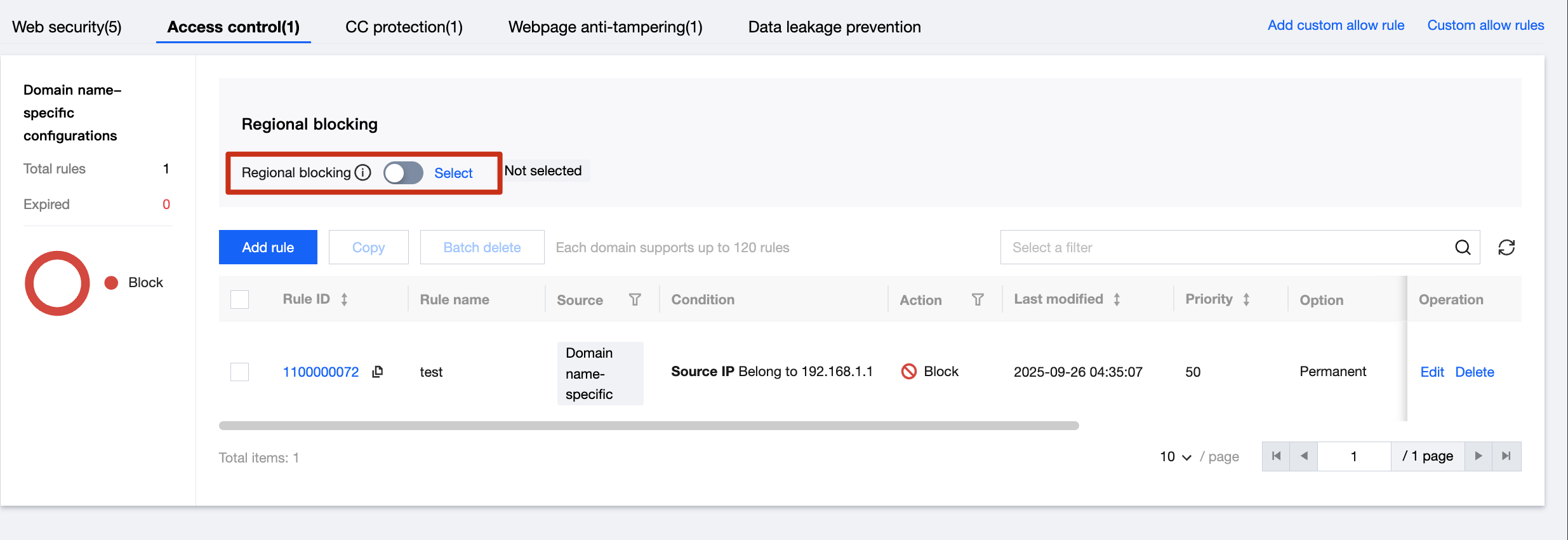
- On the Access Control Settings page, click Select to enter the regional blocking configuration page.
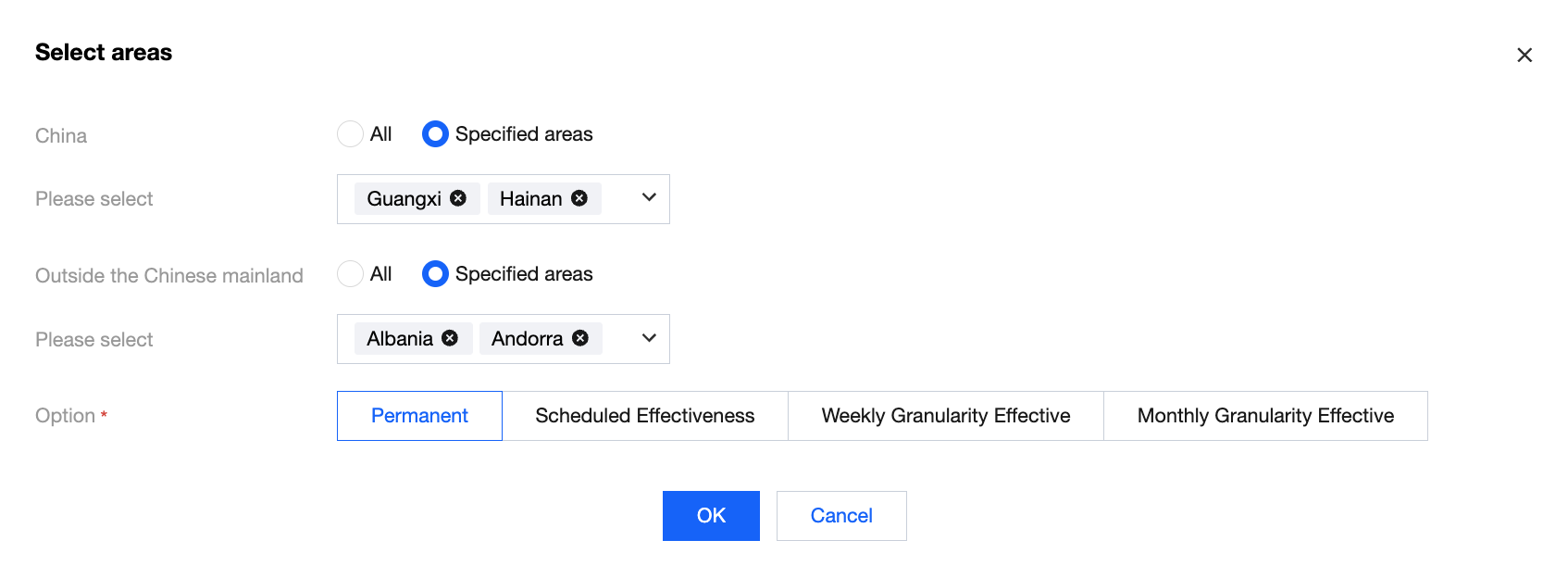
- On the Blocked Region Settings page, check the Chinese mainland regions that need to be blocked. For regions outside the Chinese mainland, you can search or click the dropdown list to select. After selecting the regions, click OK.
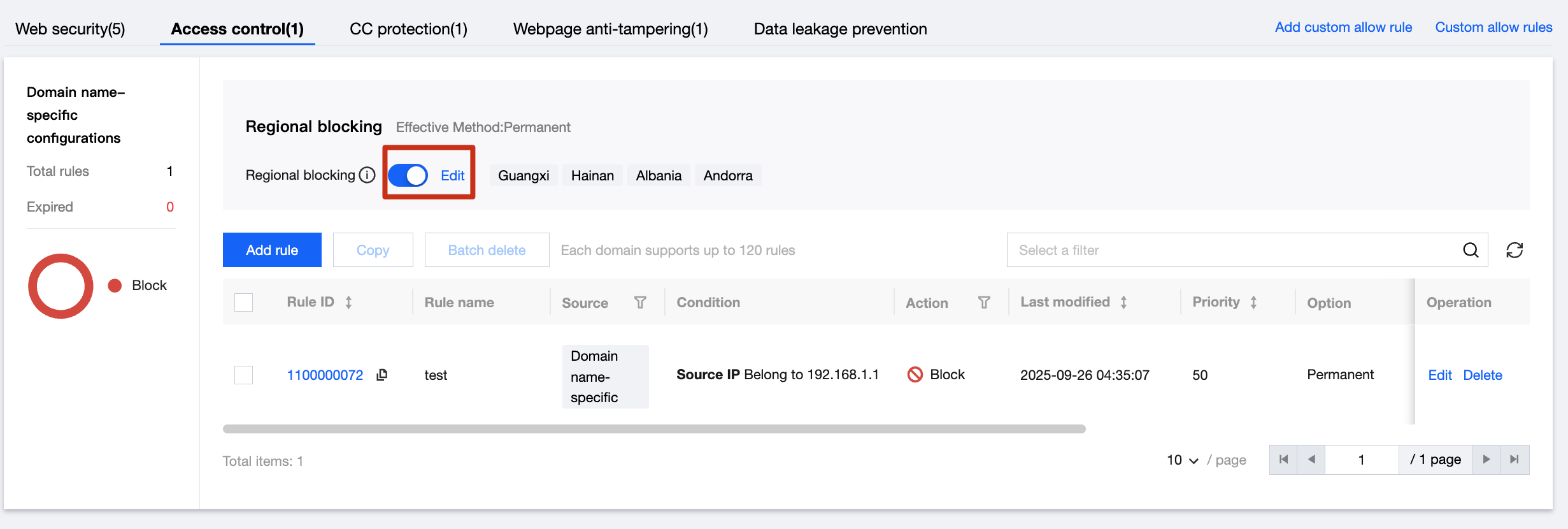
- After editing, enable the regional blocking status.
- Access from the regions you have selected to block will be prevented from reaching your website. After all regions outside the Chinese mainland are listed as blocked regions, WAF will display an interception notification when a user accesses the protected website using an IP address outside the Chinese mainland.
