

Feature Introduction
The IP management feature of WAF performs status queries and blocklist/allowlist settings on the source IP addresses transiting through WAF-protected domain names. The main features include: IP query, IP blocklist/allowlist settings, and IP blocking status query.
- IP query supports querying the protected domain name status information of the input IP, including whether in the blocklist/allowlist, and whether in the blocked status.
- IP blocklist/allowlist settings support setting domain-based or global IP blocklist/allowlist rules.
- IP blocking status supports real-time viewing of source IP blocking status information, such as CC attacks and human-machine recognition of custom policies.
Configuration Steps
Example 1: Querying IP Addresses
- Enter the WAF console, select IP Management > IP Query, enter the IP address to be queried, and view IP status.
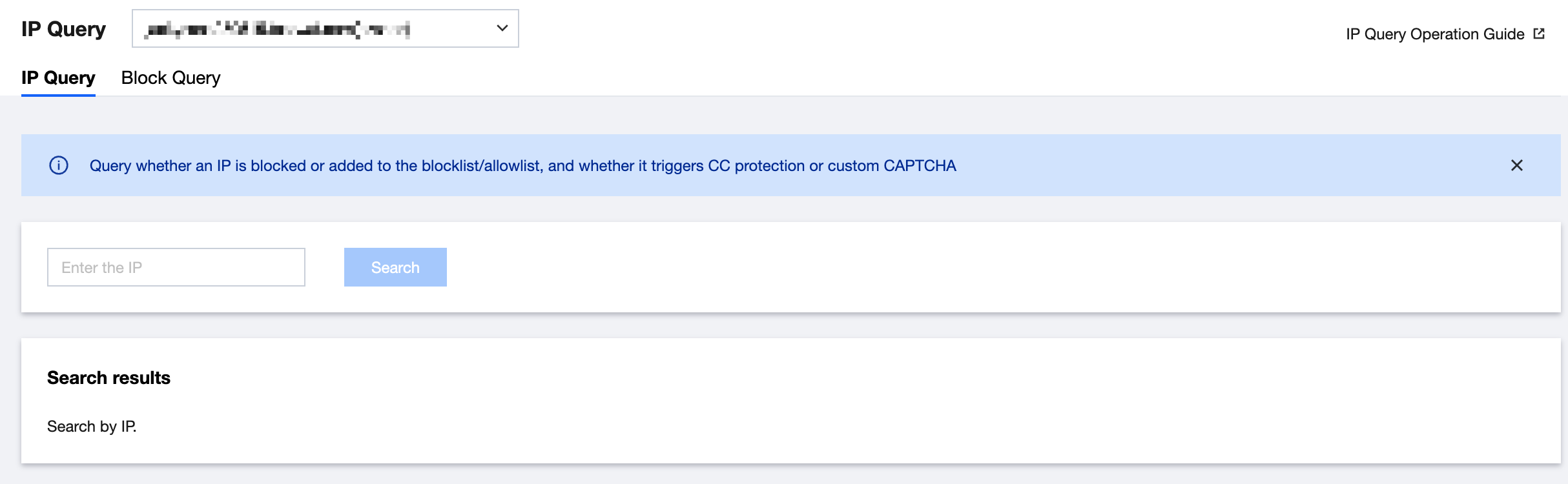
- The queried IP address can be manually added to the blocklist/allowlist.
Example 2: Adding an IP Address to the Blocklist
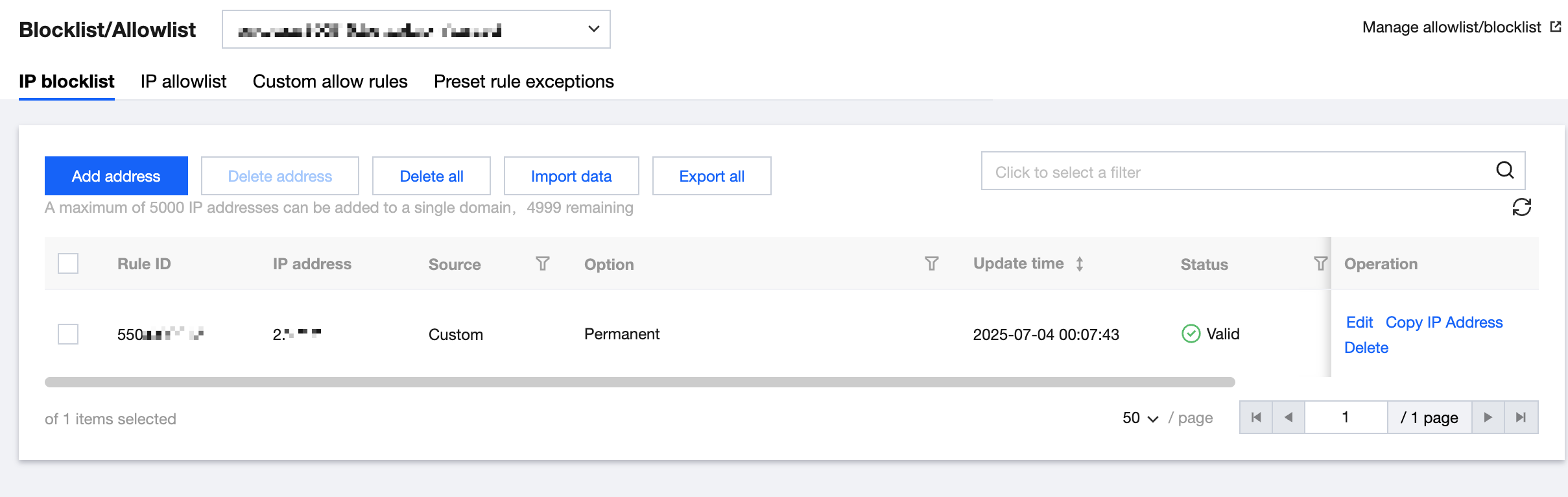
- Enter the WAF console, select IP Management > IP Blocklist/Allowlist to enter the configuration page.
The IP address blocklist/allowlist module can add domain-based blocklists/allowlists or global blocklists/allowlists. The effective priority is as follows:- The priority of the blocklist/allowlist is only lower than the custom allowing policy of WAF and higher than other detection logics.
- Priority from high to low of the IP blocklist/allowlist: Global allowlist, domain name allowlist, domain name blocklist, and global blocklist.
Configuration item description: - Category: Blocklist and allowlist.
- Source: CC protection and custom rule.
- Advanced filtering: Filter IP information by creation time and expiration time.
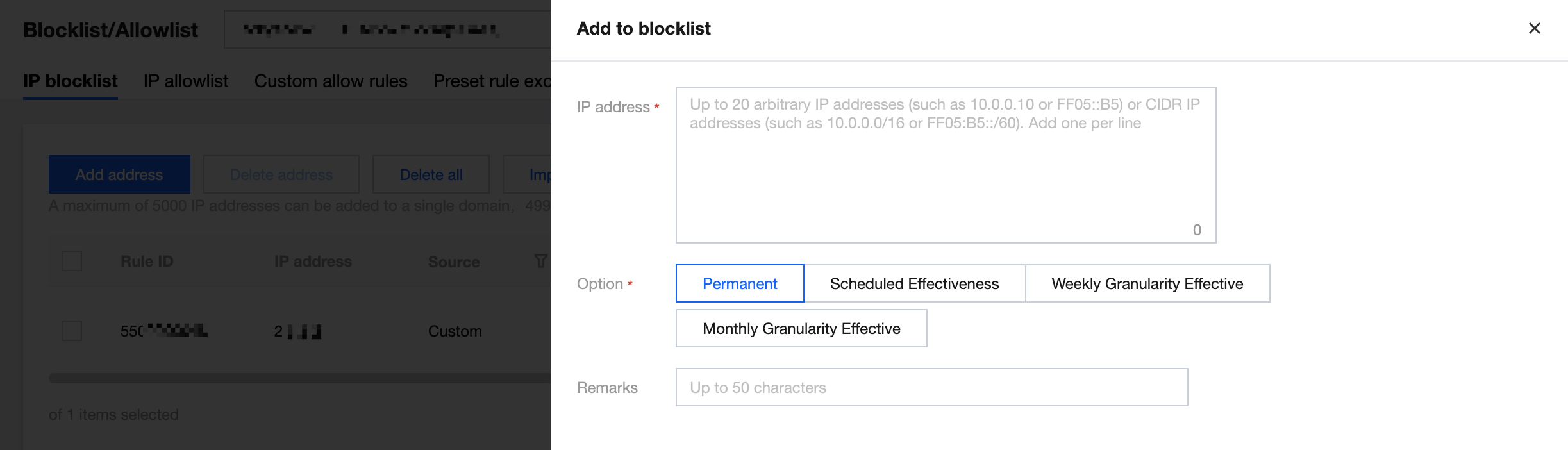
- Add to the blocklist/allowlist. Select the domain name to be protected in the upper left corner, click Add to Blocklist/Allowlist, select Blocklist, and add the IP address to be blocked.

When the domain name is set to ALL, the added IP blocklist/allowlist is the global blocklist/allowlist. - The blocklist/allowlist supports import and filtered result export. See the export format when the IP information is imported.
- After adding, you can enter the added source IP in IP Query to query status information.
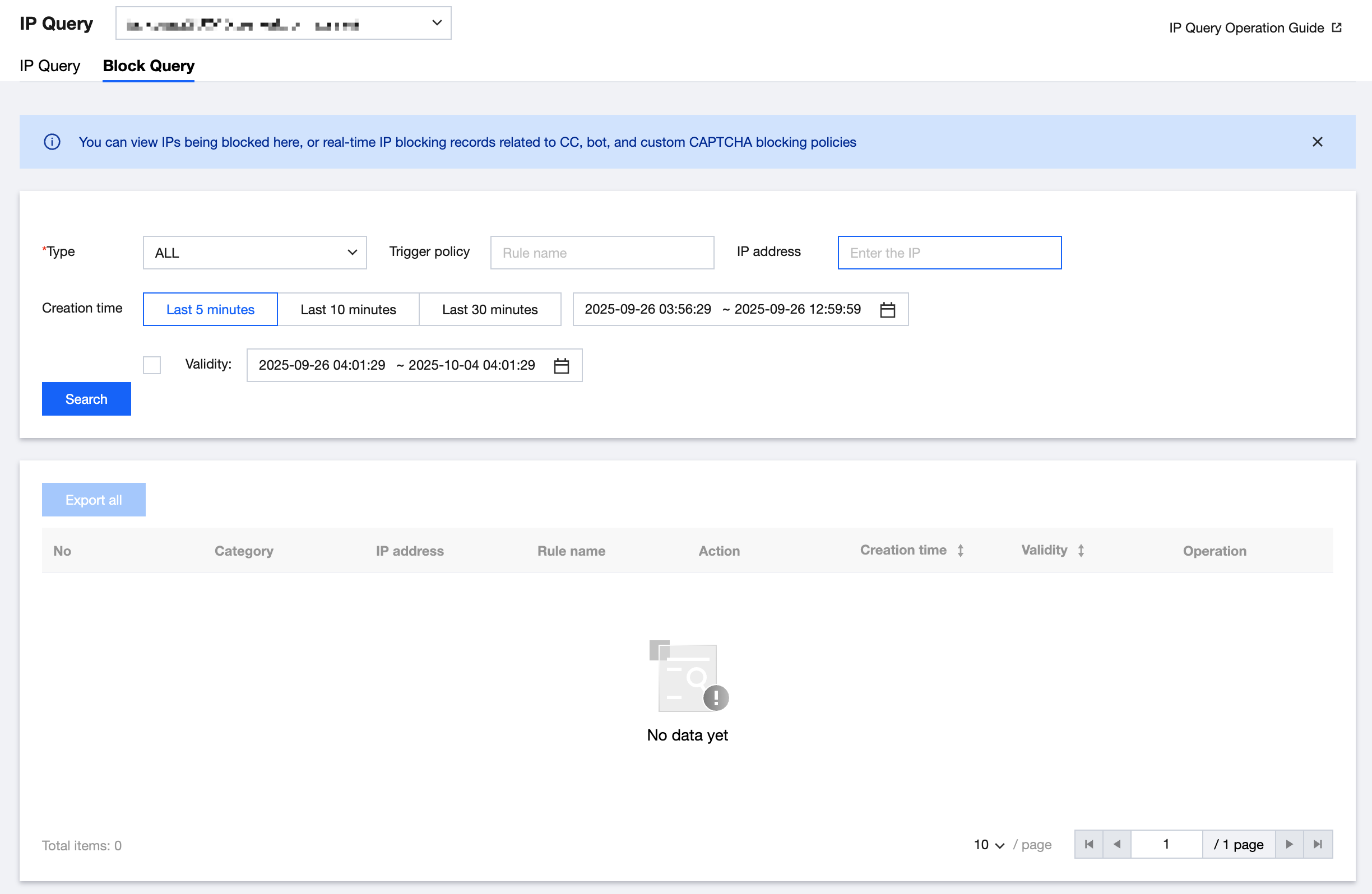
Example 3: IP Blocking Status Query
Enter the WAF console, select IP Management > IP Blocking Status to enter the query page. You can query the IP information intercepted by custom rules and the CC protection module. You can also export query results and add a single IP address to the blocklist/allowlist.