- Log in to the tenant-side WAF console and navigate to the basic security page. Select the required domain name and click CC Protection.
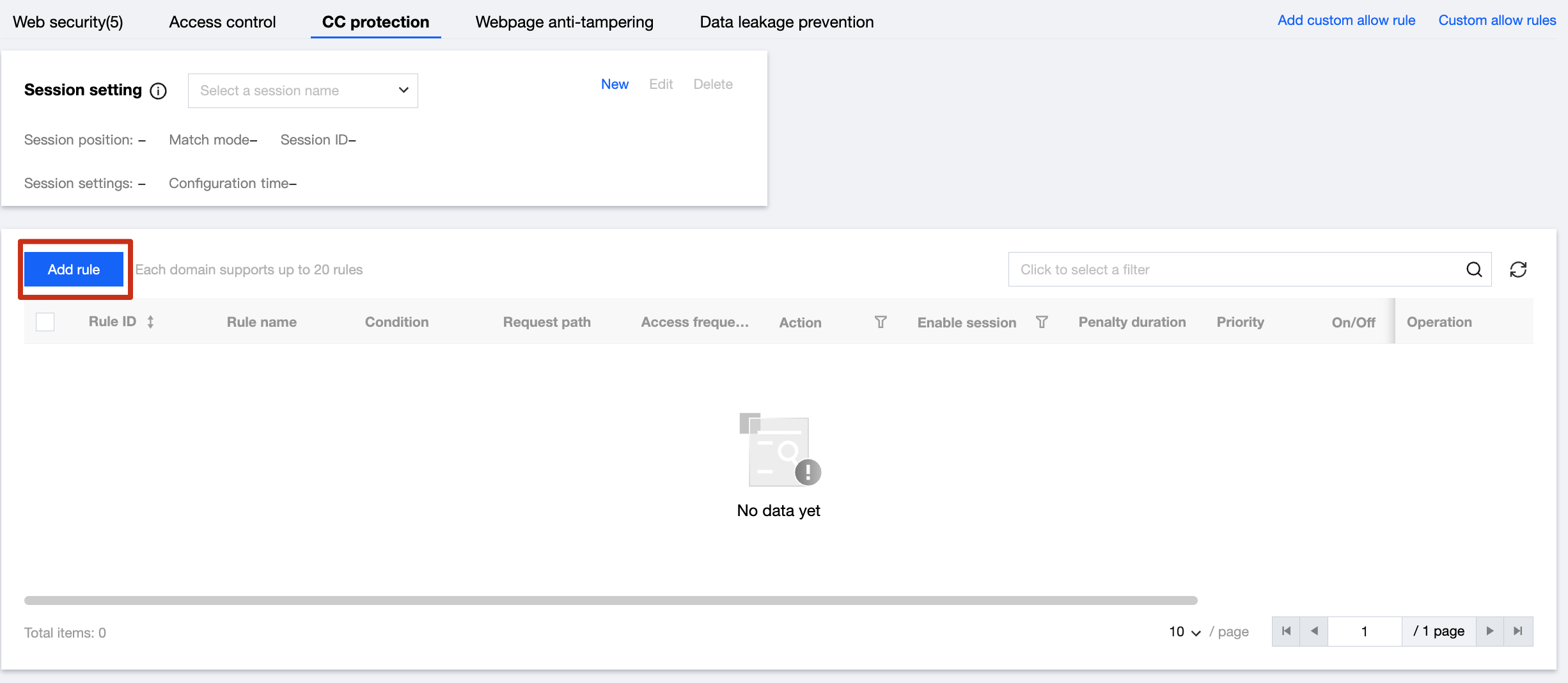
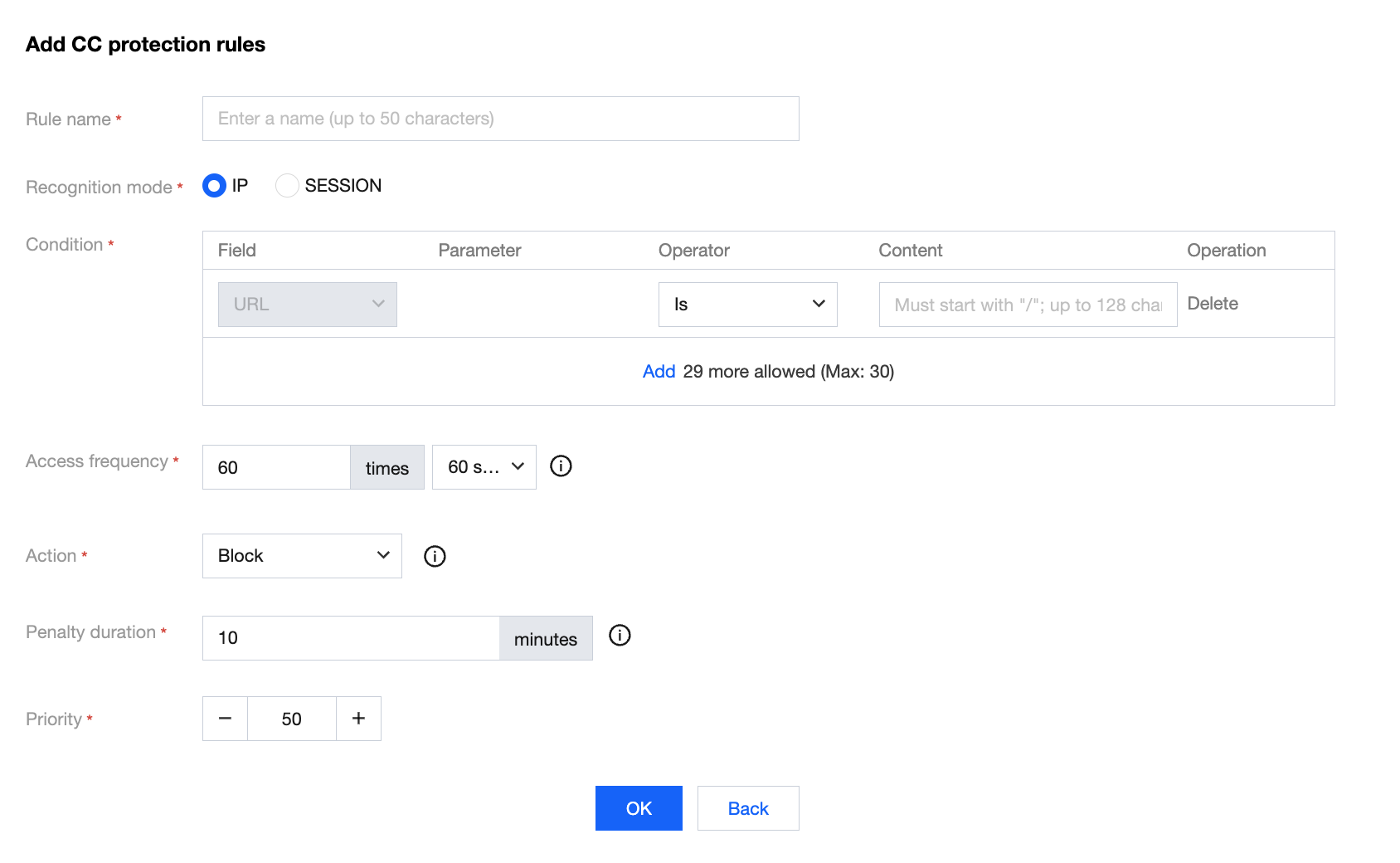
- Click Add Rule to add a CC protection rule. Enter the rule name, specify the URL as '/test.html', set the access frequency to 3 times/10 seconds, select the Intercept action, set the penalty duration to 2 minutes, and finally click OK.