

When website administrators need to allow public network users to access a specific site based on users' access request characteristics, they can configure it by adding rules to the precise allowlist.
Adding a Rule to the Precise Allowlist
Log in to the WAF console. In the left sidebar, click Configuration Center > Blocklist/Allowlist to enter the Blocklist/Allowlist page.
On the Blocklist/Allowlist page, select the domain name to be protected in the upper left corner and click Precise Allowlist to enter the Precise Allowlist page.
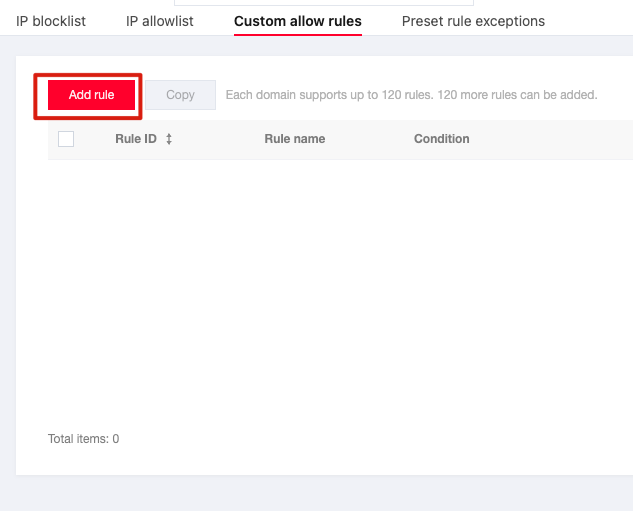
On the Precise Allowlist page, click Add Rule, and an Add to Precise Allowlist pop-up window will appear.
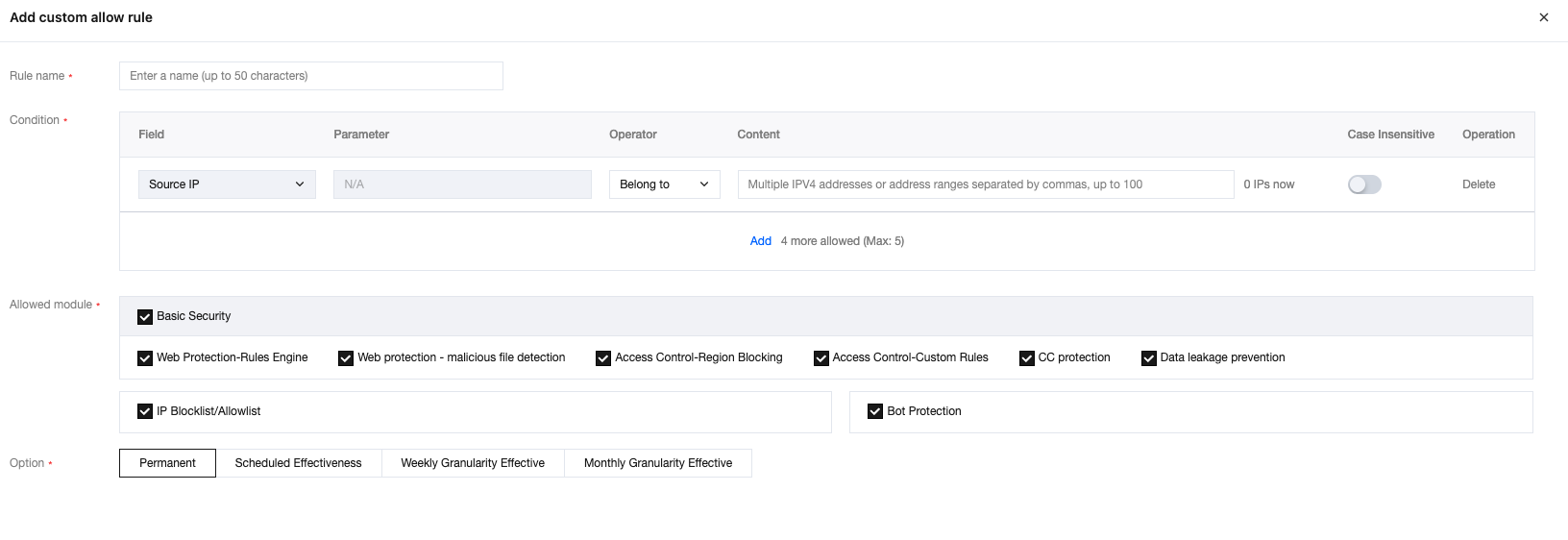
In the Add to Precise Allowlist pop-up window, configure related parameters and click OK.
Note:
The precise allowlist of WAF supports using masks to allow access requests from source IP addresses in a specific IP range. We can enter a specific IP range in the matching content (such as 10.10.10.0/24).
The rule will take effect. HTTP access requests from the specific source IP will be allowed.

Editing the Precise Allowlist
- On the Blocklist/Allowlist page, select the domain name to be protected in the upper left corner and click Precise Allowlist to enter the Precise Allowlist page.
- On the Precise Allowlist page, select the required rule and click Edit, and an Edit Precise Allowlist pop-up window will appear.

- In the Edit Precise Allowlist pop-up window, modify the relevant parameters and click OK to save.
Deleting a Rule from the Precise Allowlist
- On the Blocklist/Allowlist page, select the domain name to be protected in the upper left corner and click Precise Allowlist to enter the Precise Allowlist page.
- On the Precise Allowlist page, select the required rule and click Delete, and a Confirm Deletion pop-up window will appear.

- In the Confirm Deletion pop-up window, click OK to delete the rule.
Note:
The deleted IP address cannot be recovered. It should be re-added to take effect.
