

Scenarios
If normal access traffic is intercepted by the WAF rule engine in a production environment, you can add the corresponding rule to the allowlist through the Rule Allowlist in the blocklist/allowlist. After the rule is added to the allowlist, it will not be intercepted.
Operation Steps
- Log in to the WAF console. In the left sidebar, click Configuration Center > Blocklist/Allowlist.
- On the Blocklist/Allowlist page, select the domain name to be protected in the upper left corner and click Rule Allowlist.
- On the Rule Allowlist page, click Add Rule, and an Add to Allowlist pop-up window will appear.
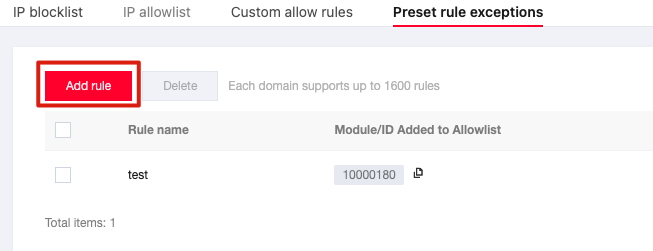
- In the Add Rule pop-up window, configure related parameters and click OK.
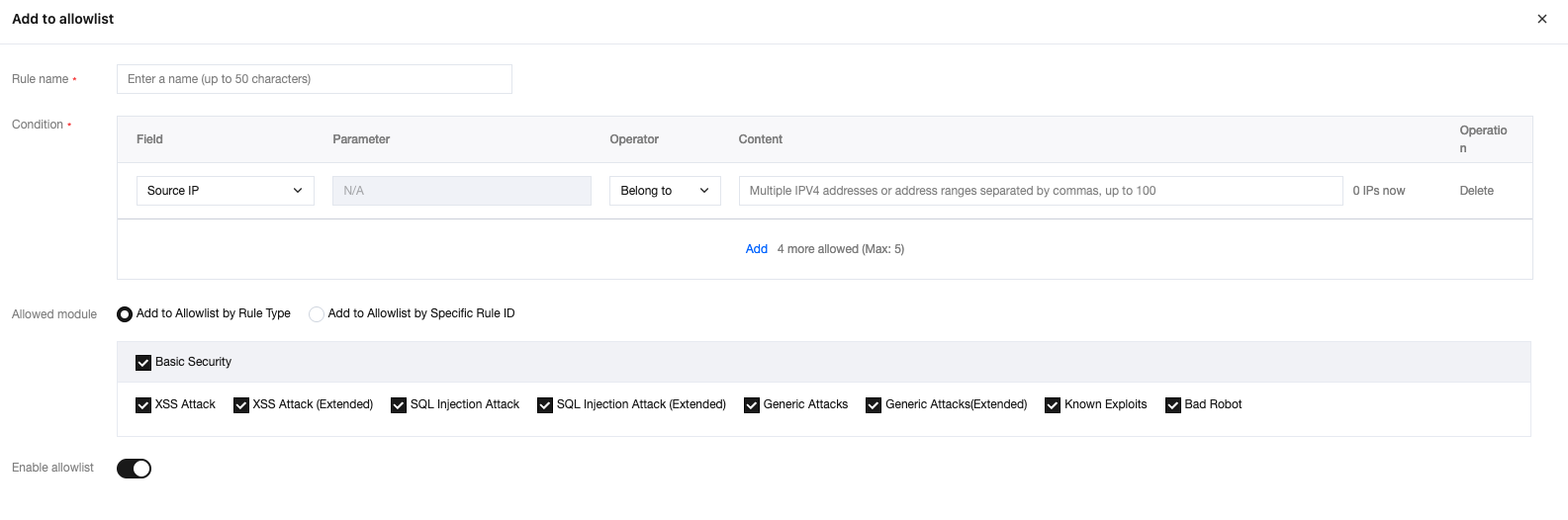
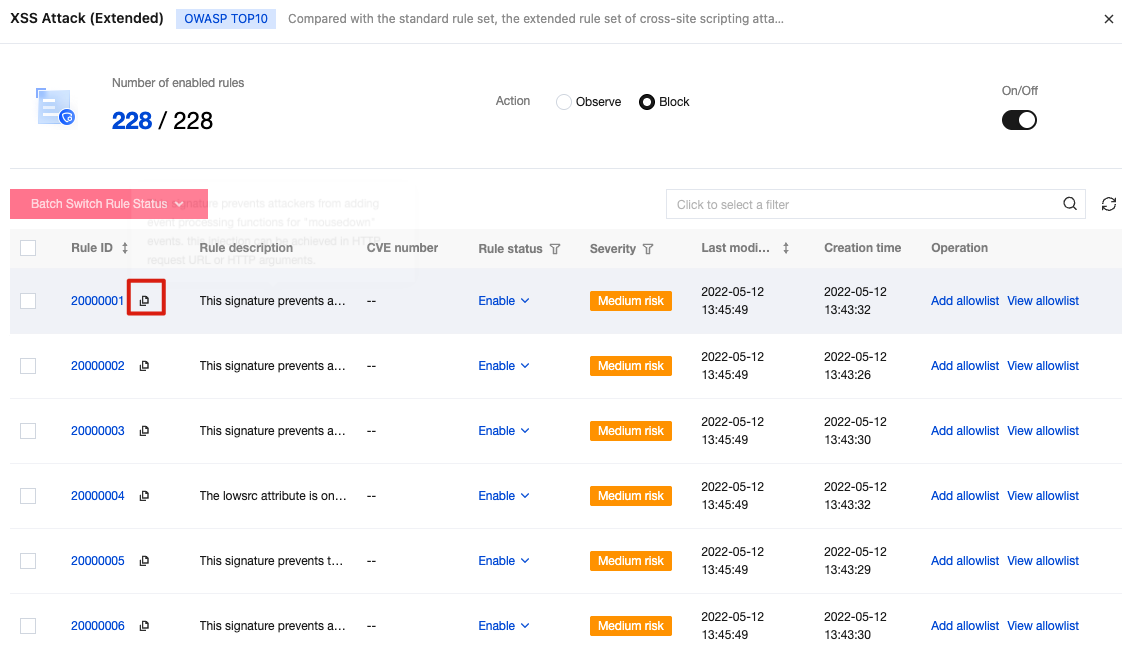
Field description:Rule ID to be allowlisted: Fill in the rule ID that needs to be allowlisted. A policy can add up to 10 rule IDs. The obtaining method is as follows:
- On the Basic Security page, select the required rule ID and click
 to copy.
- On the Log Service page, select the required data and copy the rule_id of the data.
- On the Basic Security page, select the required rule ID and click
Matching method: The matching method for the allowlisted URL path, supporting exact matching (default), prefix matching, and suffix matching.
URL path: The URL path that needs to be allowlisted. URLs under the same domain name cannot be added repeatedly.
 to copy.