

Overview
Users can modify bucket access permissions through the console and API. The COS console supports three types of access permissions by default: private read/write, public read and private write, and public read/write.
- Private read/write: Only the creator of the bucket and authorized accounts have read/write permission on the objects in the bucket. No one else has read/write permissions. The default access permission of a bucket is private read/write, which is recommended.
- Public read and private write: Anyone (including anonymous visitors) has read permission to objects in the bucket, but only the bucket creator and authorized accounts have write permission to objects in the bucket.
- Public read and write: anyone (including anonymous visitors) has read/write permission on the objects in the bucket, which is not recommended.
Directions
You can set the permission of the bucket when creating a bucket. In addition, you can modify the bucket access permissions through the bucket basic configuration. The specific steps are as follows:
Log in to the COS console.
In the left navigation tree, click Bucket List, and go to the bucket list page.
Click the name of the bucket whose access permissions you want to modify to go to the bucket configuration page.
Click Permission Management > Bucket Access Permission to set public permissions and user permissions for the bucket.
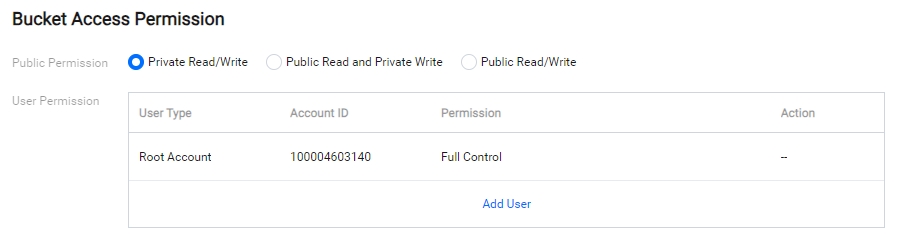
Click Save after modification.
