

Overview
The event notification feature enables prompt notification for user-concerned resource operations within the bucket.
Prerequisites
The Ckafka instance has been created, and a topic has been configured.
Directions
- Log in to the COS console.
- In the left sidebar, click Bucket List to go to the bucket list page.
- Find the source bucket for which you want to set event notifications, click the bucket name, and go to the bucket management page.
- Select Basic Configuration > Event Notification and click Add Event Notification.
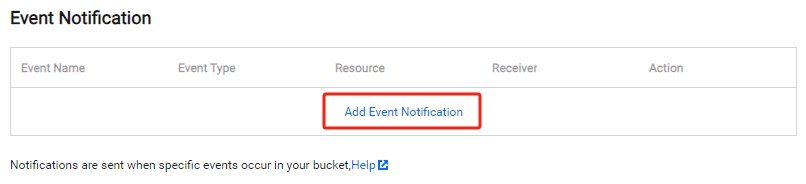
- You can customize event notification rules.
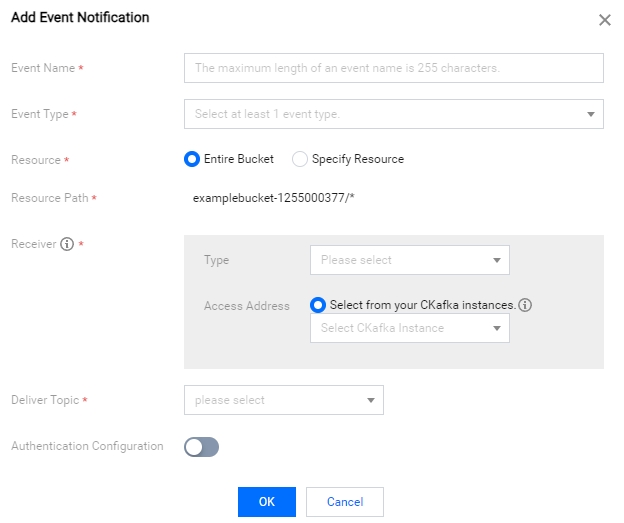
- After the settings are completed, click OK to see the event notification rules. If you need to modify, click Modify to edit your settings.
