

Overview
With the COS console, you can set server bucket encryption and encrypt all new objects uploaded to the bucket by default.
Currently, the bucket encryption method supports SSE-COS encryption (server-side encryption with COS-managed keys) and SSE-KMS encryption (server-side encryption with KMS-managed keys).
Directions
Setting Encryption When Creating a Bucket
When you create a bucket, you can set encryption for the bucket by following the steps below.
- In the bucket list, click Create Bucket to fill in the basic settings, such as name and region.
- In the Server-side encryption option, select SSE-COS or SSE-KMS.
- When SSE-COS is selected, the encryption algorithm will display AES256. If the SM4 algorithm encryption function is enabled, the encryption algorithm will also display SM4.
- When SSE-KMS is selected, the encryption algorithm is displayed as above, and the key can be selected as Default Key and Existing Custom Key.


- Click OK.
Setting Encryption in a Created Bucket
If you did not set encryption when you created the bucket, you can follow the steps below to set encryption for the bucket.
- On the bucket list page, find the bucket for which you want to set encryption and click its name to go to the bucket configuration page.
- Select Security Management > Server-side Encryption and click Modify to modify the encryption attributes of the current bucket:
Unencrypted: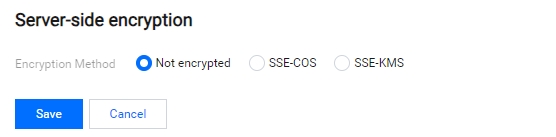
SSE-COS encryption: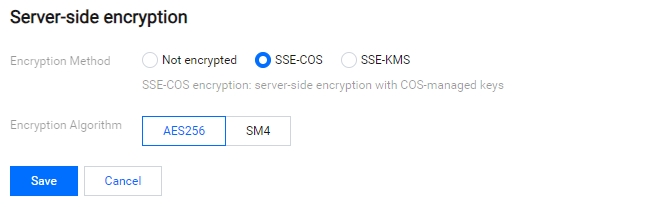
SSE-KMS encryption (using default keys):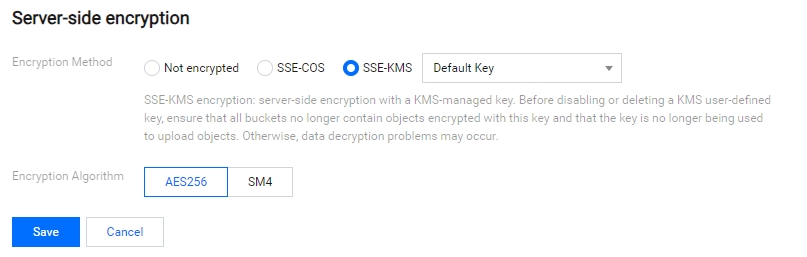
SSE-KMS encryption (using user-defined keys):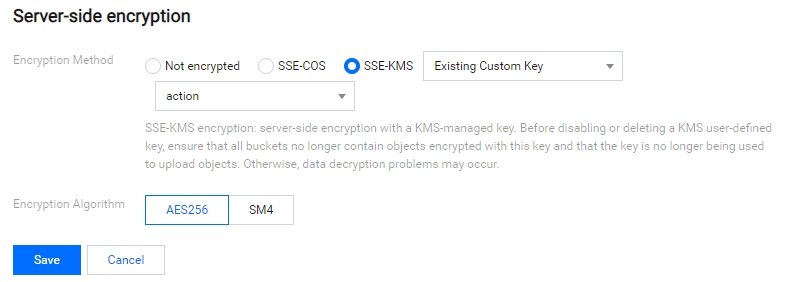
When you choose to use a user-defined custom key, avoid disabling or deleting it. Otherwise, unexpected encryption errors may be caused or the encrypted objects may be unable to be decrypted.
Problems of Encrypting Storage Buckets and Uploading Objects
There are two ways to encrypt objects when uploading. One is to add the corresponding header x-cos-server-side-encryption when uploading objects (choosing the encryption method when uploading objects on the console belongs to this category). The other is to set bucket encryption.
The priority of these two encryption methods is as follows:
- When encryption is not set for the bucket, encryption with the header carried when the object is uploaded takes precedence. Then, the encryption can be "No Encryption", "SSE-COS", or "SSE-KMS".
- When encryption is set for the bucket, and the corresponding header is not carried when the object is uploaded ("No Encryption"), then bucket encryption takes precedence and can be "SSE-COS" or "SSE-KMS".
- When encryption is set for the bucket, and the corresponding header is carried when the object is uploaded ("SSE-COS" or "SSE-KMS"), then encryption with the carried header takes precedence, no matter what encryption type is set for the bucket encryption.
Select the specified encryption method, and then click Save. The bucket encryption configuration is complete.