

Browsing Buckets
When you need to browse your buckets, in the COS console, click Bucket List on the left menu bar to enter the bucket list page and browse all buckets. If you need more detailed information about a bucket, you can directly click the bucket name to view the bucket.
Querying Buckets
When there are many buckets, and you need to quickly find a specific bucket, you can use the search box on the right side of the bucket list page of the console:
- Query by bucket name: You can enter the bucket name to query, and prefix matching query for bucket names is supported.
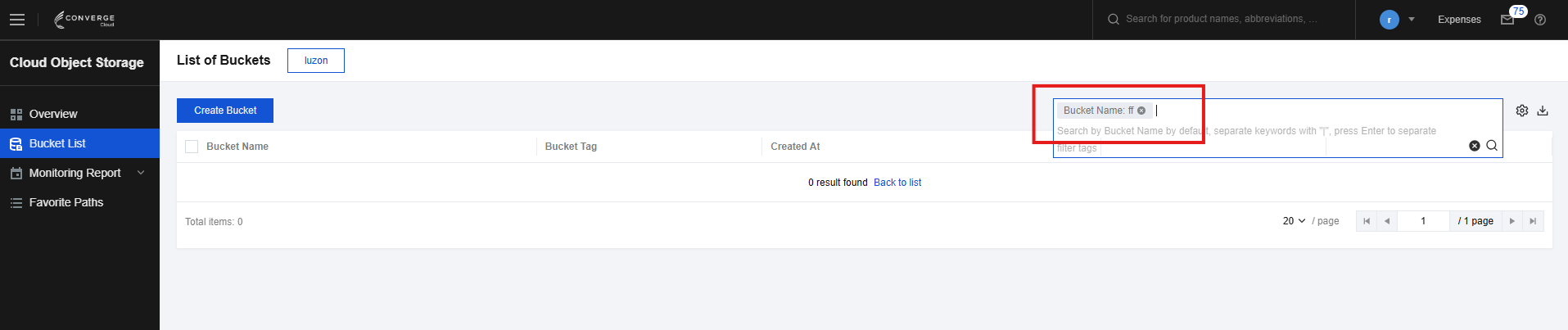
- Query by tag: If you have set tags for your bucket (see Setting Bucket Tags for details), you can also select query by tag in the search area in the upper right corner of the bucket list page and enter the tag key to search.
- Query by project: If you have set a project for the bucket, you can also select the project in the search area in the upper right corner of the bucket list page and enter the project to search.
Bucket Monitoring
If you want to know the usage details of your bucket, click Monitoring on the right for a quick view.
Bucket List Exporting
Go to the bucket list page and click Download in the upper right corner to export all bucket information.