Overview
You can set a cross-origin access for the object in a bucket through the COS console. The COS provides configuration for responding to OPTIONS requests and supports multiple rules. Cross-origin access is to request resources from one origin to another origin through HTTP requests. Origins are deemed different from each other as long as their protocols, domain names, or ports are different.
COS service supports response to OPTIONS requests for cross-origin access and returns specific rules set by developers to browsers. However, the server does not verify whether subsequent cross-origin requests conform to the rules. See the description of HTTP access control for more details.
Directions
- Log in to the COS bucket console.
- Select Bucket List in the left sidebar to go to the bucket list page.
- Click the bucket for which you want to set cross-origin access to enter the bucket file list page.
- Click Security Management > CORS Settings and click Add Rule.
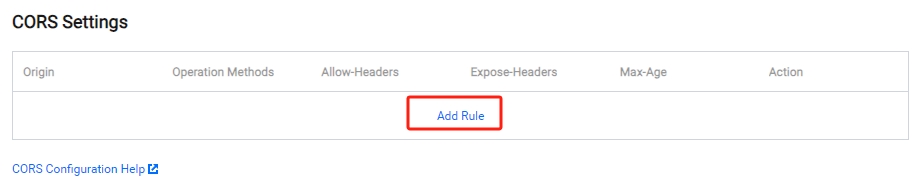
- Add rule information (items marked with * are required). The configuration items are described as follows:
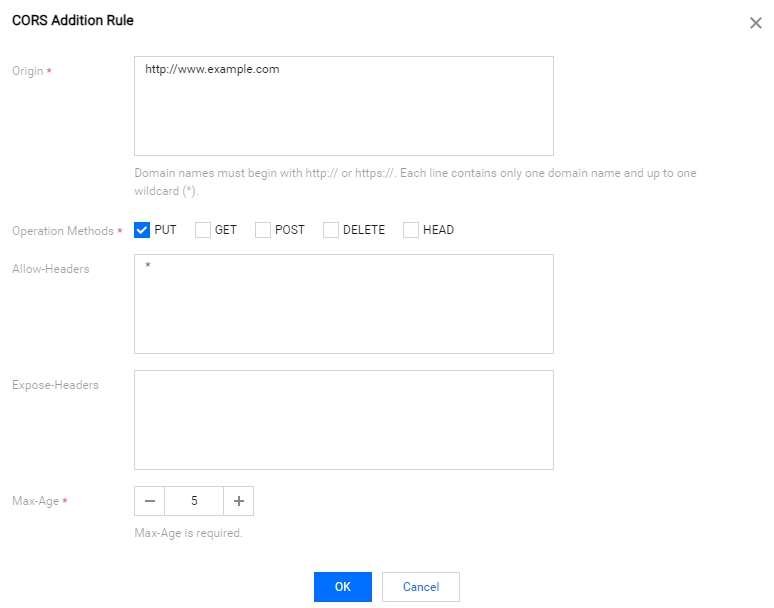
- Origin: The origins from which cross-origin requests are allowed.
- You can specify multiple sources at the same time, but only one source can be entered per line.
- You can set a
*, indicating that all domains are allowed, which is not recommended. - A single specific domain name is supported, such as
http://www.abc.com. - Second-level wildcard domain names, for example,
http://*.abc.com, are supported. Note that each line can contain only one*. - Pay attention not to omit the protocol name http or https. If the port is not the default port 80, you also need to add a port.
- Operation Methods: GET, PUT, POST, DELETE, and HEAD are supported. Enumeration of one or more methods is allowed for a cross-origin request.
- Allow-Headers: When sending an OPTIONS request, tell the server which custom HTTP request headers can be used in the following request, for example, x-cos-meta-md5.
- You can specify multiple Headers at the same time, but only one Header can be specified per line.
- Header is easy to be omitted. If there is no special requirement, you are advised to set this field to
*, meaning that all headers are allowed. - Uppercase and lowercase letters [a-z, A-Z] are supported, and no underscores (
_) are allowed. - Each Header specified in Access-Control-Request-Headers must correspond to a value in Allowed-Header.
- Expose-Headers: The Expose-Header returns the common Headers of COS. For details, see common request headers. Set this parameter according to the specific application requirements. Etag is recommended. Headers do not allow wildcards and are case-insensitive. You can set multiple headers, with one header per line.
- Max-Age: Set the validity period (in seconds) of the result of the OPTIONS request. The value must be a positive integer, such as 600.
- Origin: The origins from which cross-origin requests are allowed.
- After the setting is completed, click OK.
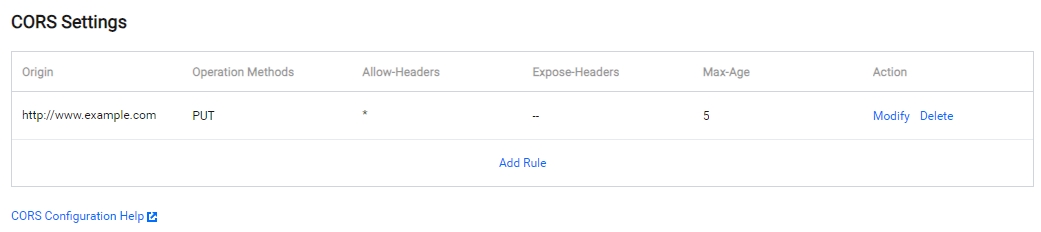
At this point, you can see that the cross-origin access rule has been added. If you need to modify, click Modify to edit your settings.