

Resources are stored in the form of objects in COS. To continue user usage habits, objects can be managed in the form of folders in the COS console.
Note:
Folder names are limited to 255 characters in length, and reserved characters and fields are not supported.
Reserved Characters and Fields
- Reserved fields: [con], [aux], [nul], [prn], [com0], [com1], [com2], [com3], [com4], [com5], [com6], [com7], [com8], [com9], [lpt0], [lpt1], [lpt2], [lpt3], [lpt4], [lpt5], [lpt6], [lpt7], [lpt8], and [lpt9].
- To preserve ASCII control characters:
Character up (↑): CAN (24)
Character down (↓): EM (25)
Character right (→): SUB (26)
Character left (←): ESC (27)
Directions
- Log in to the COS bucket console.
- In the left sidebar, select Bucket List, and go to the bucket list page.
- Locate the bucket for which you want to create a folder, and click its name to enter the bucket list.
- Click Create Folder.
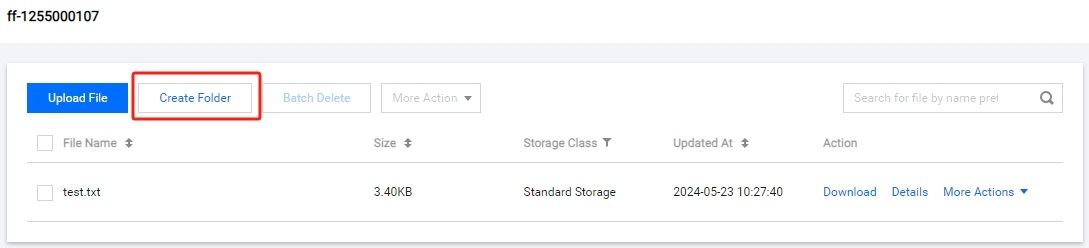
- Input the folder name and then click OK.
