

Overview
You can modify the storage type of uploaded objects at any time through the COS console to meet the business needs of different scenes.
Note:
The storage type of an object larger than 5 GB cannot be modified.
Directions
Log in to the COS console.
In the left sidebar, click Bucket List to go to the bucket list page.
Find the bucket where the object is located and click the bucket name to enter the file list page.
Find the object whose storage type you want to modify. In the operation column on its right, click More Actions > Change Storage Type to set it.
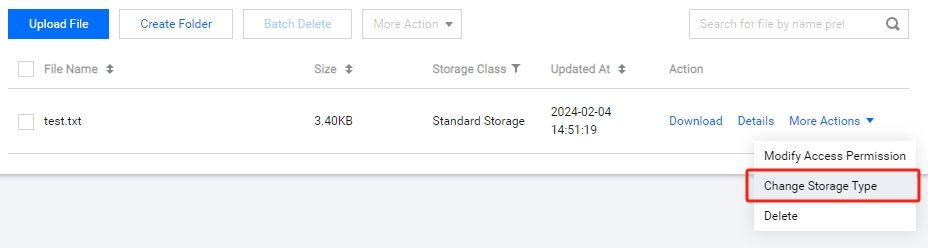
If you need to modify the storage type of multiple objects in batches, you can check multiple objects and click More Action > Change Storage Type at the top to modify it.Note:
Only batch modification of the same storage type is supported.

