Overview
You can use the COS console to copy one or more objects uploaded to a bucket to copy objects from the source path to the target path.
Directions
Log in to the COS console.
In the left navigation tree, click Bucket List to enter.
Find the corresponding bucket and click the bucket name to enter the file list page.

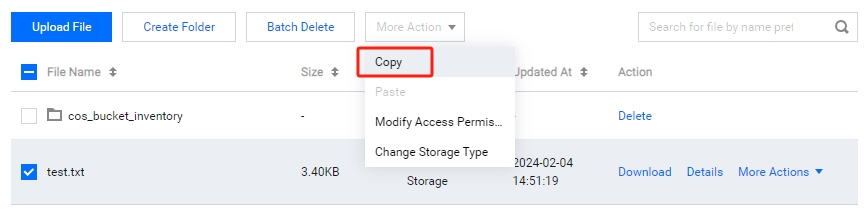
Select the object or folder you want to copy. Multiple selections are supported. Click More Action > Copy.
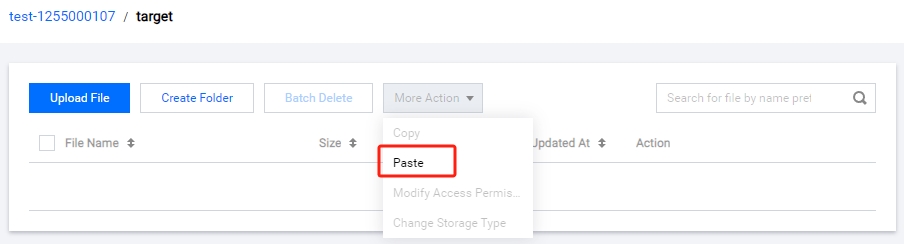
After you are prompted that the replication is successful, select the target path and paste the object. For example, you can paste the object to the target folder in the bucket test-1255000107.
Note:
The target path cannot be the same as the source path. Otherwise, the paste will fail.
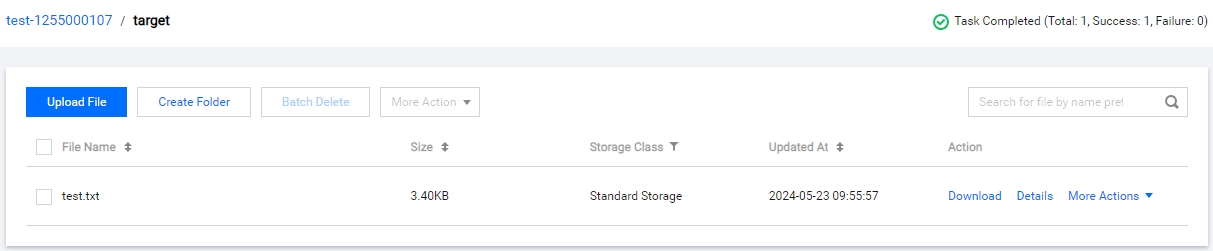
After pasting successfully, you can see that the objects or folders are copied to the target folder.